Chapter 2: Basic operating instructions
32 P/N 3102309-EN • REV 001 • ISS 18JUL19
4-FT firefighter telephone two-way communication
The 4-FT firefighter telephone provides capability for two-way communications between the fire command station
and firefighter telephone stations / jack telephones installed at strategic locations throughout the protected
building.
Answering incoming calls
An incoming call is initiated when a 4-FT firefighter telephone is taken off-hook or plugged into a telephone jack,
generating a visual and audible incoming call signal at the fire command station. The caller hears a tone until the
handset is connected to the system. The fire command station operator manually connects the incoming phone
call to the phone riser to complete the call. The firefighter telephone can also be used as a page source.
The incoming call sounds the control unit operator alert signal and displays the Call-in List button on the LCD
screen that, when tapped, displays a Call-in list of all incoming calls in the order in which they were received. Call-
in icons also appear that serve as operator controls for connecting and disconnecting calls.
To answer a call:
1. For a control unit programmed as a command center, request for control of the EST4 system may be
required. Use a 4-24L series control-display module to request control. See Figure 11 on page 31.
If the top Control Status LED (item 1) is steady, proceed to step 2. If not, press Request Control (item 2); its
LED flashes while requesting control. When the top Control Status LED is steady, proceed to step 2.
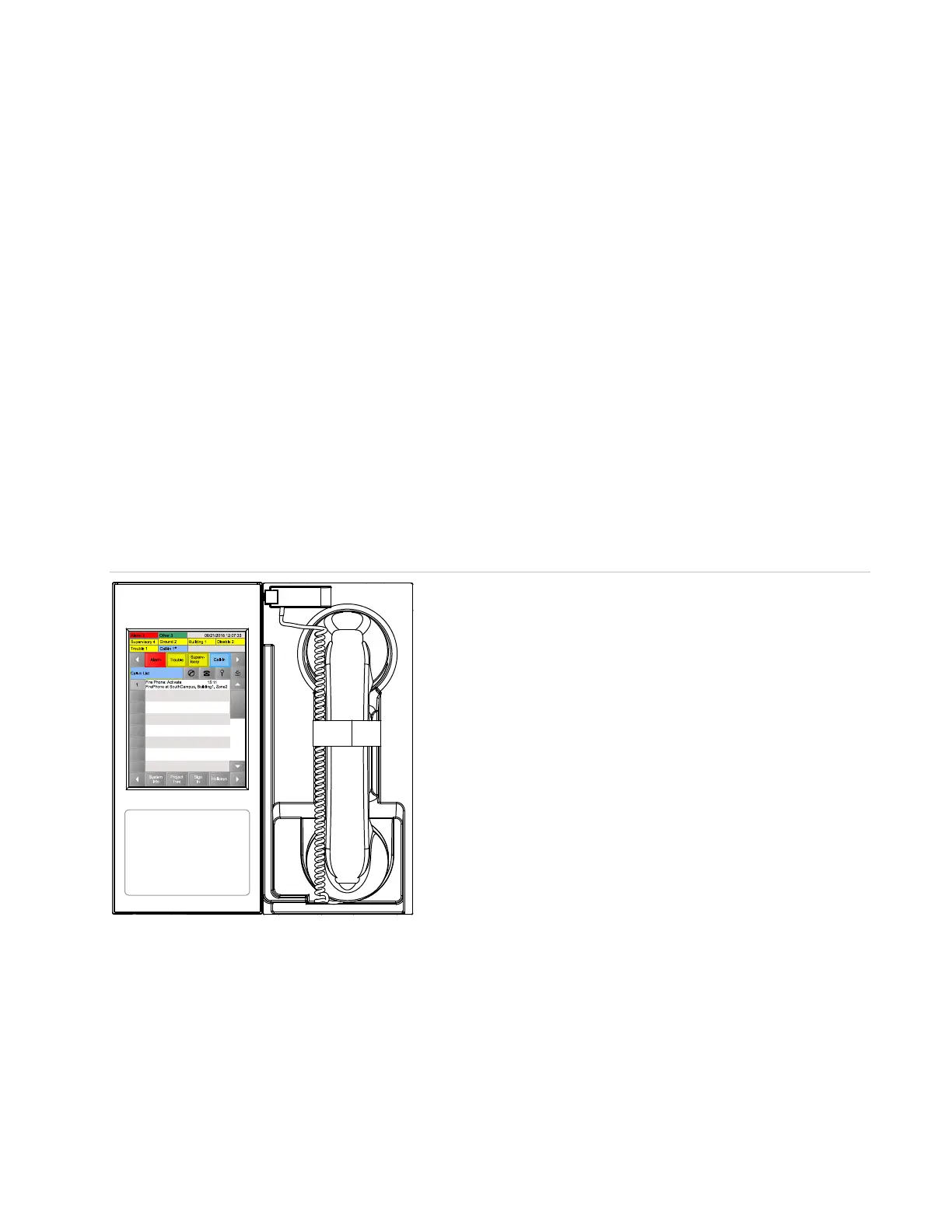
2. From the operator touch screen, on the List bar, tap Call-in.
3. In the Call-in List, locate the desired call, and then tap the call-in event number.
Figure 12: Answering firefighter telephone calls using the operator touch screen
4. Tap the connect button
✆ to connect the call to the master (local) telephone handset. The event’s status
changes to Connected.
5. Remove the telephone from its hook and communicate with the caller.
6. To add another call-in location to the conversation, in the Call-in list tap the location’s event number, and then
tap Connect again.
Up to five phone circuits can be connected, in addition to the master telephone.



 To Next Page