Chapter 2: Basic operating instructions
P/N 3102309-EN • REV 001 • ISS 18JUL19 31
To silence mass notification signals:
1. Press MNEC Silence (figure item 7 above). The bottom LED indicates silence is active.
Note: This action only silences mass notification signals. To silence fire alarm signals, see “Silencing the operator
alert signal” on page 18.
To reset the system when mass notification operation is active:
1. Press MNEC Reset (figure item 6 above) on the control-display module. The bottom LED indicates the reset
is active.
Note: This action only resets the system when mass notification operation is active. To reset the system for fire
events, see “Resetting the life safety system” on page 23.
4-FT firefighter telephone live voice announcements
For an EST4 system that includes a firefighter telephone, the telephone paging feature permits individuals with
access to a remote firefighter telephone to make announcements over the emergency voice/alarm
communications system.
Notes
• All 4-FT live voice announcement functions require a 4-24L series control-display module.
• Your system may be configured differently than described below.
To make a live voice announcement:
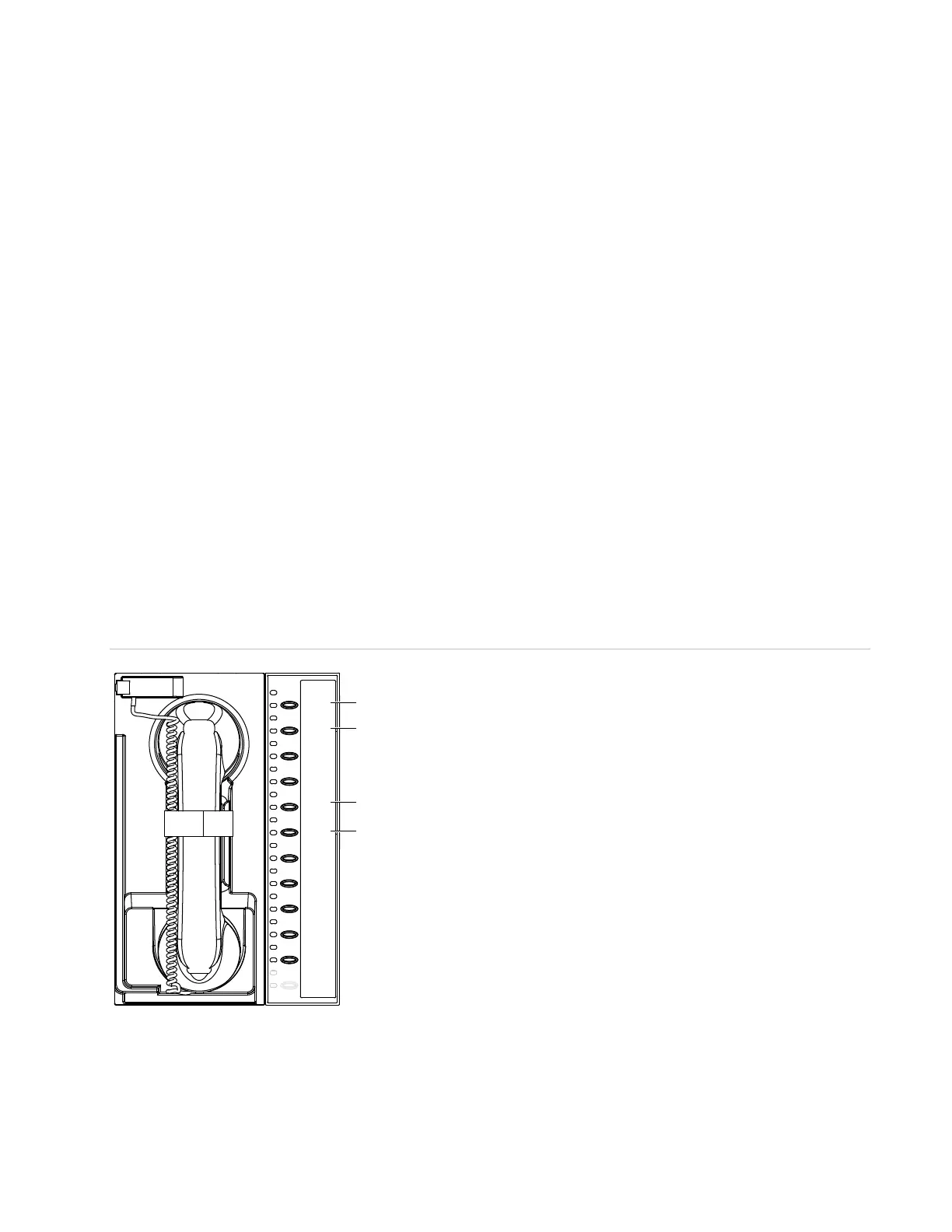
1. For a control unit programmed as a command center, request for control of the EST4 system may be
required. Use a 4-24L series control-display module to request control. See Figure 11 below.
If the top Control Status LED (item 1) is steady, proceed to step 2. If not, press Request Control (item 2); its
LED flashes while requesting control. When the top Control Status LED is steady, proceed to step 2.
Figure 11: 4-FT live voice announcements using control-display module switches and indicators
2. Remove the telephone handset from its hook.
3. The Ready to Page LED (item 3) on the control-display module flashes during a preannouncement tone.
When the LED is on steady, begin your announcement.
4. When finished, place the telephone handset on its hook.
4-FT 4-24L12S
Ready
to Page
Phone
Page
Request
Control
Control
Status
Grant
Control
Deny
Control
(3)
(1)
(4)
(2)



 To Next Page