EE Bright Box User Manual
74
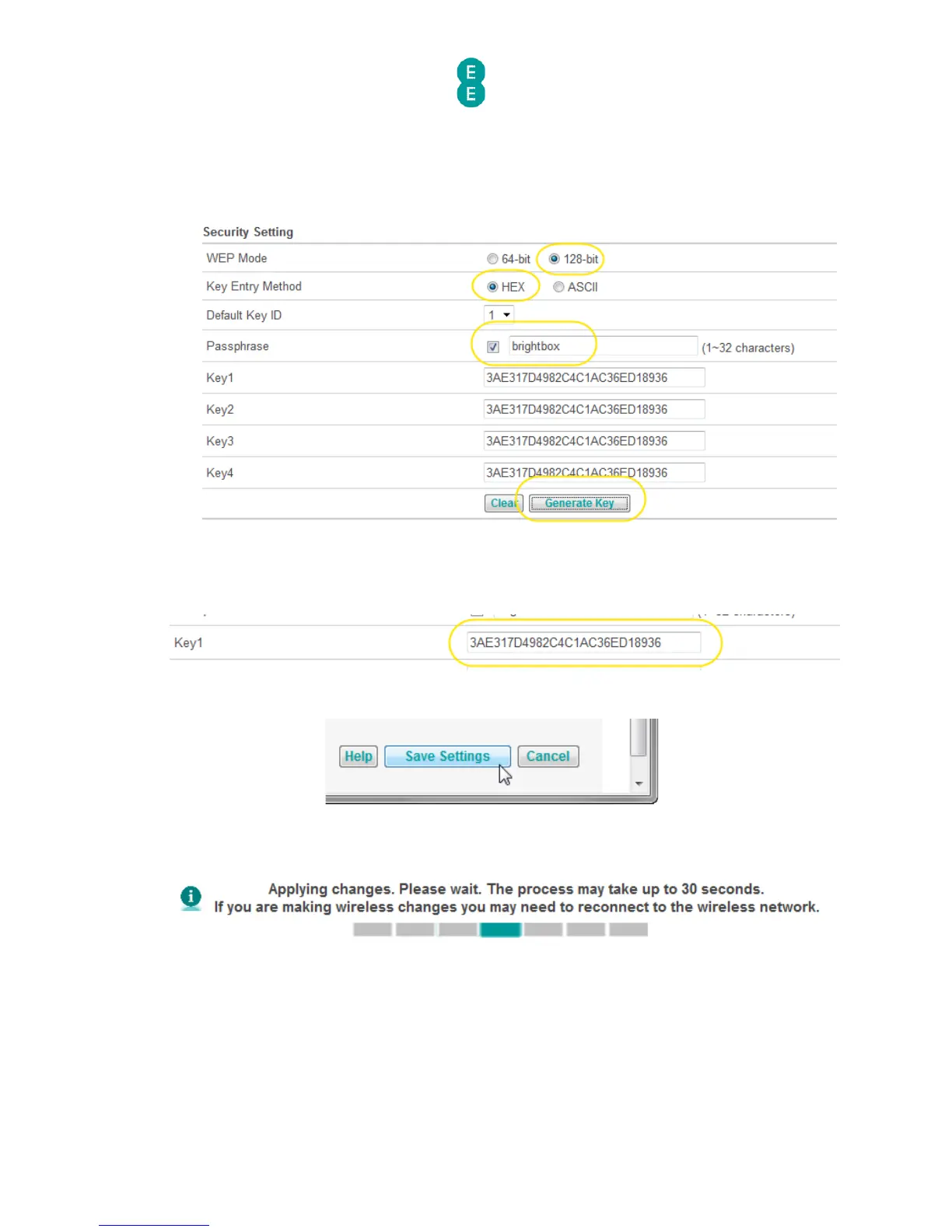
7. In the ‘Passphrase’ field tick the box and then enter any phrase, in this example we use
‘brightbox’, but enter your own unique one for when you follow this step.
8. Click the Generate Key button. Your screen should look like the example below:
8. Make a note of the ‘Key1’ value, in this example with 128-bit HEX mode, a 26-digit
hexadecimal key will be generated. This value will be entered into your wireless software
to make a connection to the wireless network:
9. Click Save Settings:
10. The router will apply the new settings:
12. Now you can connect your wireless computer or devices to your wireless network in WEP
mode. When presented with the option to enter the wireless password, enter the ‘Key1’
value recorded in step 9 (in this example ‘3AE317D4982C4C1AC36ED18936’)



 To Next Page