INSTALLING HARDWARE 21
5 Connect the monitor power cable to the back of the monitor (some monitors may already
have this cable attached). Connect the other end of the cable to a wall outlet.
Be sure to use the appropriate power cable for your regional outlet type.
6 Connect the recessed end of the E-43A power cable to the power connector to the E-43A
connector panel. Connect the other end of the cable to a wall outlet.
Connecting to the copier/printer and the network
Connect the E-43A to the copier/printer and the network to enable print and network
connectivity.
TO CONNECT TO THE COPIER/PRINTER
1 Make sure that the E-43A and the copier/printer are powered off.
Do not fold the printer interface (Data Transfer Unit) cables. When you bundle up the cable,
make a circle with the radius of 10cm (4 inches) or more.
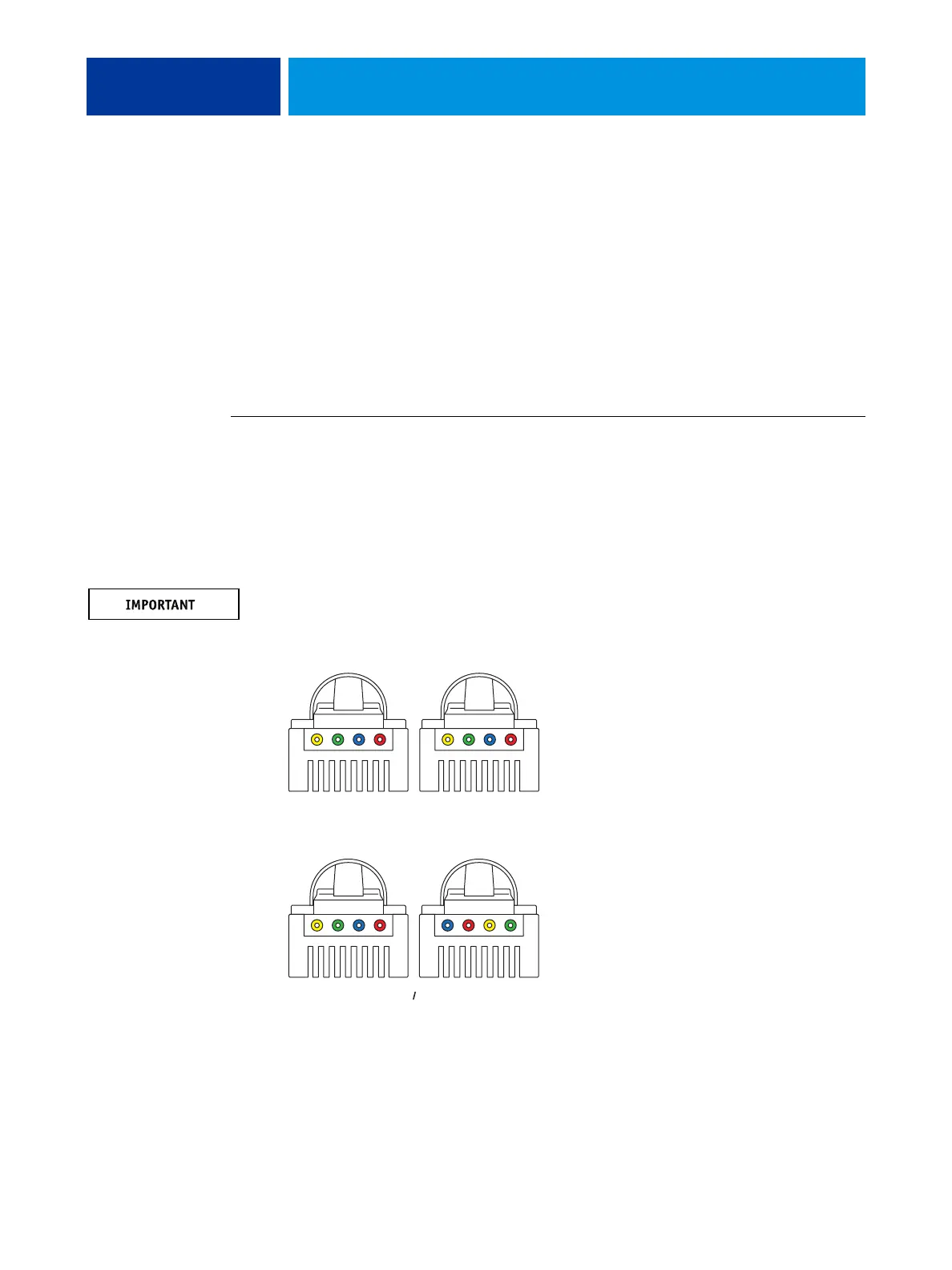
2 Connect the crossover Ethernet cable to the lower RJ-45 port on the E-43A and the copier/
printer.
NOTE: The straight-through network cable at the customer site and the crossover Ethernet
cable included with the E-43A look similar, but are not interchangeable. Make sure that you
connect the crossover Ethernet cable to the lower RJ-45 port on the E-43A connector panel.
FIGURE 5: Straight-through and crossover Ethernet cables
NOTE: To prevent risk of cross-talk, make sure the crossover Ethernet cable does not touch the
power cables for the system. Image quality problems or E-43A shutdowns could result.
1
234
1
234
1
234
3
412
=
=
Straight-through cable:
wire arrangements are
identical on both connectors
crossover Ethernet cable:
wire arrangements
are different
Align cables side by side
and examine wires.



 To Next Page