REPLACING PARTS 39
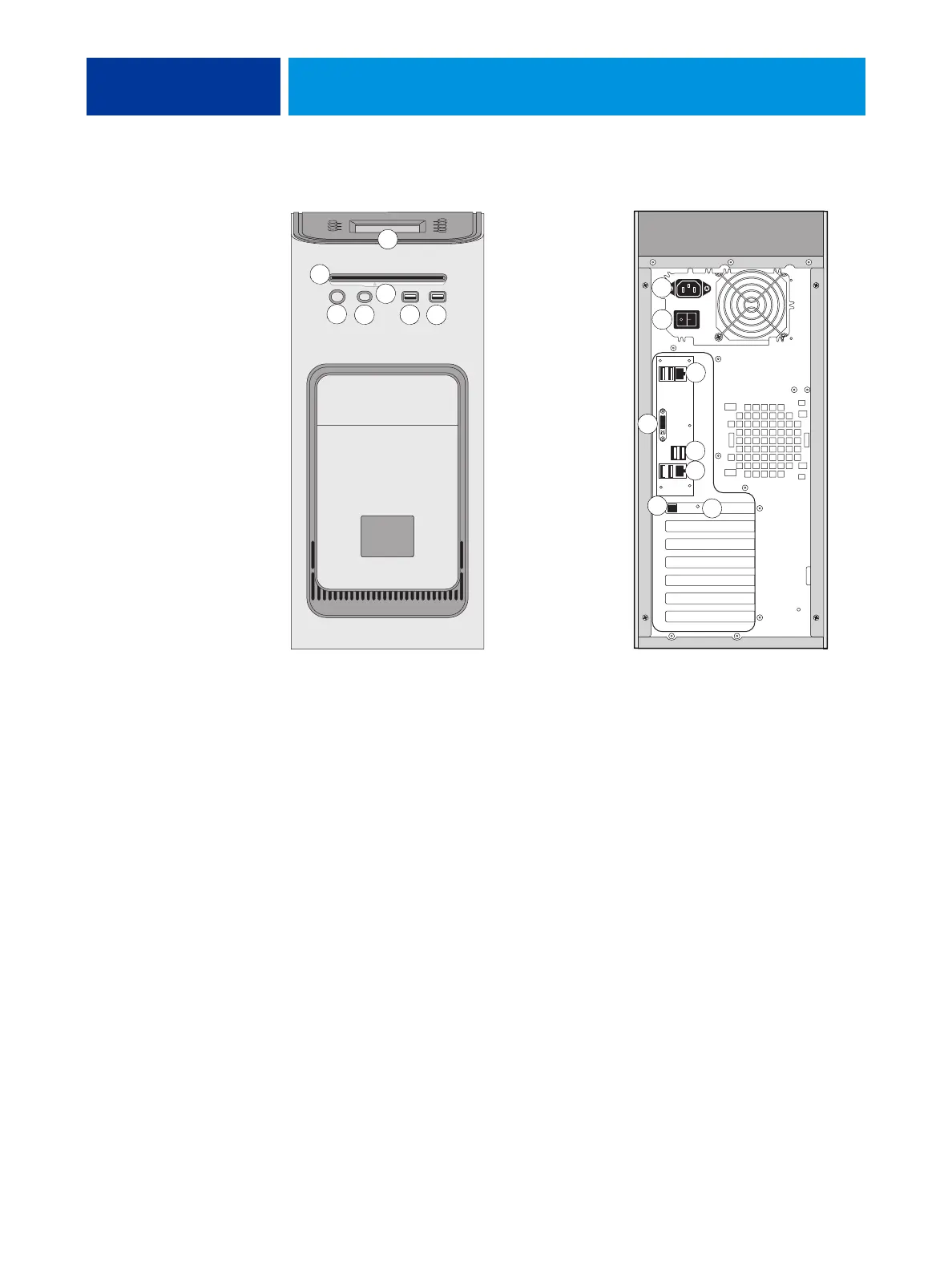
E-43A overview diagrams
FIGURE 11: Front and connector panel
Key
1 Control panel
2DVD drive
3 Eject button
4 Power button
5Reset button
NOTE: Use the reset button
only if the system is
unresponsive to keyboard or
mouse actions.
6 Type A USB port
7 Type A USB port
8 Power connector
9 Power switch
|: Power On
O: Power Off
10 Network port (Upper RJ-45)
11 Monitor (DVI) port
12 Type A USB ports
13 printer interface port
(crossover Ethernet port)
and Type A USB ports
14 Type B USB port on the
printer interface board
15 OFF/ON switch for power
synchronization
Connector panel
Front panel
10
1
2
3
4
5
6 7
8
9
11
12
13
14
15



 To Next Page