33
Chapter 5
Administrator Settings
Chapter 5 Administrator Settings
This chapter describes how to congure monitor operation using the "Administrator Settings" menu.
5-1. Basic Operation of the "Administrator Settings"
Menu
1.
Menu display
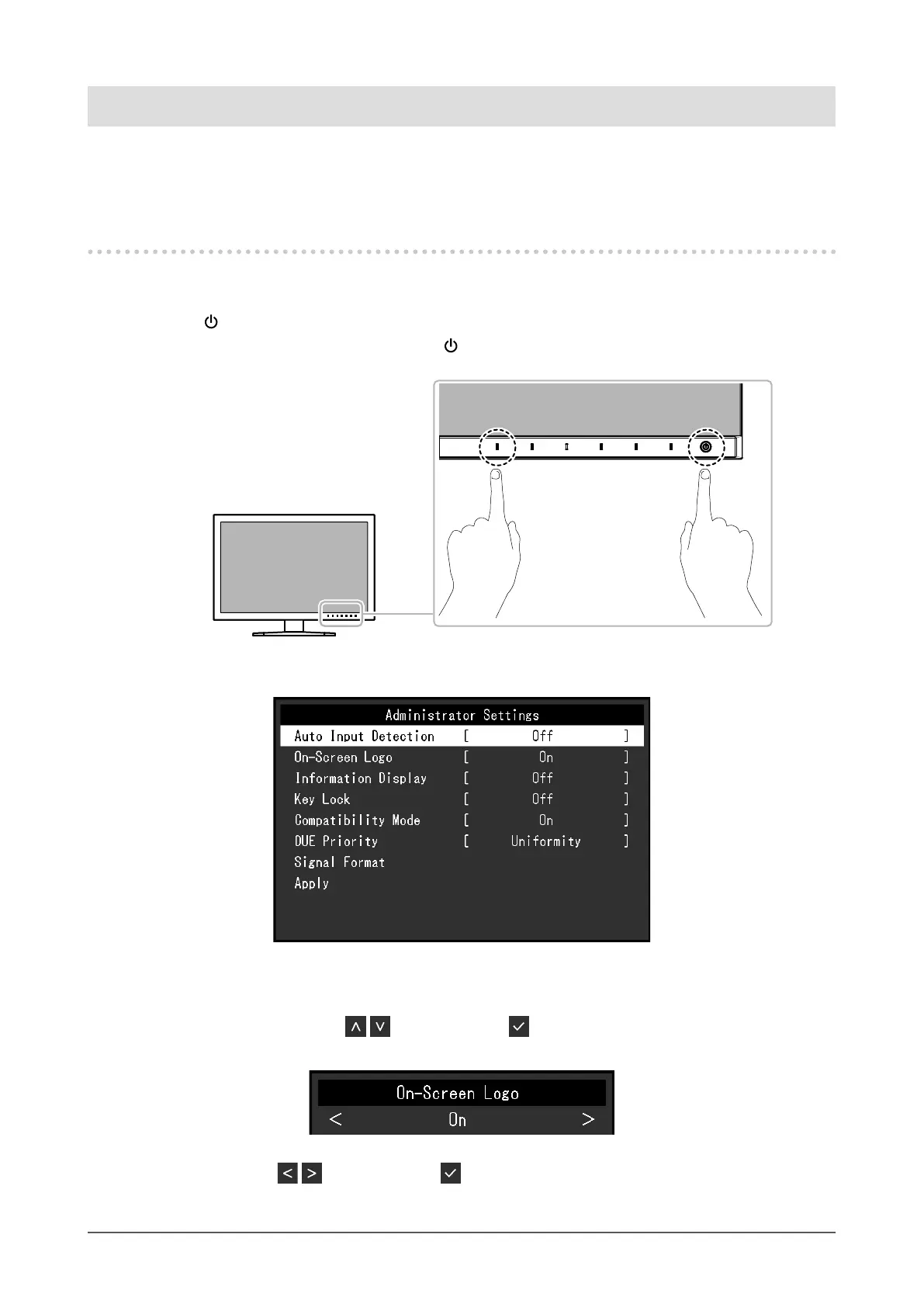
1. Touch to turn o the monitor.
2. While touching the leftmost switch, touch
for more than 2 seconds to turn on the monitor.
The "Administrator Settings" menu appears.
2.
Setting
1. Choose an item to set with , and then select .
The Adjustment/Setting menu appears.
2. Set the item with , and then select .
The "Administrator Settings" menu appears.










 To Next Page