41
Chapter 8
Reference
Chapter 8 Reference
8-1. Attaching/Detaching the Cable Holder
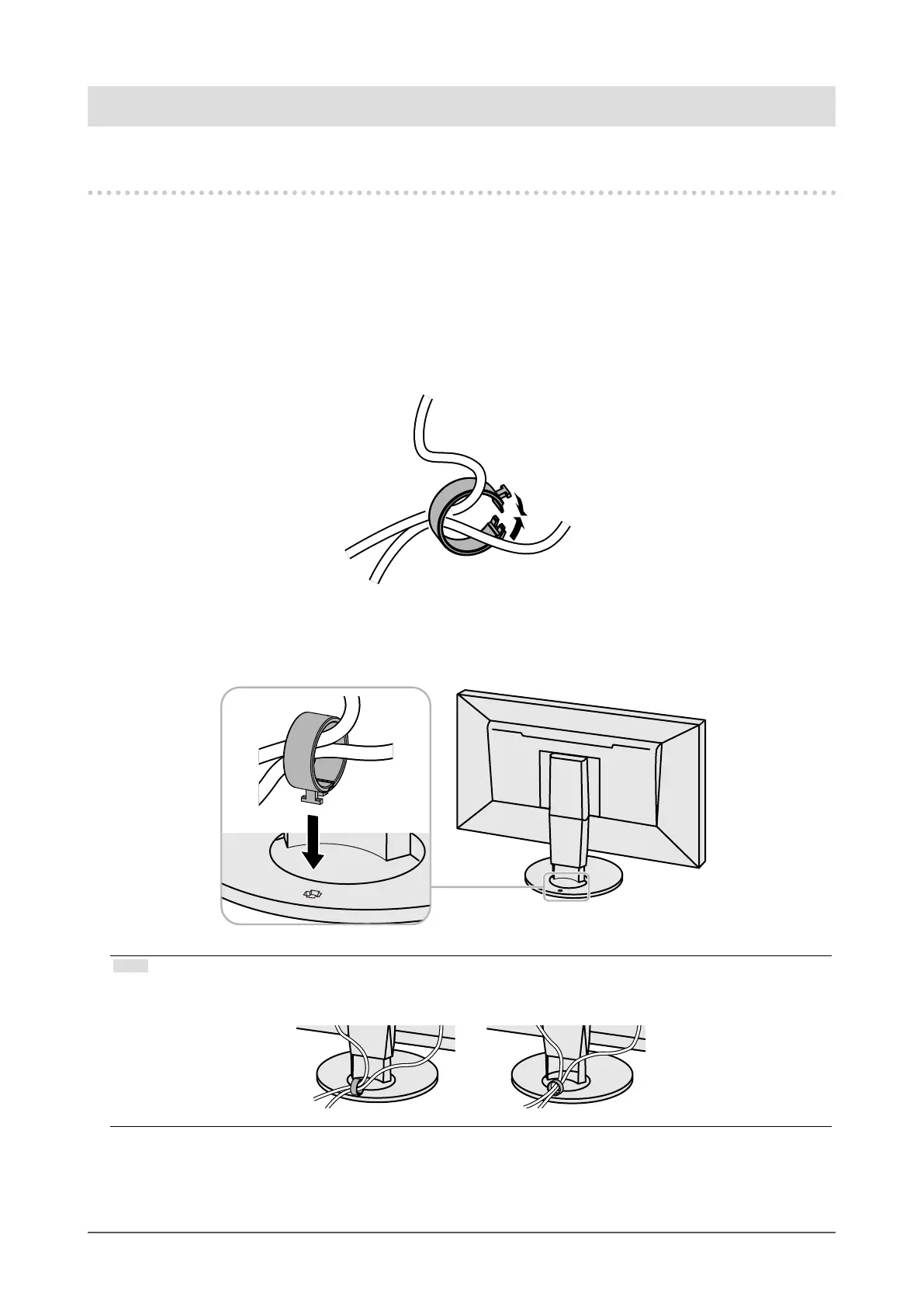
A cable holder is supplied with this product. Use the cable holder to organize the cables connected to the
monitor.
Attachment procedure
1.
Pass the cables through the cable holder.
2.
Close the cable holder.
3.
In this state, insert the cable holder into the stand.
Note
• The cable holder can be inserted either perpendicular or parallel to the stand. Change the orientation of the cable
holder in line with the direction of the cables.










 To Next Page