39
Chapter 7
Attaching/Detaching the Stand
Chapter 7 Attaching/Detaching the Stand
7-1. Removing the Stand
The stand section of this product can be removed.
Attention
• Do not move the removed stand up and down. Doing so may result in injury or equipment damage.
• Since the monitor and stand are heavy, dropping them may result in injury or equipment damage.
1.
To prevent damaging the LCD panel surface, lay the monitor with its LCD panel
surface facing down on a soft cloth spread on a stable surface.
2.
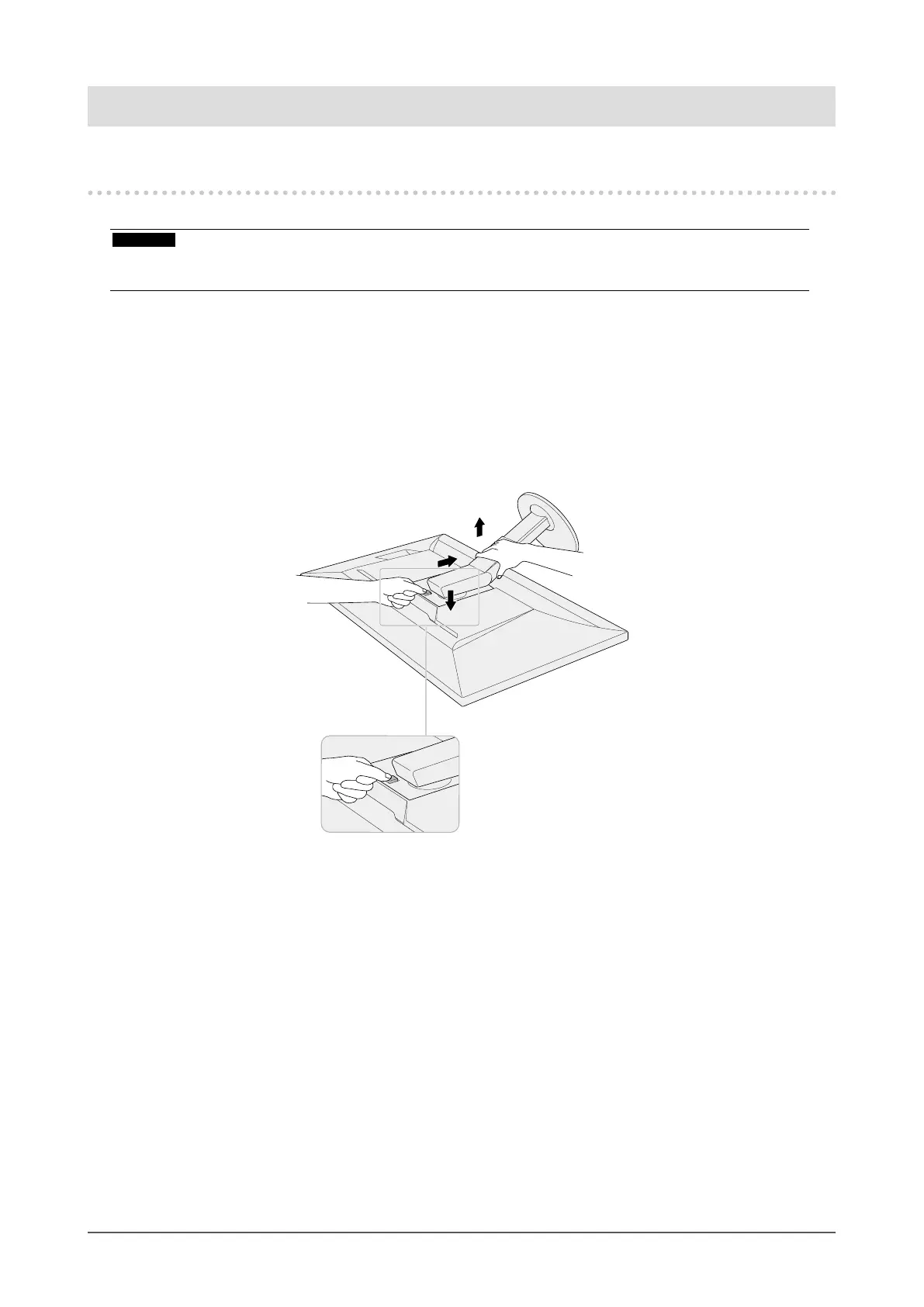
Remove the stand.
Press and hold he lock button (1), rmly grip the stand support, and then slide the stand in the
direction of the base of the stand (2).
When the tab that holds the stand in place loosens, remove the stand (3).
(3)
(2)
(1)(1)










 To Next Page