Commissioning
7.4 System settings
SCD 19102 / SMD 19102
Instruction Manual, 10/2011, A5E01588521A-004
73
Determine start values using autofunction
The following commands can be used to trigger automatic determination of the timing data,
and provides rough approximation of the applied timing.
1. Open a test pattern with a clearly defined frame (e.g. SMPTE image).
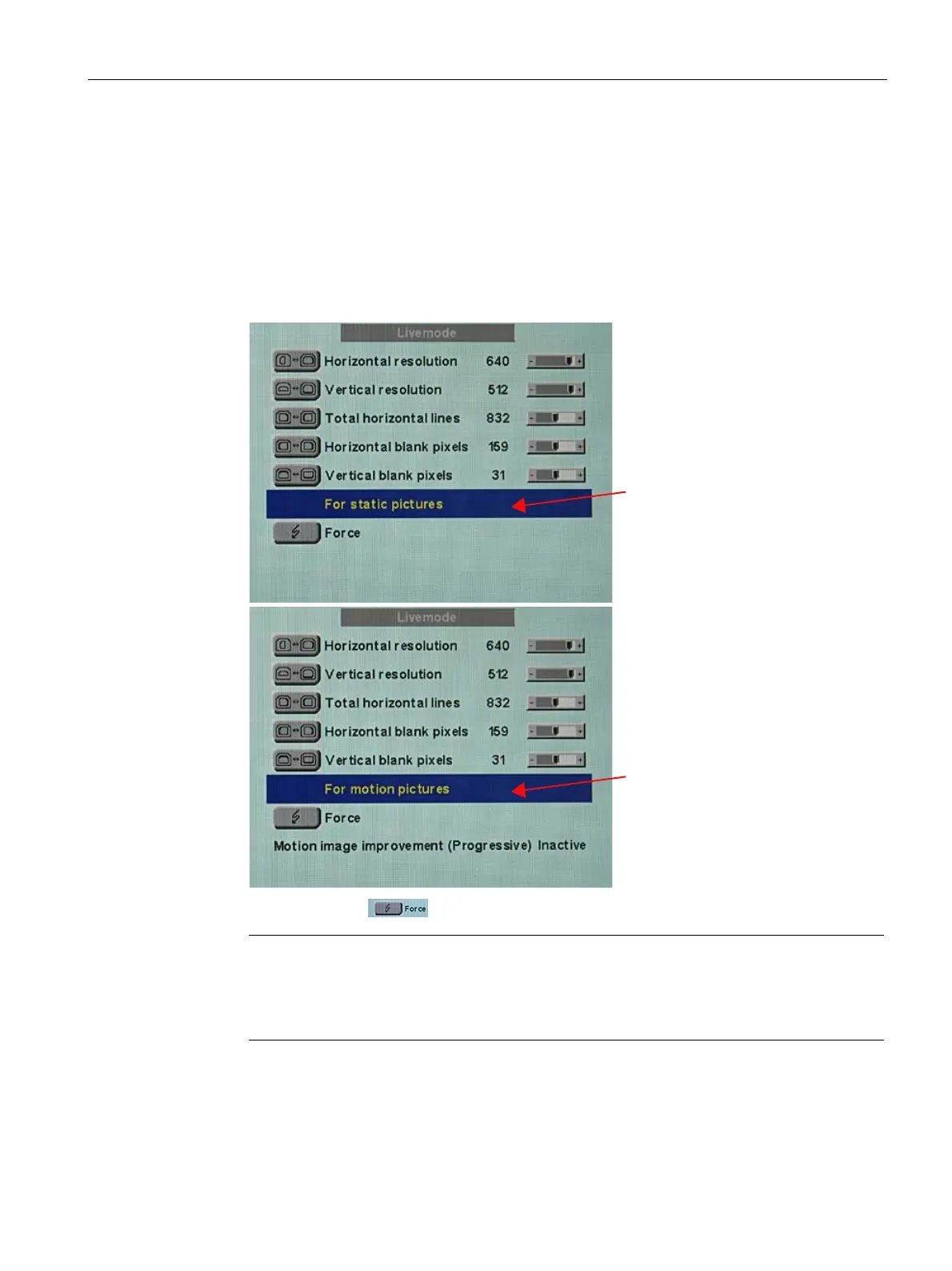
2. Open the Live mode" menu: Main menu → Servicelevel 2 → Force Mode → Live mode.
3. Select either "For static pictures" or "For motion pictures" in line 6 in the "Live mode"
menu using key 2.
6HOHFWಯ)RUVWDWLFSLFWXUHVರ
6HOHFWಯ)RUPRWLRQSLFWXUHVರ
4. Execute "Force"
command using key 2.
Note
For progressive timings with an image refresh rate greater than 60 Hz, only the item "For
static pictures" or "Reset" can be selected in line 6 in the "Live mode" menu.









 To Next Page