3. Arming and Disarming
22
iConnect User Manual
+Perimeter Arm/Partitions1and2Arm,128=Partition1Disarm,
129=Partition2Disarm,200=ArmStatus
∗
)
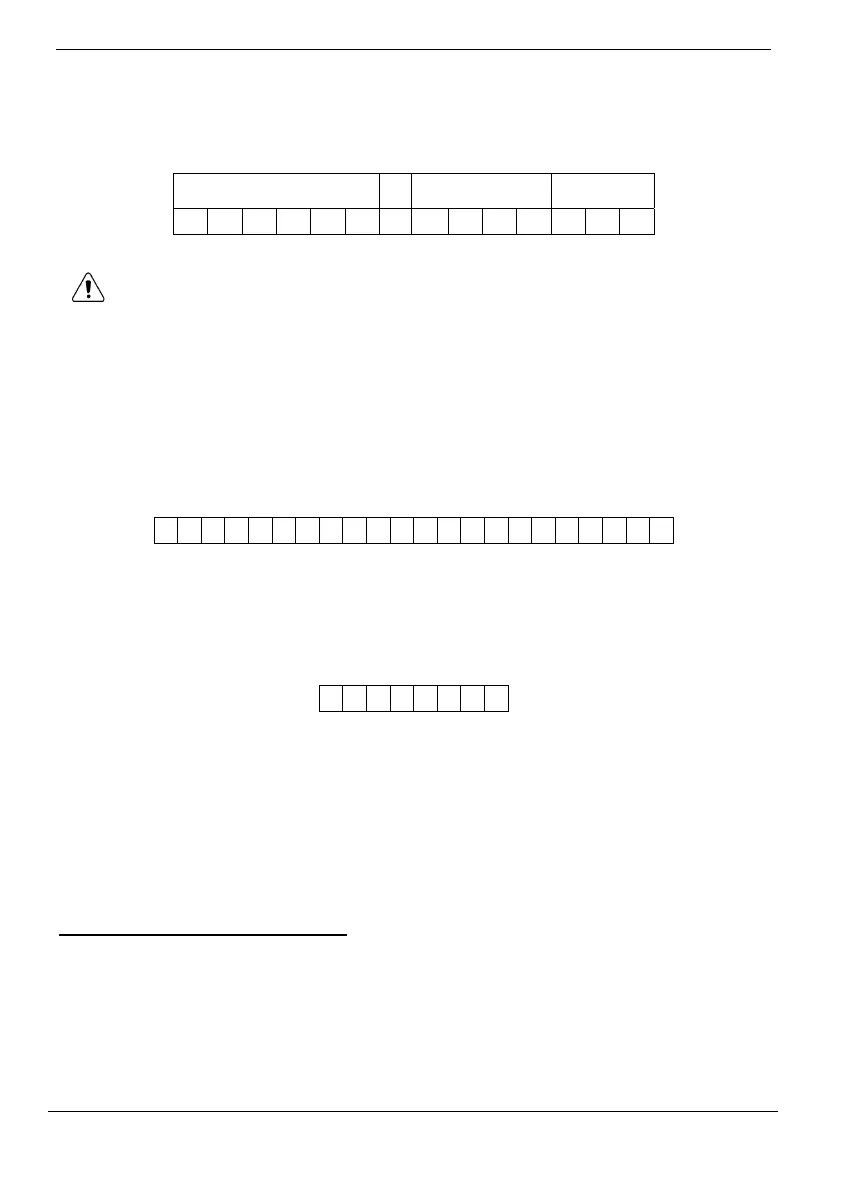
ThefollowingexampleshowstheformatofanSMScommandfordisarmingthesystem:
SMS Command
Descriptor
User Code Command
D I S A R M #
1 2 3 4 1 2 0
While the SMS Command Descriptor is optional, you must start the SMS
command with the # symbol for the system to accept the command. Donʹt use
ʺ#ʺsymbolwithinthedescriptortext.
Arm Status Reply
On receiving an Arm Status request message (see commandʺ200ʺ above), the system
returnsastatusmessagetothesender.Thismessageincludesthesystemstatusandthe
descriptoroftheuserorthedeviceusedtoarm/disarmthesystem.
The following example shows an Arm Status Reply message reporting
that the system
wasfullyarmedbyMasterUser.
F U
L L A R M
E
D
-
M
A
S
T
E
R
U
S
E
R
SMS Confirmation Message
Afteran SMScommand isexecutedbythe system,ifprogrammedby yourinstaller,
a confirmation message may be returned to your mobile phone. The following
exampleshowstheconfirmationmessa geyoureceiveforthe samplecommandfrom
theprevious section.
D
I
S
A
R
M
E
D
Remote Arming/Disarming via the Telephone
Usingthe Telecontrolfeature,youcanarmanddisarmthesystemviathetelephone.For
furtherinformationontheTelecontrolfeatures,seep.27,
6.Telecontrol.
Remote Arming/Disarming via WUAPP and WAP
YoucanarmanddisarmthesystemremotelyusingtheWUAPP(WebUserApplication)
andWAP–seeAppendixB:WebUserApplication.
∗
MastercodeisrequiredfortheArmStatuscommand.



 To Next Page