3. Arming and Disarming
16
iConnect User Manual
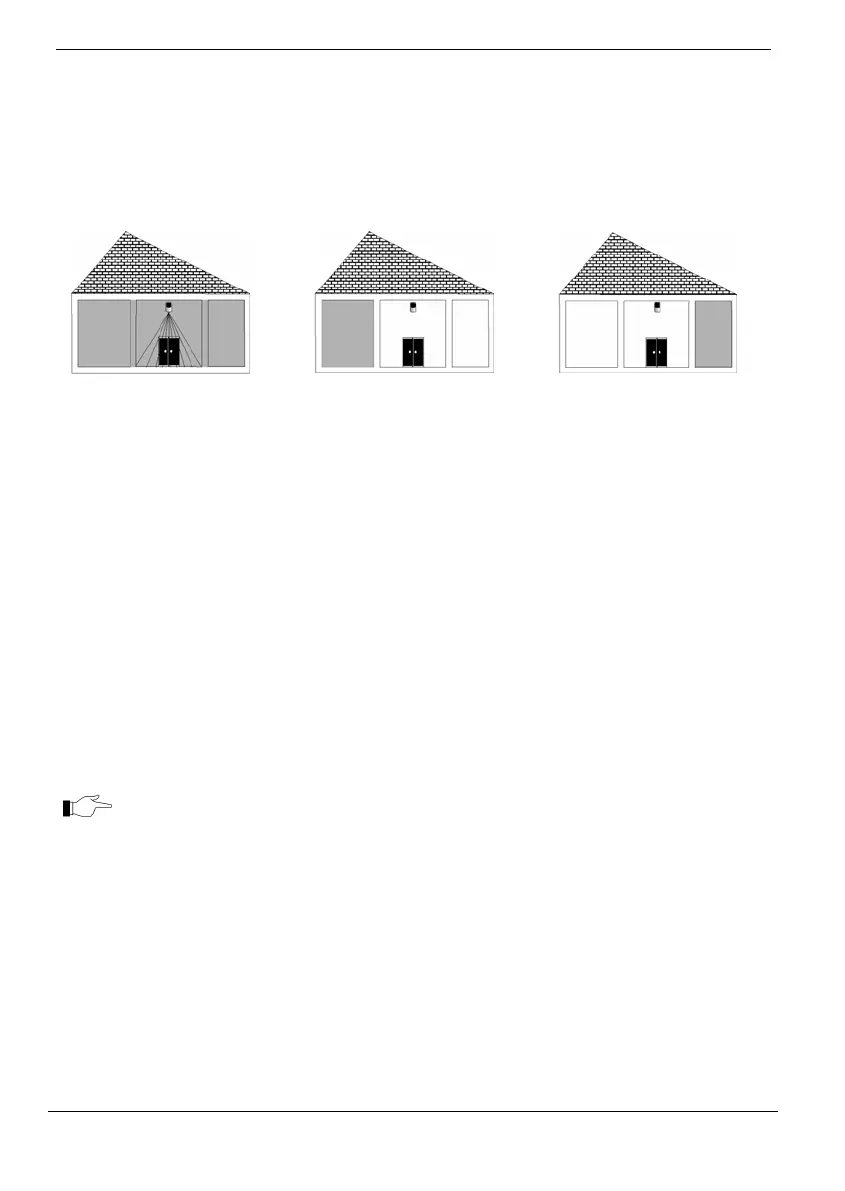
A common zone is a zone that belongs to both partitions. An alarm is generated from
commonzonesonlyifthesystemhasbeenFullyArmedorbothpartitions1and2have
beenarmed.
InthefollowingexampleonepartofthehouseisassignedtoPartition1,anotherpart
to
partition2. The common zone isin the corridorthat belongs to bothpartitions.In each
diagram,theprotectedareaisshaded.
Full Armed/ Both
Partitions Armed
The common zone is active,
and the corridor is
protected.
Partition 1 or 2 Disarmed.
The common zone is deactivated, and the corridor is disarmed.
Now either user can access his partition through the corridor.
3.4. Arming the System
Before arming the system, check that all doors and windows are secured so that the
systemisreadyforarming.
Arming with the Keypad
Toarmthesystemusingthefrontpanel/wirelesskeypads:
Pressoneofthethreearmingkeys.Inapartitionedsystem,pressPart
Armingkeyforpartition1armingandPerimeterArmingkeyfor
partition2arming.Theexitdelaybeginstocountdown.Attheendof
theexitdelay,thesystemisarmed.
WirelessTerminalEL‐2724doesnotsupportpartitioning.
EnteryourusercodeifOne‐Keyarmingisdisabled.
Toarmthesystemwithsmartkey(Wireless Terminal),one‐keyarmingmust
bedisabled.
Arming with the LCD Keypad
TofullarmthesystemusingtheLCDkeypad:
PressFULLonthekeypad;theexitdelaybeginstocountdown.Atthe
endoftheexitdelay,thesystemisarmed.
To Part or Perimeter arm the system, or to arm one partition in a partitioned system,
usingtheLCDkeypad:
1. PressPARTonthekeypad.
2. If
One‐KeyArmingisdisabled,enteryourusercode.



 To Next Page