5. Home Automation and PGM
iConnect User Manual
25
5.3. Telephone Control
Using the Telecontrol feature, you can control HA units and PGMoutput remotely via
the telephone. For further information on the Telecontrol features,
seep.27,
6.Telecontrol.
5.4. SMS Control
If your system supports cellular communication, you can control HA units and PGM
remotely via your mobile phone using a number of SMS commands. The SMS
commandsaredesignedtobeenteredastemplatesonyourmobilephone.
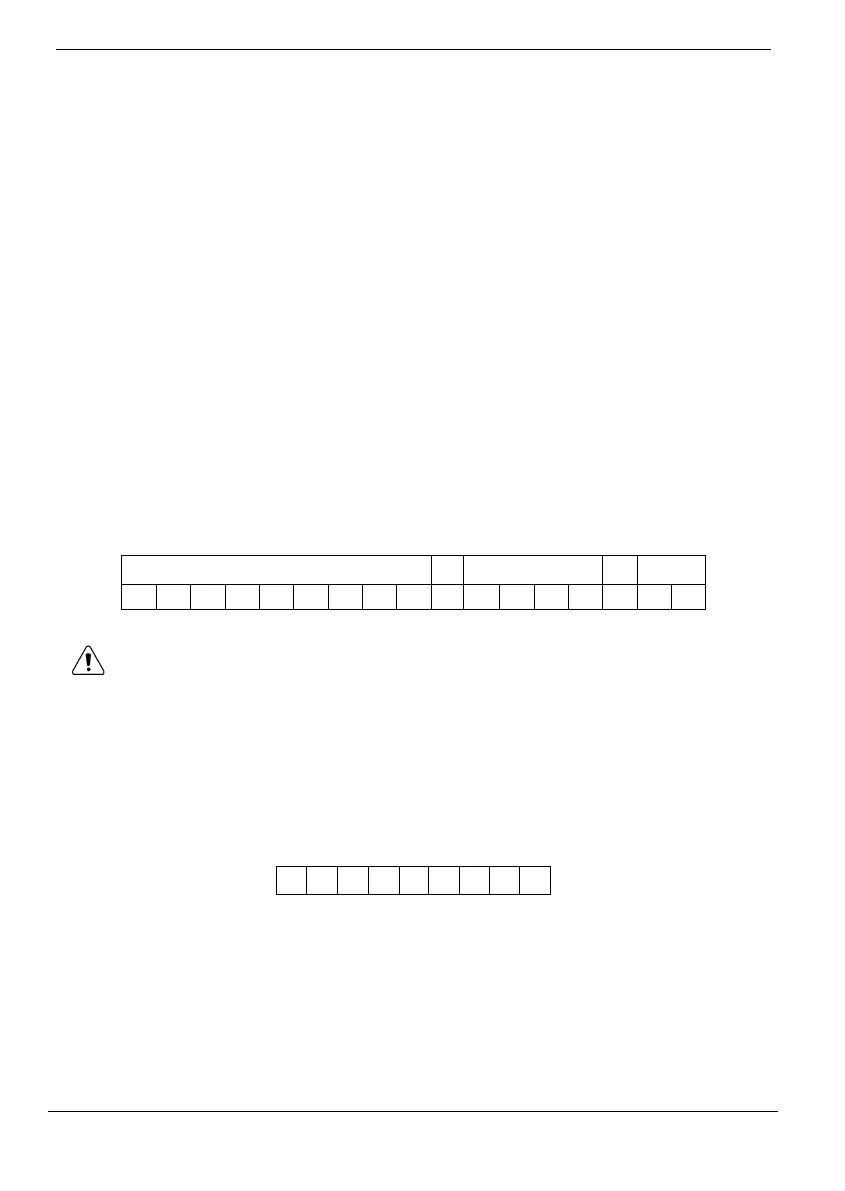
EachSMScommandcontainsthefollowingelements:
SMSCommandDescriptor(upto43characterslong)
#(separatesthedescriptorfromtheactualcommand)
UserCode
Command(0=Off,1=On)
HAUnitNumber(01‐16,or30forPGM)
The following example shows the format of an SMS command to switch on a water
boilercontrolledbyHAunit08.
SMS Command Descriptor User Code On Unit
B O I L E R O N #
1 2 3 4 1 0 8
Do not include the symbol ‘#’ in the descriptor as the system regards any text
after this symbol as part of the command. The SMS Command Descriptor is
optionalbutyoumuststillenterthe‘#’beforetheusercode.
SMS Confirmation Message Format
After an SMS command is executed by the system, if programmed by your installer, a
confirmationmessagemaybereturnedtoyourmobilephone.Thismessageincludesthe
HAunit’sdescriptorandthecommandthatwassent.Thefollowingexampleshowsthe
confirmationmessageyoureceiveforthesamplecommandfromtheprevioussection.
B O
I L E
R
- O
N
5.5. Scheduling (not relevant to PGM)
The Scheduling feature allows you to set an On and Off time for each HA unit. At these
timesthesystem automaticallyswitches the HA unit onand off. You canalsochoosethe
days of the week that the schedule is active. Scheduling is also available on the WUAPP
(WebUserApplication)andWAP–seep.48,ApendixB,WEBUserApplication,Automation.



 To Next Page