3. Arming and Disarming
iConnect User Manual
19
Motionsensorshaveathreeorfourminutedelaybetweentransmissions.
3.5. Disarming the System
Whenyouenterthepremises,theentrydelaybeginstocount
down. You must disarm the system within the entry delay
timetopreventthesystemfromtriggeringanalarm.
Disarming the System Using the Keypad
Unpartitioned systems
Enteryourusercode–thesystemisdisarmed.
Inunpartitionedsystems,youcanonlydisarmalltheactivearmingmodes.
Partitioned systems
Enteryourusercode todisarmthepartitionthisusercode isassignedto.
If your user code is assigned to both partitions, the system prompts:
ʺSelectPartitionʺ.
Within6seconds,pressthepartarmingbuttonforpartition1,
perimeterarmingbuttonforpartition2,orFullarmingbuttonto
disarmthewholesystem.
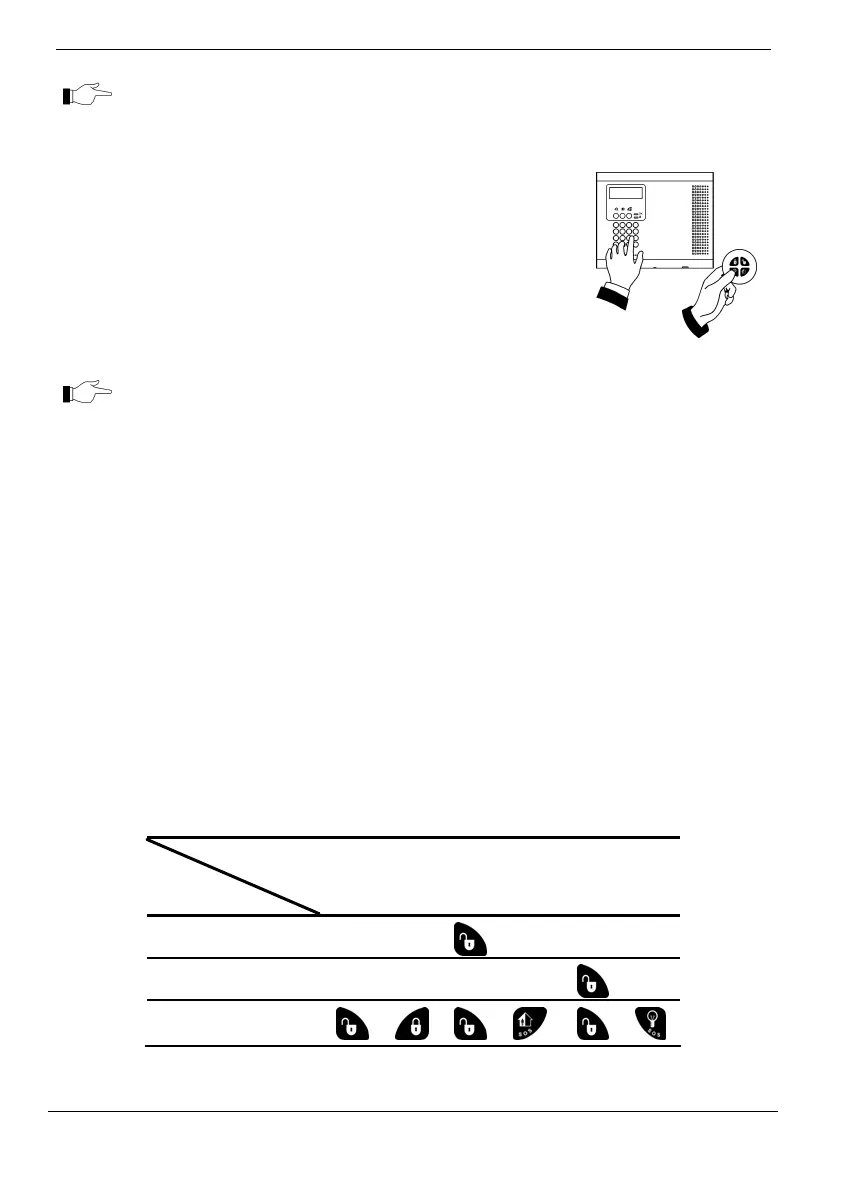
Disarming the System Using the Keyfob
Unpartitioned Systems
Pressthedisarmbutton.
Partitioned Systems:
Ifthekeyfobisassignedtobothpartitions,twobuttonsshallbe
pressed.Todisarmpartitionedsystem,seethetablebelow:
Function
Partition
set
Disarm the
Whole
System
Disarm P1 Disarm P2
P1 only
P2 only
Whole system (P1
and P2)
→ →
→



 To Next Page