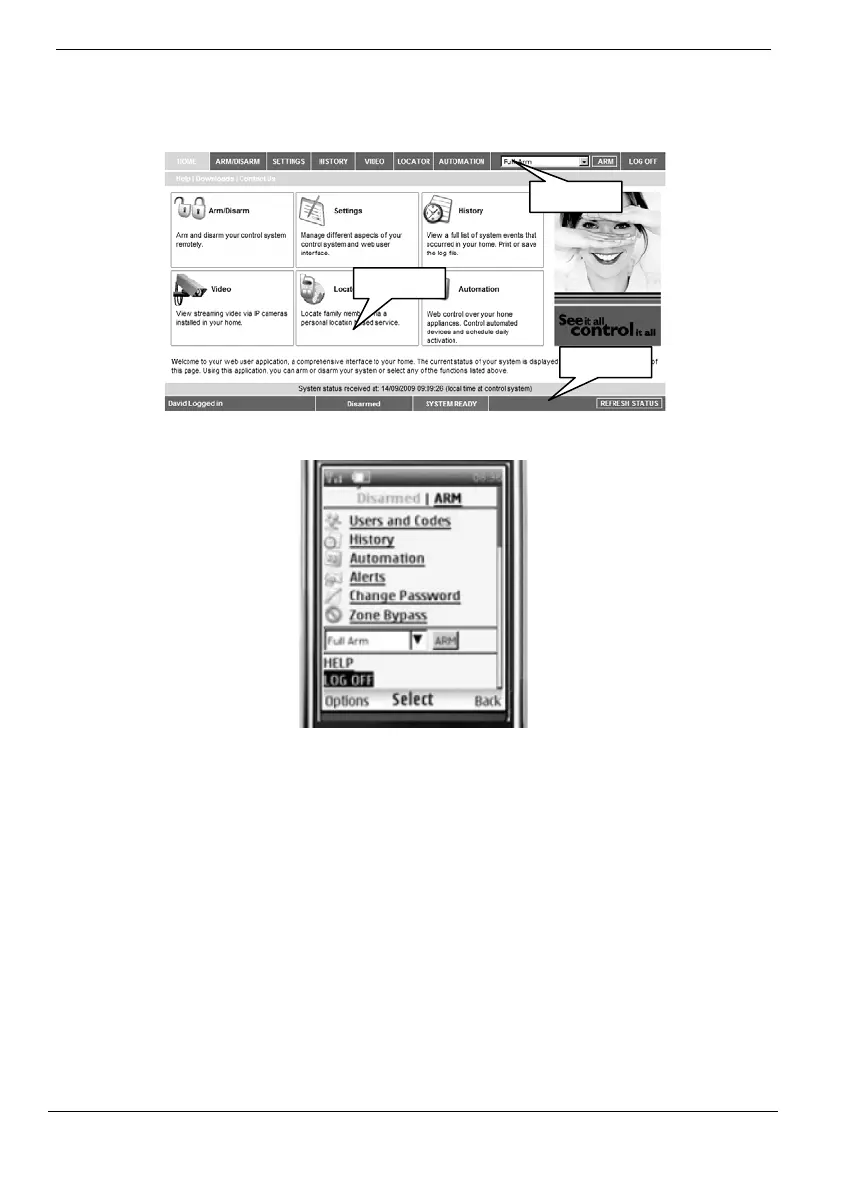
Appendix B: Web User Application
42
iConnect User Manual
The Main Page
Afterloggingin,yoursystem’shomepage(MainPage)isdisplayed.
WhenusingWAPserviceofyourcellularphone,themainpagelooksthefollowingway:
Menu Bar
TheMenuBarincludestheMainMenu,arm/disarmoptionslist,andtheLogOffbutton.
The Main Menu offers links to various pages in the Web Application. Use the Logoff
buttonontherightsidemenutoproperlyclosethesession.
ThefollowingoptionsareavailablefromtheMainMenu:
Home–pressingtheHomebuttonallowstheusertoreturntothe
Mainpageatanytime.
Automation–allowscontrolorschedulingofautomatedlightsand
appliances.
Video–providesaccesstoviewstreamingvideofromIPcameras.
MyAccount–offersvariousoptionsincludingusercodeandcontact
management,eventlogviewingandzonebypass.
Menu Bar
Status Bar
Workspace



 To Next Page