iii
Quick Reference Guide
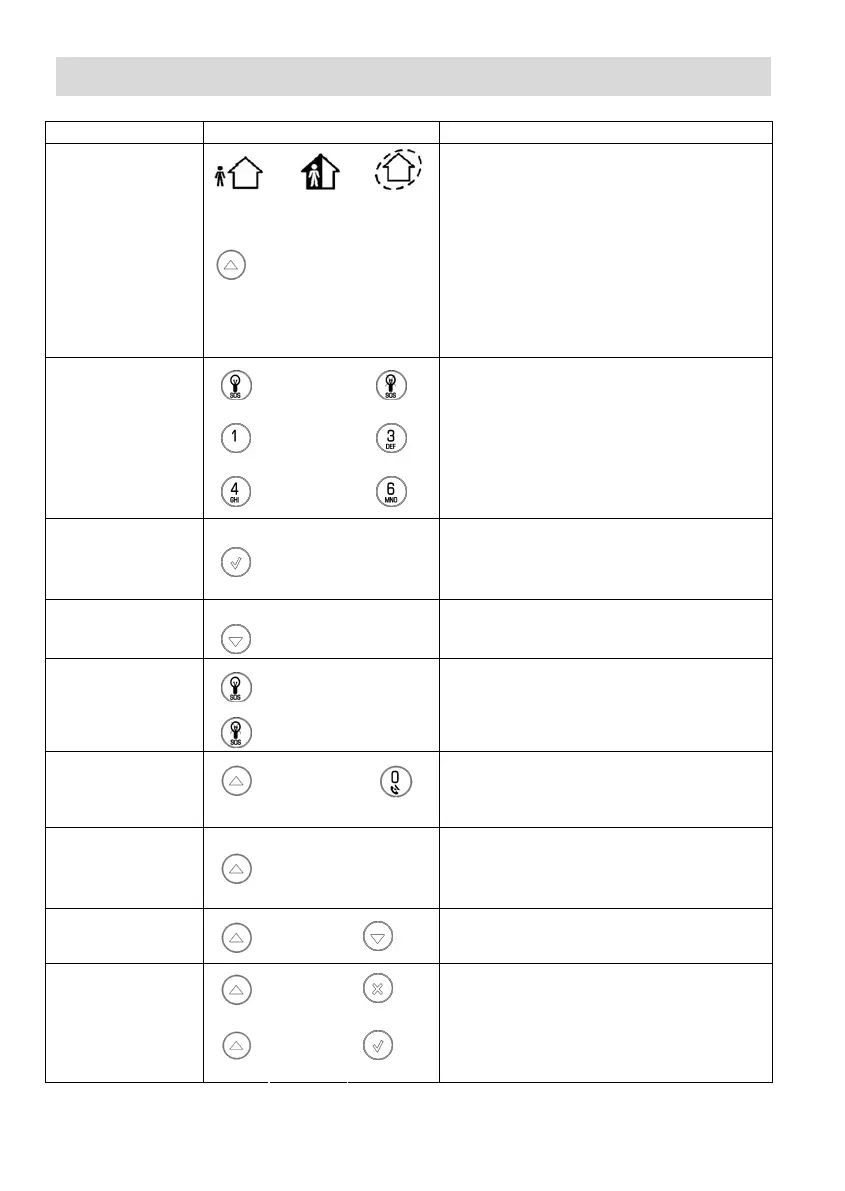
Function Press… Additional Information
ARM
FULL PART PERIMETER
If One-Key Arming is disabled on the
Control System, enter your user code when
arming.
The default master code is 1234.
INSTANT ARM
Hold down this key
until “Instant Arming
OK?” is displayed.
Then Press .
Instant arming cancels the entry delay
after Part or Perimeter arming. This feature
can be enabled by your installer.
DISARM [USER CODE]
Entering your user code also silences the
siren in the event of an alarm.
PANIC
ALARM
+
FIRE
ALARM
+
MEDICAL
ALARM
+
Press these buttons together and hold
them down to generate an alarm.
MENU MODE
then [USER CODE]
Use the menu navigation buttons (/)
until the required menu item is displayed
then press . Alternatively, enter the
shortcut (e.g. 21 for Bypass Zones).
CHECK TROUBLE
CONDITIONS
Use this key scroll
the system trouble
list.
Pressing also silences any trouble tones
that may be sounded by the system.
SWITCH HA/PGM
UNIT ON
then [HA UNIT #]
SWITCH HA/PGM
UNIT OFF
then [HA UNIT #]
Enter the HA module number in two digits
(e.g. 03, or 30 for PGM).
SERVICE CALL
then
press
and hold
“Service Call Dialing” is displayed. The
number dialed for the service call is
programmed by your installer.
FIVE SPEED
DIAL NUMBERS
Press this key, then
press and hold the
speed dial number
button.
Numbers 1 to 5 can be programmed by
master access in the menu telephone #
[5.2-5.6].
GLOBAL
CHIME
then
Use the menu navigation buttons (/) to
choose enable or disable, then press .
RECORD
MESSAGE
then
PLAY
MESSAGE
then
After recording a message, “Message
Waiting” is displayed until the message is
played back.
The Message Center is an optional feature
that is included with certain versions of
iConnect Control System.
OR
OR



 To Next Page