6. THE USER INTERFACE
17
6.2.3 [FUNC] KEY PRESS COMBINATIONS
The standard way to use the [FUNC] key in combination with other keys, is to press and hold [FUNC]
and then press the second key in the combination. For some key combinations, it is also possible to
access a sub-menu by pressing and holding [FUNC] + second key for a second.
6.3 QUICK SCROLLING
Scroll through menus using the LEVEL/DATA knob. Quick scrolling is possible on many menus. Press
[FUNC] + the [UP] or [DOWN] keys to move the cursor one menu page.
6.4 COPY, CLEAR, AND PASTE
Copy, clear and paste commands are available in many contexts. Press [FUNC] + [RECORD] to copy. Press
[FUNC] + [STOP] to paste. Press [FUNC] + [PLAY] to clear. Repeat the key press combination to undo the
paste and clear operations. Please see the dierent sections in the manual for more information on when
these commands are available.
The copy clipboard can only hold one item at a time. When you perform a copy command,
the item copied replaces any earlier copied items. For example, you can not have both a
trig and a pattern copied at the same time.
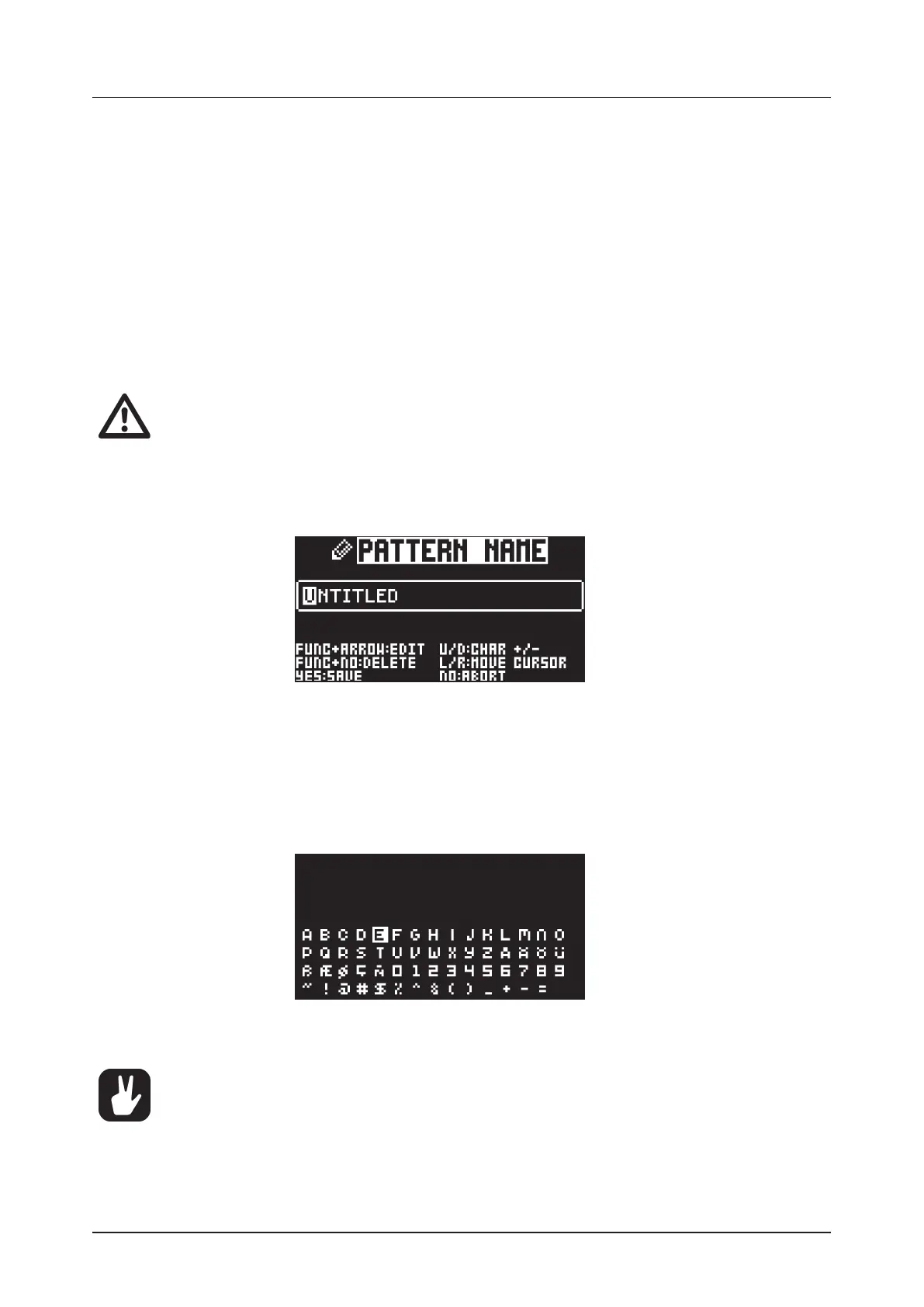
6.5 THE NAMING SCREEN
The naming method is identical for the various naming situations that appear when you save sounds,
projects et cetera.
The [LEFT] and [RIGHT] arrow keys are used to navigate between the characters. Turning the LEVEL/
DATA knob or pressing the [UP] or [DOWN] arrow keys selects the characters. [FUNC] + [NO] erases
letters.
6.5.1 NAMING POP-UP MENU
A convenient way of naming is to open a pop-up menu that shows all available letters, symbols, and
digits. Press and hold the [FUNC] key when you are on the NAMING screen to access the NAMING
POP-UP menu.
Keep [FUNC] pressed and use the [ARROW] keys to highlight the character you want to insert. Once
there, release [FUNC] to add the character.
Copy, paste, and clear commands are available on the NAMING screen.



 To Next Page