10. THE SEQUENCER
36
X% is a probability condition. There is an X% chance that the trig will be active.
A:B A sets how many times the pattern plays before the trig condition is true. B sets how many times
the pattern plays before the count is reset and starts over again. This cycle then repeats indefinitely.
For example:
With the setting 1:2, the trig condition is true the first time the pattern plays and then the third, the fifth,
and so on.
With the setting 2:2, the trig condition is true the second time the pattern plays and then the fourth,
the sixth, and so on.
With the setting 2:4, the trig condition is true the second time the pattern plays and then the sixth, the
tenth, and so on.
With the setting 4:7 the trig condition is true the fourth time the pattern plays and then the eleventh,
the eighteenth, and so on.
• Conditional parameter locks are a great way to add variety to a pattern. To set up a
grid of mutually exclusive or conclusive note trigs across any of the synth tracks, and
throwing some probability locks in there as well (perhaps, in turn, also sporting an array
of logically conditioned trigs), is a neat way to make the most minimal of compositions
come alive with randomness.
• Note that random or arbitrary variety is not the only way of using conditional trigs. They
may also be used, for example, to have two dierent melodic or percussive sequences
on the same track, one of which is activated only when FILL mode is active.
10.10.4 FILL MODE
FILL mode can be used to create a temporary variation, such as a drum fill, in your pattern.
Press [YES] + [PAGE] to cue FILL mode for one pattern cycle. All <PATTERN PAGE> LEDs starts to
flash. FILL mode becomes active (All <PATTERN PAGE> LEDs turns on) when the pattern loops, and
remain active until it loops again. You can also press and hold the [PAGE] key when the pattern is playing
(GRID RECORDING mode cannot be active) to activate FILL mode at any time, and for any duration. The
FILL mode is active for as long as you hold the [PAGE] key.
Press and hold [PAGE] + [YES], and then release [PAGE] before you release [YES] to latch FILL mode.
Press [PAGE] again to unlatch FILL mode.
10.10.5 SWING
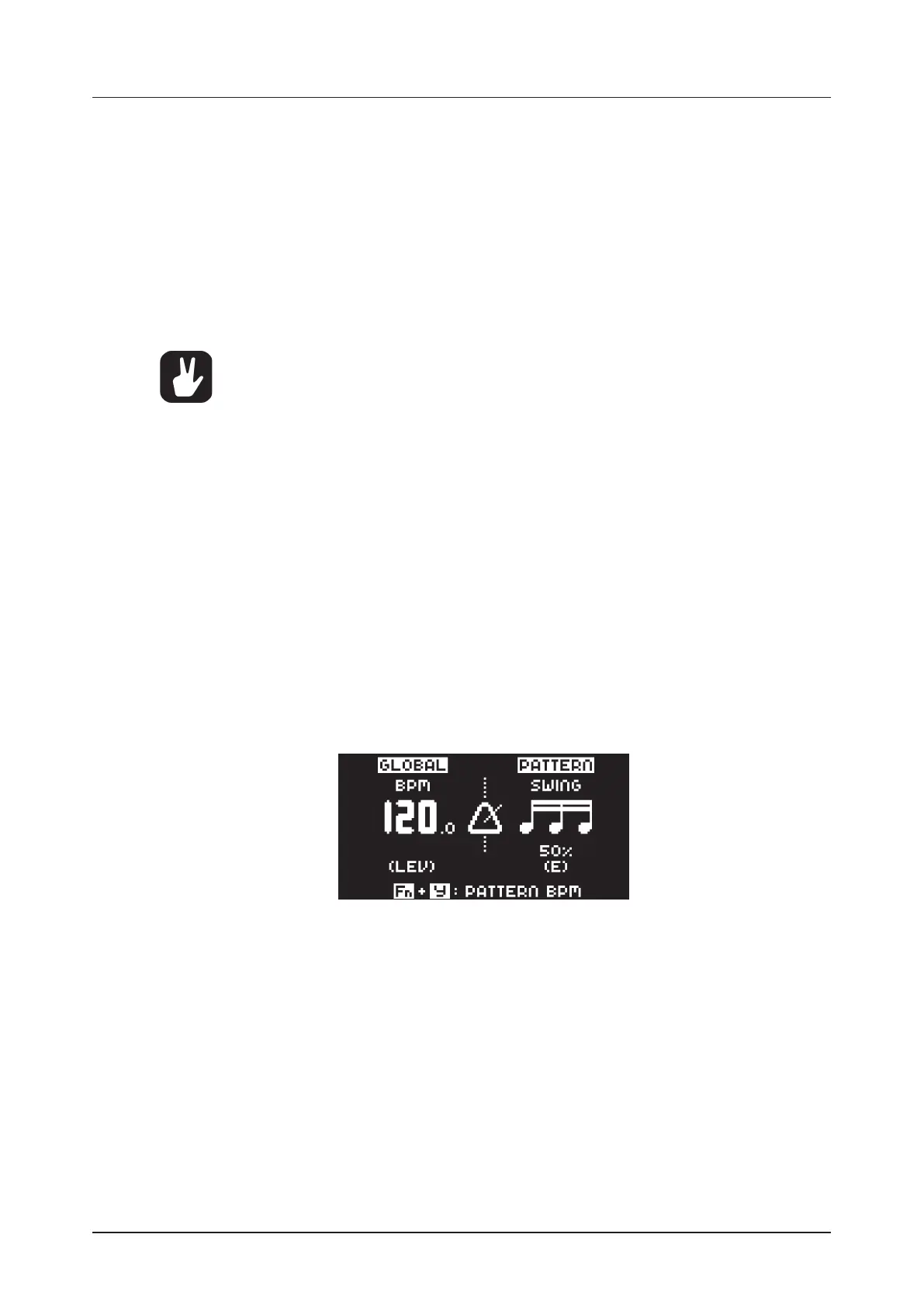
Adjust the swing setting of the pattern, to employ a propulsive, rhythmic groove. Press [TEMPO] to
access this menu.
Turn DATA ENTRY knob E to set the SWING ratio to 51-80%. The default setting is equal spacing, 50%.
10.10.6 COPY, PASTE AND CLEAR OPERATIONS
Patterns, tracks, track pages, and trigs can be copied, pasted and cleared.
You can copy the active pattern to another location in the same bank or another bank. You can not be in
GRID RECORDING mode if you want to perform a pattern copy operation. Copy the pattern by pressing
[FUNC] + [RECORD]. Select another pattern, and then press [FUNC] + [STOP] to paste the copied pat-
tern to this location. Please note that you can only paste to the currently active pattern. Clear a pattern
by pressing [FUNC] + [PLAY].
Individual sequencer tracks can be copied, pasted and cleared in the same way as patterns. GRID RE-
CORDING mode must be active to perform these operations.
A single track page may also be copied, pasted and cleared. It is similar to copying/pasting/clearing a
track, but only aects the active track page. Select the track page of choice by pressing the [PAGE] key.
Copy by pressing [PAGE] + [RECORD]. Select a new track page and press [PAGE] + [STOP] to paste.
Press [PAGE] + [PLAY] to clear the active track page.



 To Next Page