10. THE SEQUENCER
32
10.7 PATTERN MENU
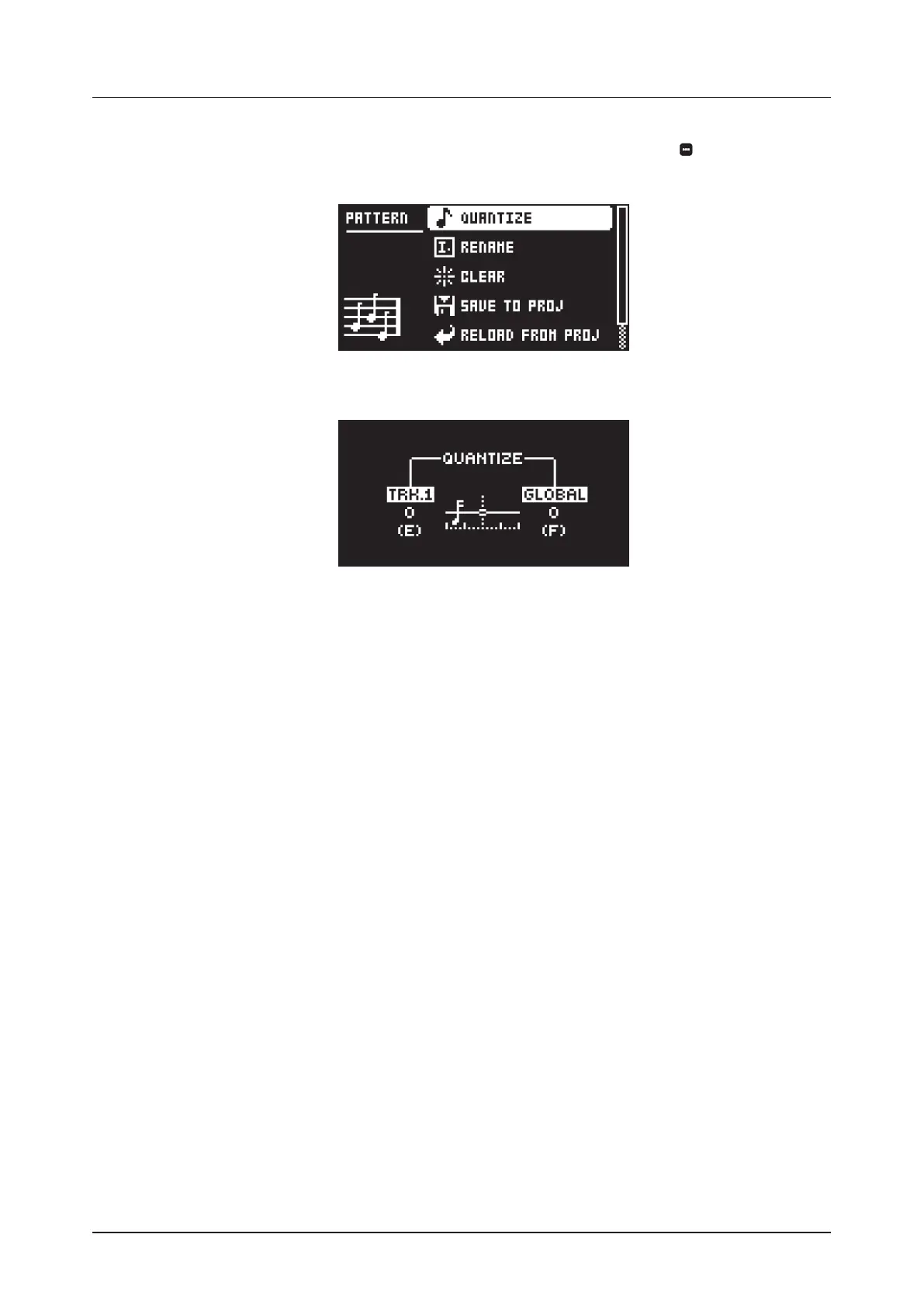
Use the PATTERN menu to perform pattern management. Press [PATTERN MENU] to open the menu.
Use the [UP] and [DOWN] arrow keys to move between the options. Press [YES] to confirm your selection.
Press [NO] to exit the menu.
10.7.1 QUANTIZE
Aects all micro timed trigs on the sequencers tracks. Change settings with DATA ENTRY knob E and F.
TRK. aects all micro-timed trigs of the active track in real time. The higher the quantize value, the more
all micro-timed trigs are quantized. Press [TRACK 1–4] key to select what track to quantize. (0–127)
GLOBAL aects all micro-timed trigs of all tracks in real time. The higher the quantize value, the more
all micro-timed trigs are quantized. (0–127)
Press [FUNC] + [YES] to apply quantization to the pattern. Press [NO] to exit the menu.
10.7.2 RENAME
Opens a NAMING screen where you can rename the active pattern.
10.7.3 CLEAR
WHOLE PATTERN Clears the active pattern’s sequencer and Sounds data. A prompt appears when
you select this option. Press [YES] to clear, or [NO] to cancel the operation. Note that you do not lose
any pattern information permanently until you save the pattern to the same pattern slot.
SOUNDS DATA Clears the active patterns four Sounds. All sequencer data will remain unchanged. A
prompt appears when you select this option. Press [YES] to clear, or [NO] to cancel the operation.
Note that until you save the pattern to the same pattern slot that you loaded from, you do not lose any
Sound information permanently.
SEQUENCE DATA Clears the active pattern’s sequence data. All sounds remain unchanged. A prompt
appears when you select this option. Press [YES] to clear, or [NO] to cancel the operation. Note that
until you save the pattern to the same pattern slot that you loaded from, you do not lose any sequenc-
er information permanently.
10.7.4 SAVE TO PROJ
You must have saved the project at least once before you can save pattern information.
WHOLE PATTERN Saves the active pattern’s sequence data and four Sounds to the +Drive. A prompt
appears when you select this option. Press [YES] to save, or [NO] to cancel the operation.
SOUNDS DATA Saves the active pattern’s four Sounds to the +Drive. A prompt appears when you
select this option. Press [YES] to save, or [NO] to cancel the operation.
SEQUENCE DATA Saves the active pattern’s sequence data to the +Drive. A prompt appears when
you select this option. Press [YES] to save, or [NO] to cancel the operation.
For more information, please see “10.10.7 TEMPORARY SAVE AND RELOAD PATTERN COMMANDS” on
page 37.



 To Next Page