13. FX PARAMETERS
55
13.4 REVERB
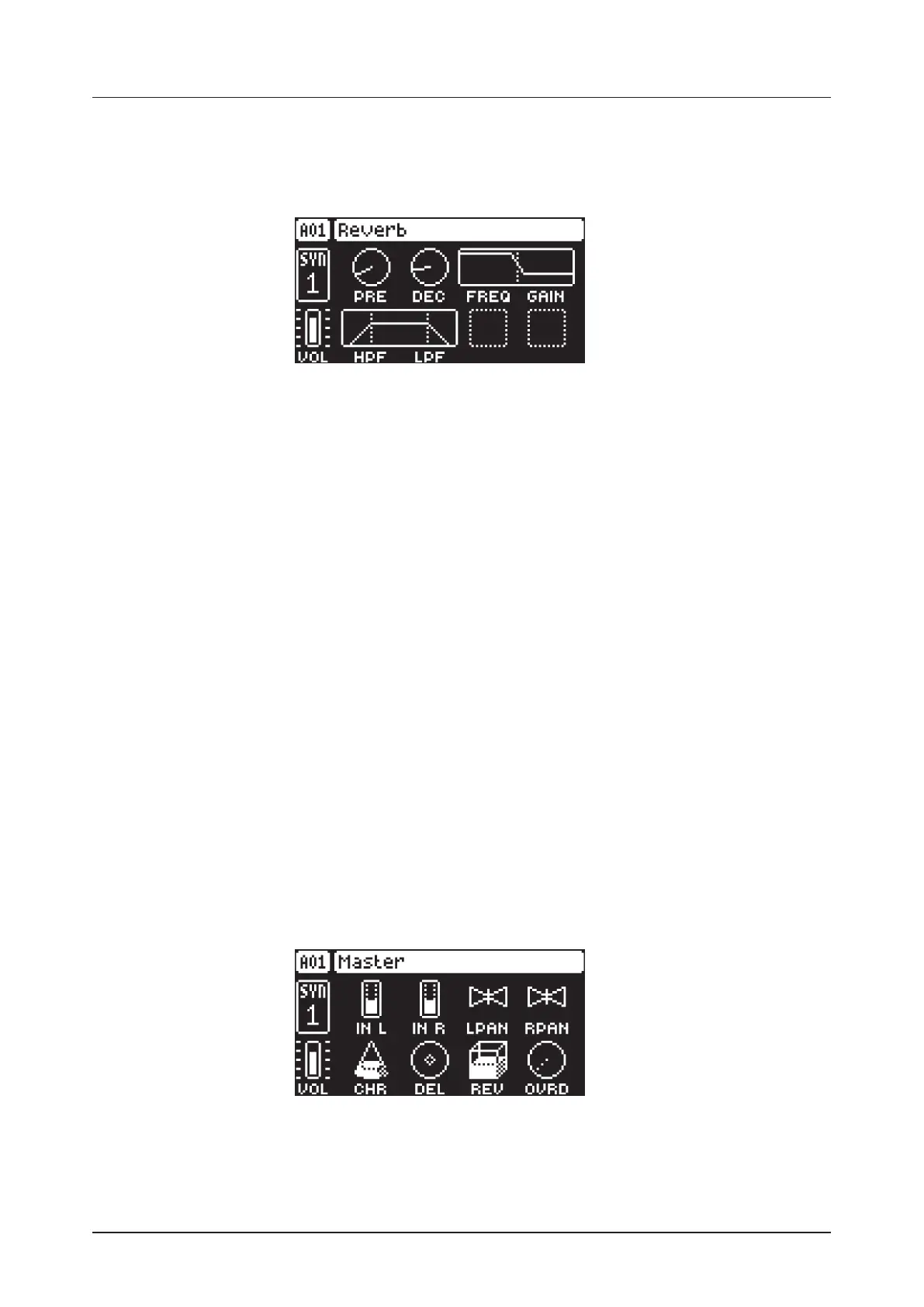
The reverb send eect controls the persistence, and ambient characteristics, of the sound reverberations.
It can simulate many dierent sonic locations, from huge spaces to small rooms.
Press [FUNC] + [AMP] to access this parameter page.
13.4.1 PRE
Pre-delay sets the pre-delay time of the Reverb. (0.00–127.00)
13.4.2 DEC
Decay Time sets the length of the decay phase of the reverberated signal, essentially setting the size of
the acoustic space. (1–127, INF)
13.4.3 FREQ
FB Shelving Freq sets the shelving filter frequency. Together with the GAIN parameter, it can be used to
dampen the reverberated signal above a chosen frequency, making the reverberation sound more promi-
nent or more mued. (0.00–127.00)
13.4.4 GAIN
FB Shelving Gain aects the damping of the reverberated signal above the shelving frequency set by the
FREQ parameter. At max value the treble is included in the reverberations; lowering the value gradually
dampens it. (0.00–127.00)
13.4.5 VOL
Mix Volume sets the volume of the Reverb output signal. (0.00–127.00)
13.4.6 HPF
Input HPF sets the cuto frequency of the reverb high-pass filter. (0.00–127.00)
13.4.7 LPF
Input LPF sets the cuto frequency of the reverb low-pass filter. (0.00–127.00)
13.5 MASTER
The MASTER page is not strictly an FX parameter page, but it does contain the master Overdrive eect.
Here you can also set the level and pan of the incoming audio from the INPUT L/R inputs. The chorus/de-
lay/reverb send parameters for the audio coming from INPUT L/R are also located here.
Press [FUNC] + [LFO] to access this parameter page.
13.5.1 IN L
Volume input L sets the level of the audio from the INPUT L audio input.
13.5.2 IN R
Volume input R sets the level of the audio from the INPUT R audio input.



 To Next Page