9. PATTERNS AND SOUNDS
25
9.4.9 VELOCITY MOD
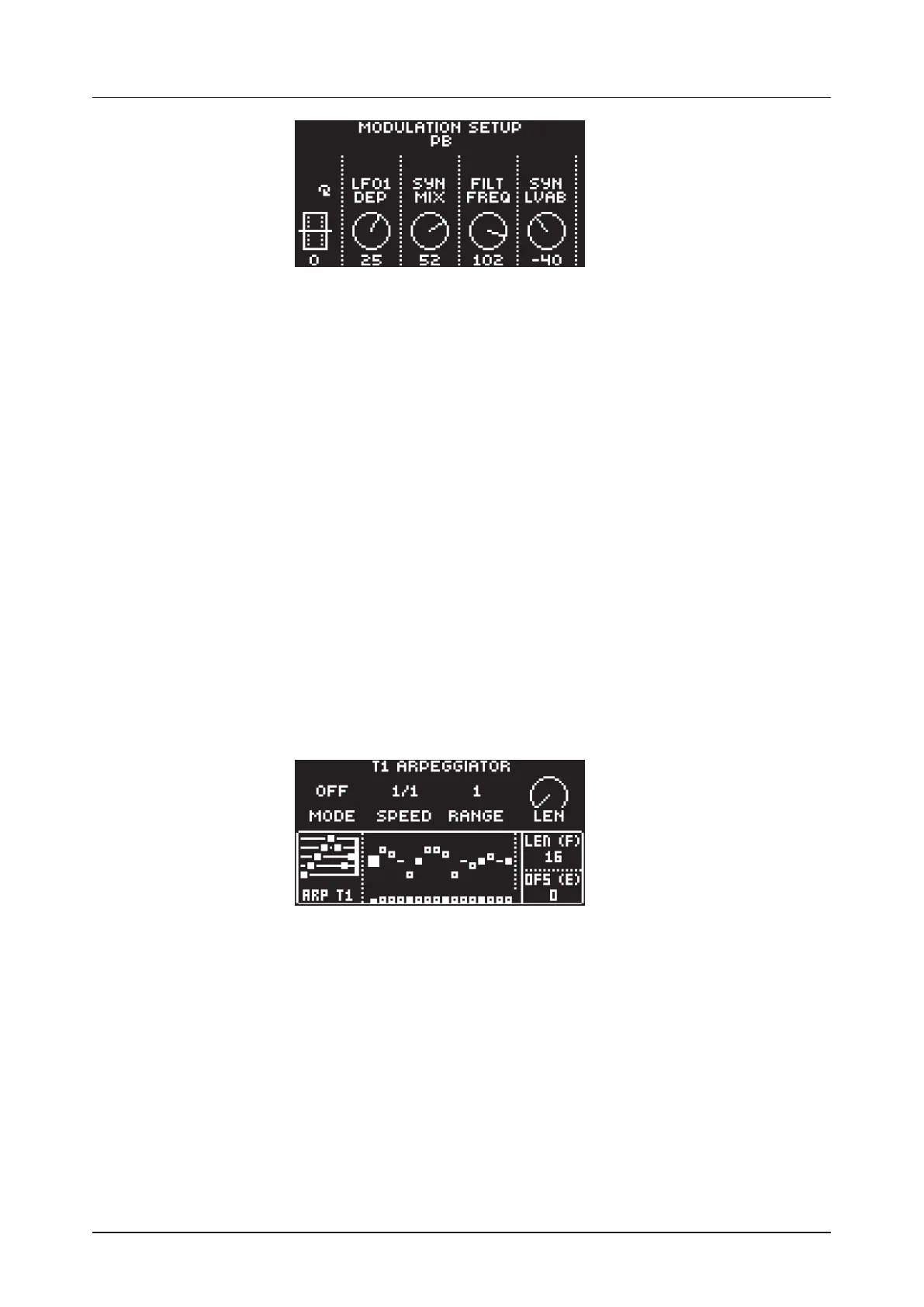
Opens a menu where you can assign up to four PARAMETER page parameters to the velocity parameter.
Both the VEL parameter on the TRIG menu and the velocity of incoming MIDI notes sent to the Digitone
from external devices aects the assigned parameters. Press [YES] to open the menu. Setting up the
parameters works in the same way as for PITCH BEND.
9.4.10 MOD WHEEL
Opens a menu where you can assign up to four PARAMETER page parameters to the MIDI mod wheel
command (CC #1). Press [YES] to open the menu. Setting up the parameters works in the same way as
for PITCH BEND.
9.4.11 BREATH CONTROLLER
Opens a menu where you can assign up to four PARAMETER page parameters to the MIDI breath con-
troller command (CC #2). Press [YES] to open the menu. Setting up the parameters works in the same
way as for PITCH BEND.
9.4.12 AFTERTOUCH
Opens a menu where you can assign up to four PARAMETER page parameters to the MIDI aftertouch
command. Press [YES] to open the menu. Setting up the parameters works in the same way as for
PITCH BEND.
9.5 ARPEGGIATOR MENU
The ARPEGGIATOR menu controls the Sounds arpeggiator. The arpeggiator settings are part of the Sound
and saved together with the Sound. The arpeggiator is not available for the MIDI tracks. Press [FUNC] +
[SYN1] to open the ARPEGGIATOR menu. Press [TRACK 1–4] key to select the Sound whose arpeggiator
are edited. Press [FUNC] + [TRACK NOTE] to toggle the ARPEGGIATOR on and o.
9.5.1 MODE
Activates the arpeggiator and controls how the arpeggiated notes are sorted.
OFF deactivates the arpeggiator.
TRUE plays the notes in the same order as they are inserted.
UP plays the notes in ascending order, from the lowest note to the highest, on a per octave basis.
DOWN plays the notes in descending order, from the highest note to the lowest, on a per octave
basis.
CYCL plays the notes first in ascending order, then in descending order.
9.5.2 SPD
Speed sets the speed of the arpeggiator. It is synchronized to the BPM of the project. (1/1–1/96).



 To Next Page