16. SETUP EXAMPLES
67
16. SETUP EXAMPLES
The Digitone likes to play with other machines. Whether it uses its ability to sync and play with legacy ma-
chines, is paired with the Digitone or controls other synthesizers.
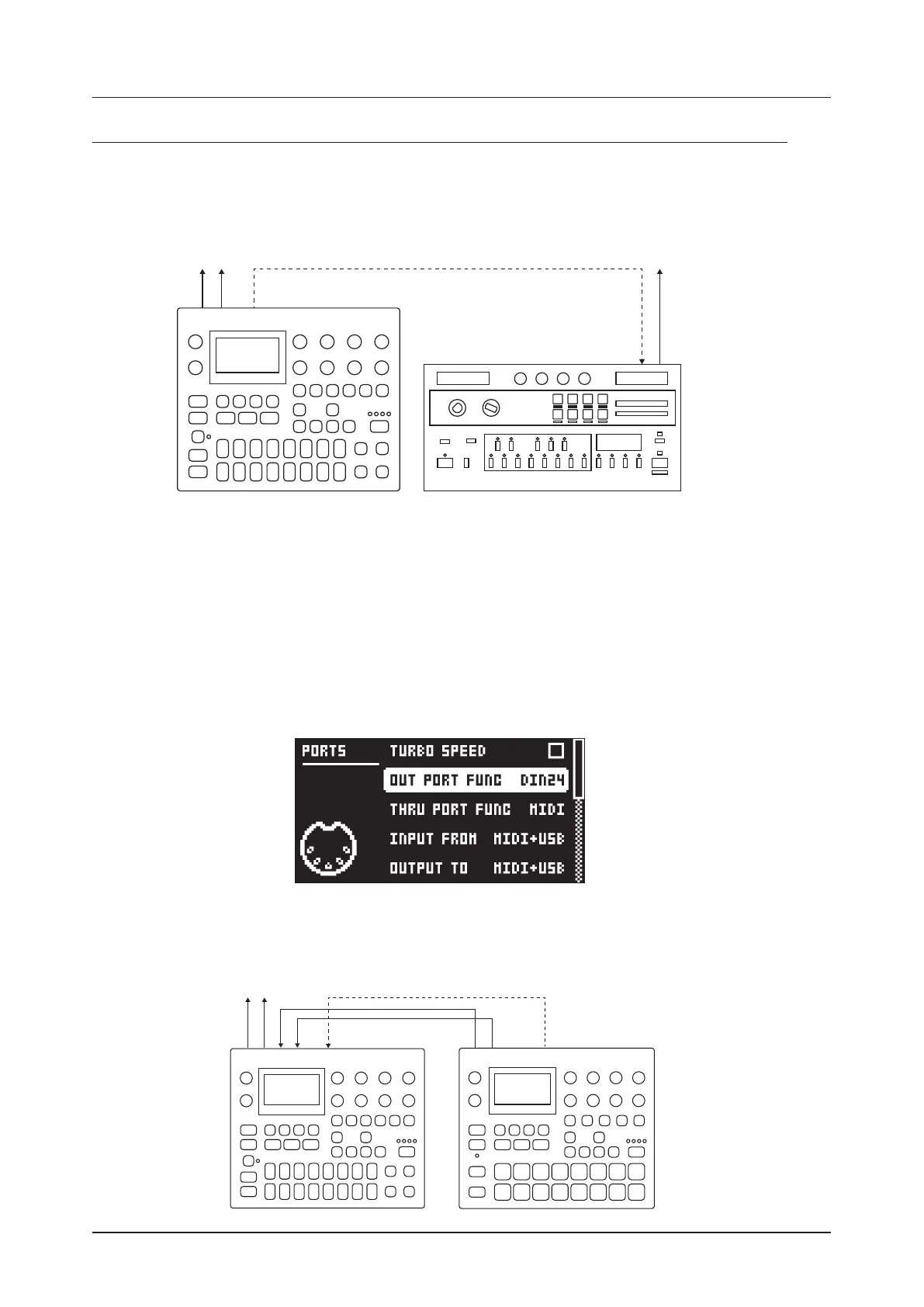
16.1 DIGITONE WITH A MONOPHONIC BASS MACHINE
MIDI OUT TO DIN SYNC 24
The DIN sync capabilities of the Digitone allows you to use gear from yesteryear.
In this example, a legacy monophonic bass machine is used alongside the Digitone. The Digitone can stop,
start and control the tempo of the bass machine.
1. Prepare a bassline pattern on the bass machine.
2. Connect the output of the bass machine to the mixer using a Mono jack 6.3 mm male cable.
3. Connect the Digitone audio outputs to the mixer using 2 x Mono or Stereo jack 6.3 mm male cables.
4. Use a DIN connector cable to connect the MIDI OUT of the Digitone to the SYNC IN of the bass
machine.
5. On the Digitone, press [GLOBAL SETTINGS], and then navigate to MIDI CONFIG > PORT CONFIG
and set OUT PORT CONFIG to DIN24.
6. Press [PLAY] on the Digitone.
16.2 DIGITONE TOGETHER WITH THE DIGITAKT
MAIN OUT TO MIXER MIDI OUT TO MIDI IN
OUTPUTS TO INPUTS
DIGITONE



 To Next Page