58
Alarms log
The alarms log enables activated alarms to be recorded with the information given below.
(If the device does not have a clock, the log can still be used but information relating to the hour and date will not be
available).
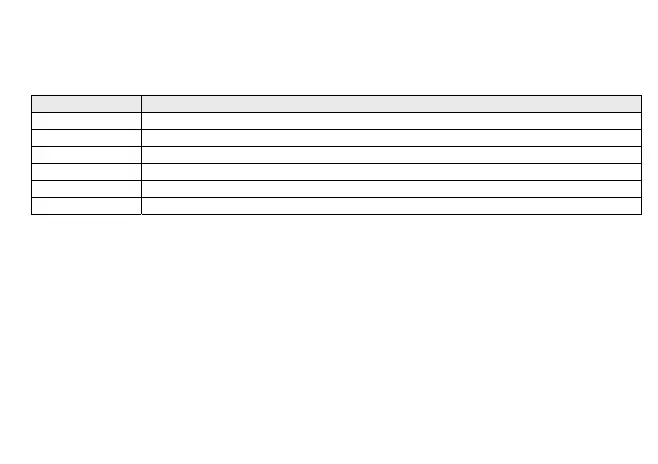
Code Description
Erxx Alarm code
xx:zz Event start hour/minute
dd:mm Event start date (day: month)
xx:zz Event end hour/minute
dd:mm Event end date (day: month)
Auto/Man Indication of alarm type: Automatic reset (Auto), or manual (Man)
Alarms are saved in a circular memory buffer with maximum storage limit fixed at 99; the 100th alarm will overwrite
the first event registered (and so on for subsequent alarms).
The last alarm in order of time is saved as Eu00; previous alarms will move up one position (Eu00=last alarm,
Eu01=penultimate alarm...).
If a clock error occurs, alarms will still be recorded but the time will not be displayed in the date and hour fields,
instead the indication "- - -" will appear.
Delete alarm events
All alarms stored in the alarms log can be deleted from the Eur subfolder (Reset historical events) of the Parameter
Programming menu by keeping the "set” key pressed; The deletion will be signalled by the Par. “YES”.
The first event that occurs after the deletion will be recorded in the subfolder EU00.



 To Next Page