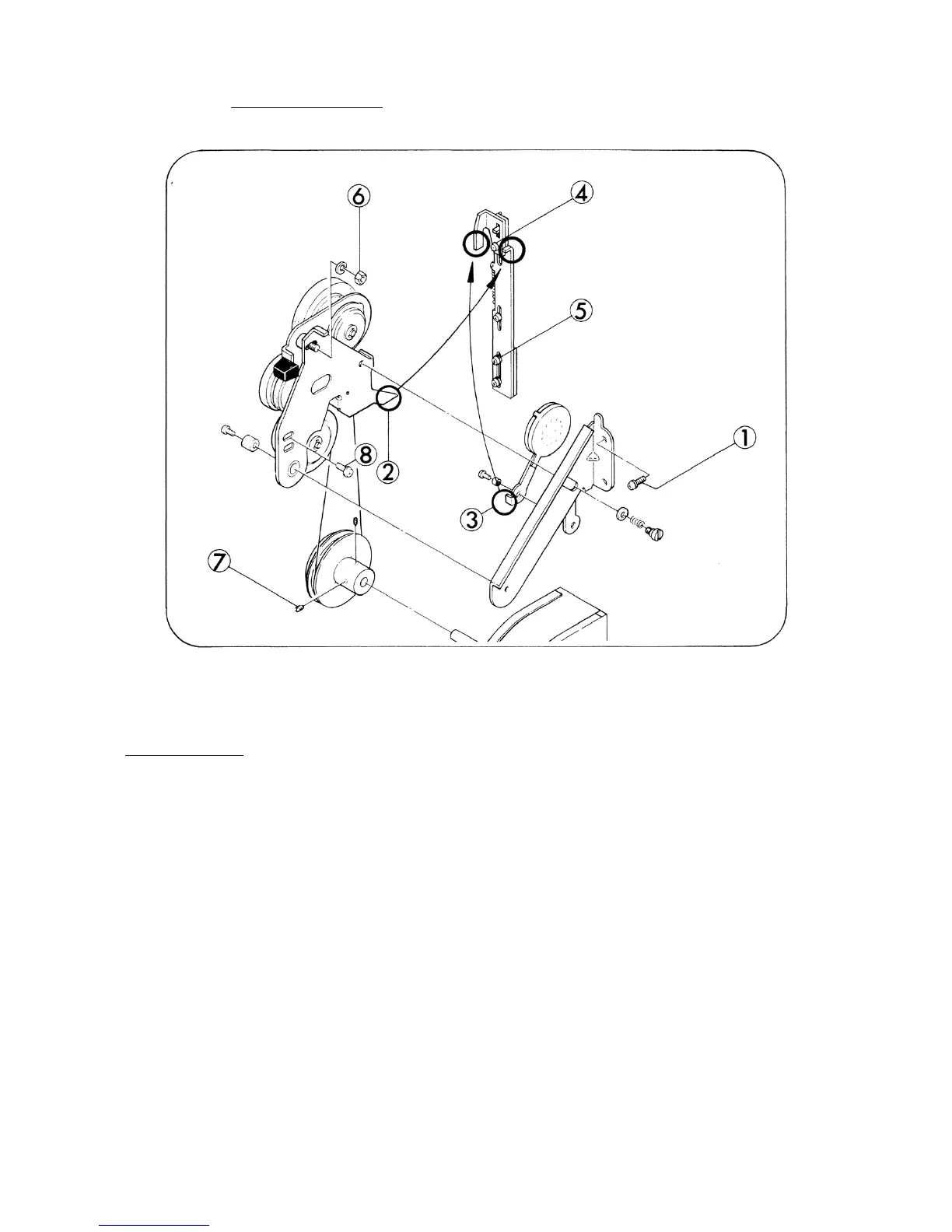
4. DRIVE BELT (Fig. 11)
Fig. 11
REPLACEMENT
1. Loosen attaching screws (Fig.11-7,x2) and move Pulley 50 Hz or with Pulley 60 Hz towards
Fan.
2. Take out attaching screw (Fig.11-8) and remove Idler holder, then replace Drive belt.
3. Move back Pulley 50 Hz so that Drive belt and Pulley 50 Hz could line up in a straight line, and
tighten attaching screws (Fig.11-7,x2).
4. Attach Idler holder to obtain adequate tension of Drive belt and tighten attaching screw
(Fig.11-8).
5. Drive belt should not be twisted.
- 11 -



 To Next Page