Elna International Corps. SA 6004 Service manual
DC MOTOR
To remove
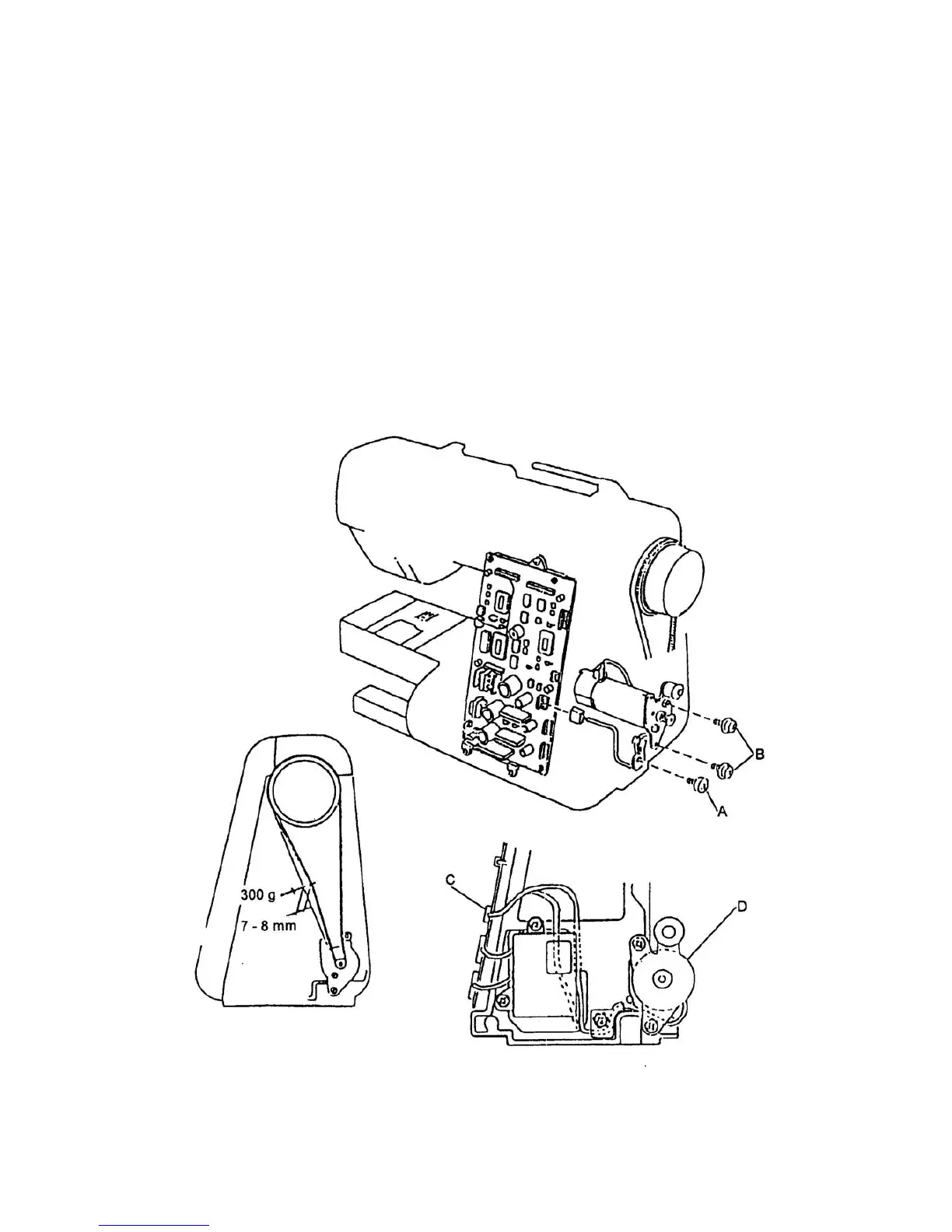
1. Remove the front panel (see page 4).
2. Remove the machine socket (see page 22). No need to unplug the connector.
3. Remove the motor belt, set screw A and cord guide.
4. Unplug the connector of motor C cord from the circuit board A.
5. Remove the set screws B and DC motor D.
To attach
6. Attach the DC motor and slightly tighten the two set screws B.
7. Insert the cornnector and attach the cord guide with set screws A.
8. Attach the motor belt and adjust the belt tension.
9. Tighten the two set screws B.
10. Attach the front panel.
Page 20


 To Next Page