Elna International Corps. SA 6004 Service manual
FRONT PANEL
FRONT PANEL
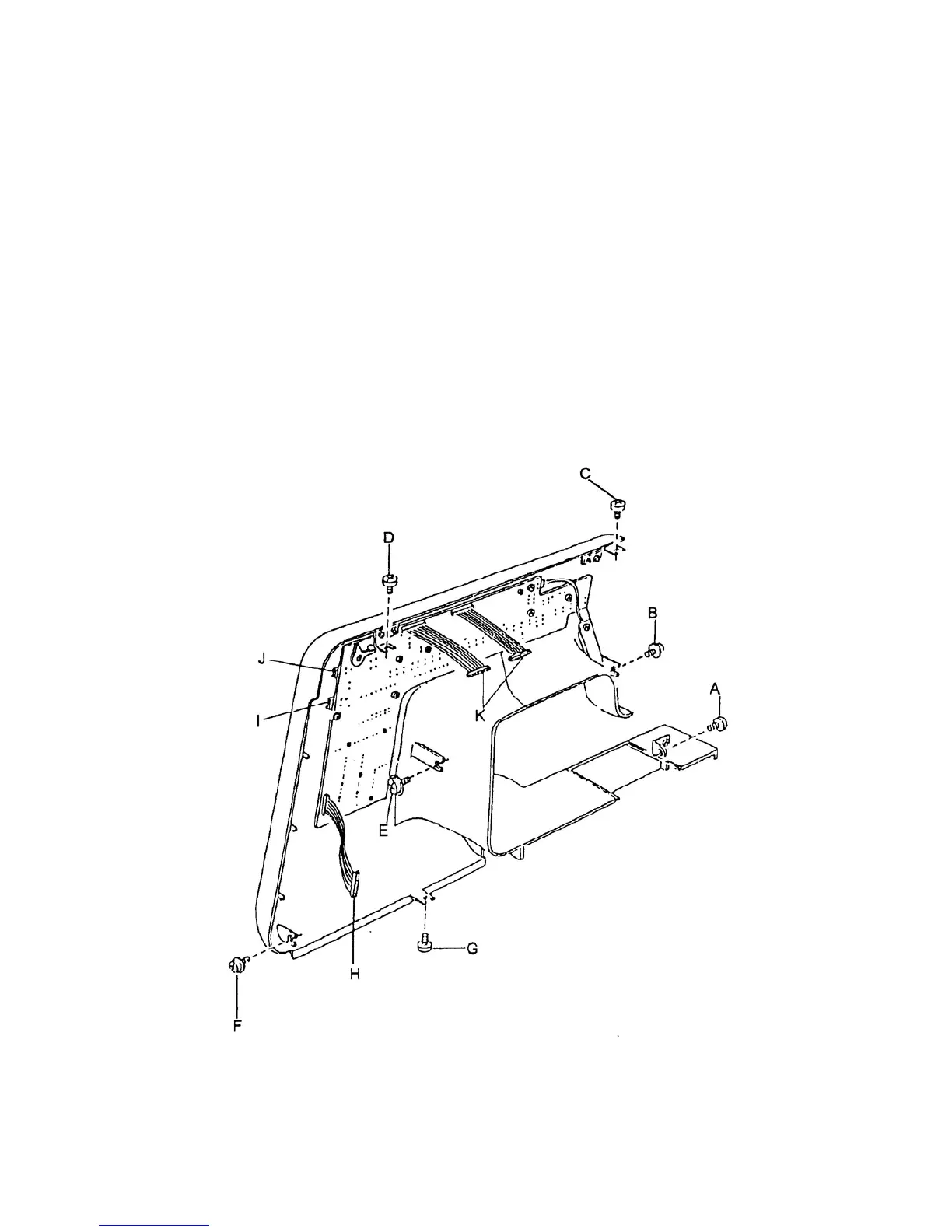
To remove :
1. Remove the top cover, belt cover and bed cover (see pages 1, 2 and 3).
2. Remove set screw A and loosen set screws B, C, D, E, F and G.
3. Unplug five (5) connectors and remove the front panel.
H = Connector for circuit board A.
I = Connector for buttonhole sensor
J = Connector for thread tension
K = Connector for circuit board A
To attach
4 Insert five (5) connectors and attach the front panel
5 Tighten the screws.
Page 04


 To Next Page