8
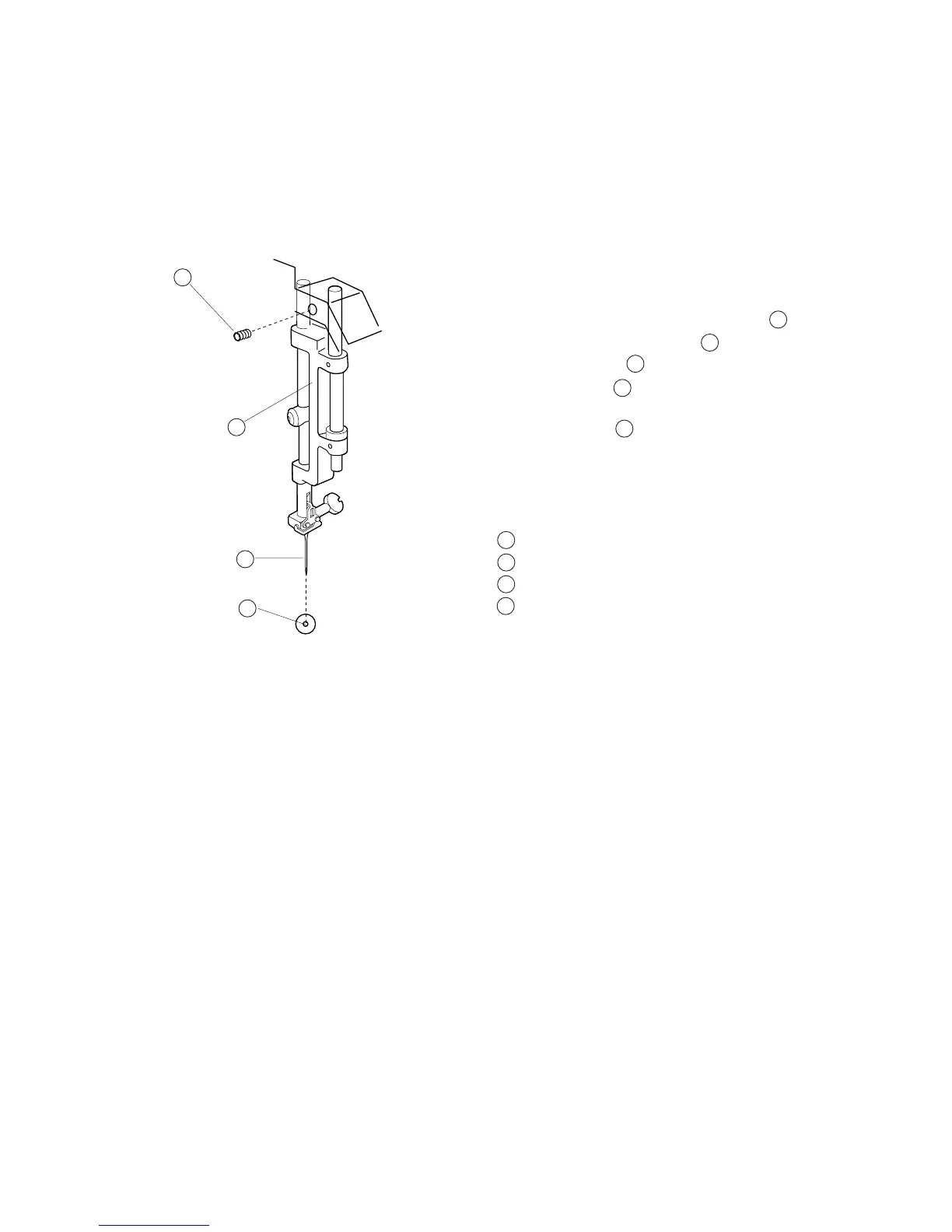
Adjusting Needle Drop Position
1 Select the pattern No. 1 (Straight stitch) and lower
the needle to its lowest position by turning the
handwheel.
2 Remove the face cover and loosen Screw ,
move the Needle bar supporter to the right or
left until the needle comes to the center of the
Needle plate hole .
3 Tighten the Screw .
4 Attach the face cover.
Screw
Needle bar supporter
Needle
Nedle plate hole
When the straight stitch is selected on the touch panel, the needle should be positioned at
the center of the needle plate hole.
2
1
4
3
2
1
3
4
1
2
3
4
1



 To Next Page