6
To remove:
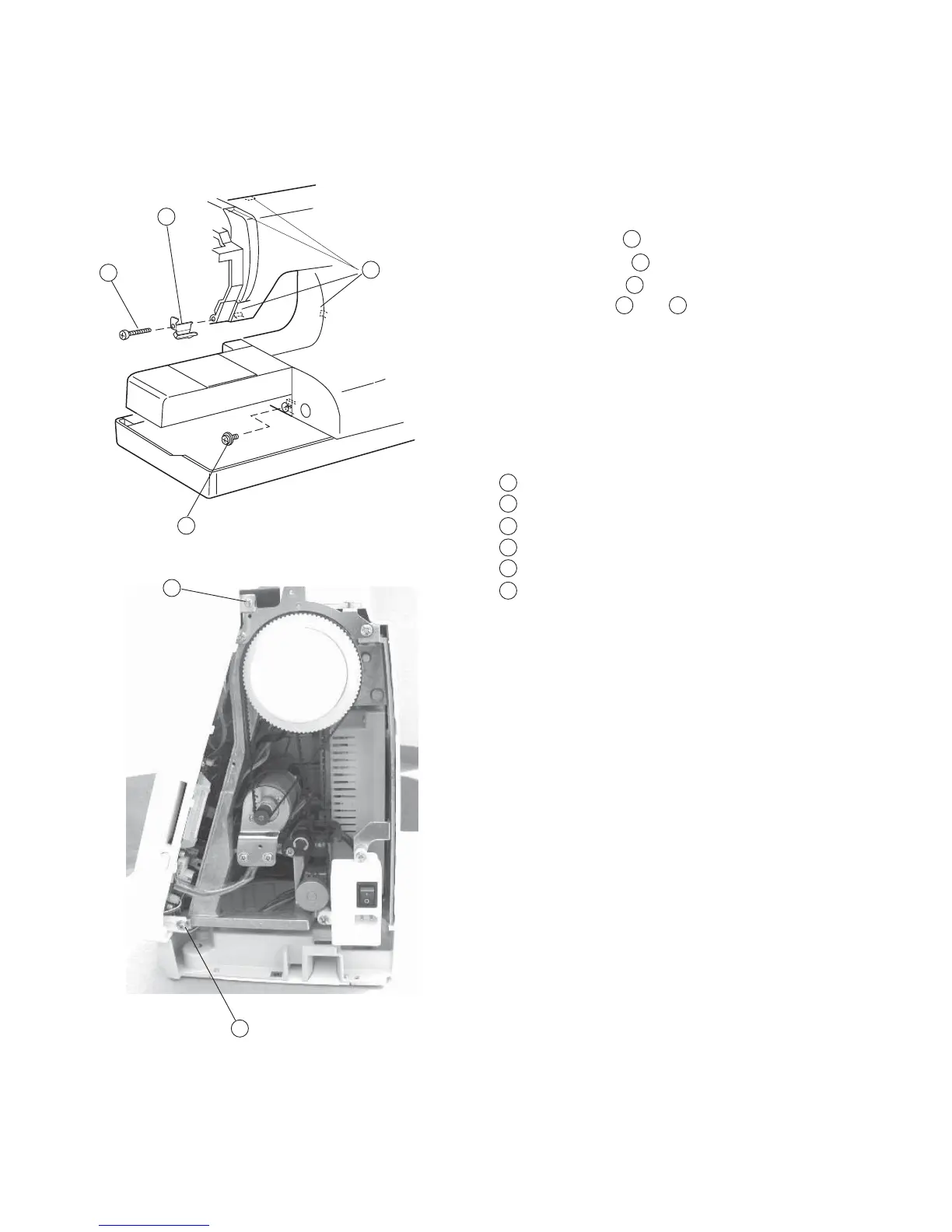
1 Remove the face cover, belt cover, base cover and bed
cover. (See page 1 - 4).
2Remove Screw (A) and remove the Arm
thread guide (lower) .
3 Remove Screw (B) .
4 Loosen Screw (C) , (D) .
5Disconnect the each connector and remove the front
cover.
Note: Disconnect the Hooks while removing the Front
cover.
Screw (A)
Arm thread guide (Lower)
Screw (B)
Screw (C)
Screw (D)
Hooks (4 spots)
To attach:
6Follow the above procedure in reverse.
Note: See page 21 (Diagram) for Connectors
Connection.
Changing External Parts (6) Front Cover
Front cover
1
2
2
1
4
3
6
5
2
1
4
3
6
5
3
4 5



 To Next Page