4
Changing External Parts (4) Bed Cover / Base Cap
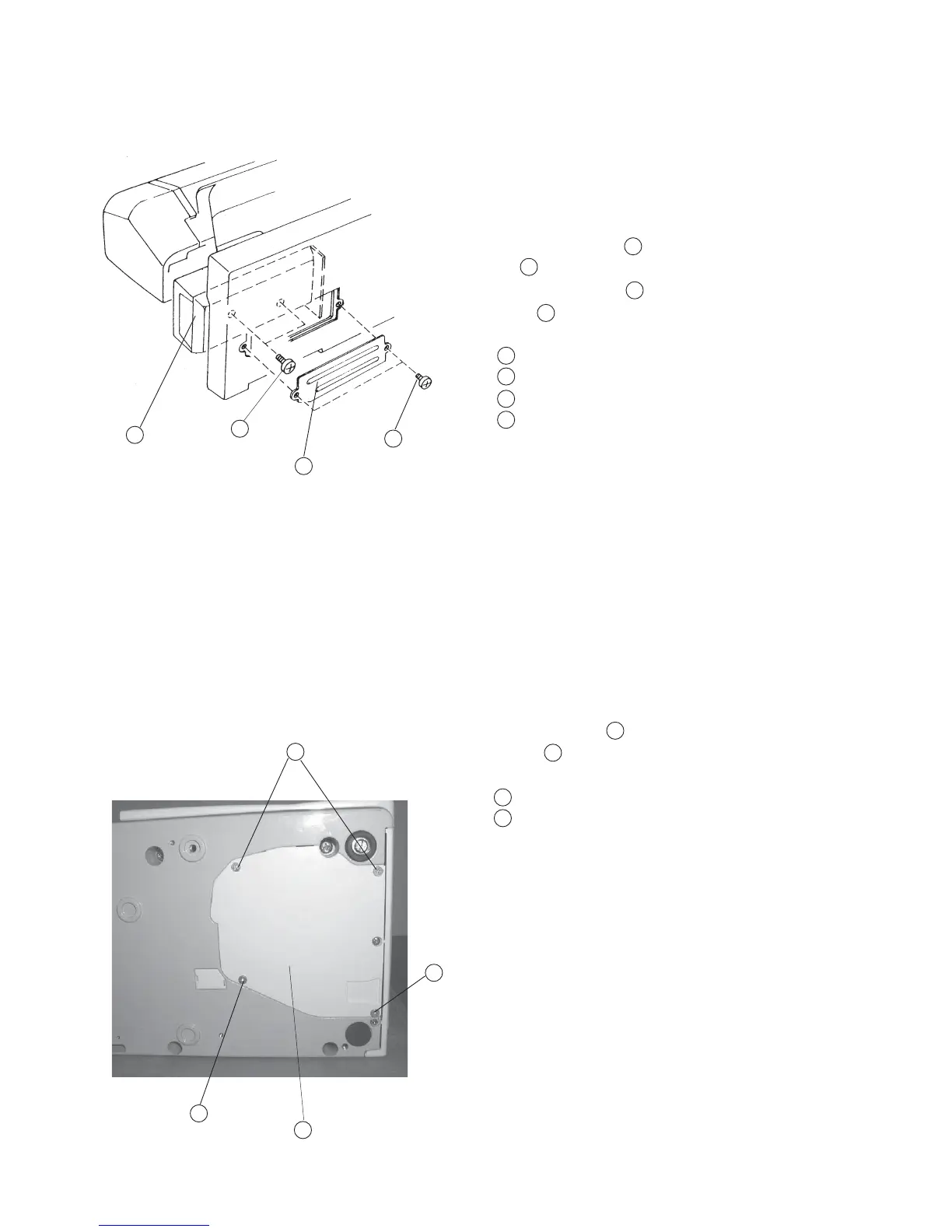
Replacing the bed cover
To remove:
1 Remove the base cover.
2 Remove Screw (A) (2 pcs.), and remove the Base
Lid .
3 Remove Screw (B) (2 pcs.), and remove the Bed
cover .
Screw (A)
Base lid
Screw (B)
Bed cover
To attach:
4Follow the above procedure in reverse.
Replacing base cap
To remove:
1 Remove Screws (4 pieces), and remove the
Lid (2) .
Setscrew
Base lid (2)
To attach:
2Follow the above procedure in reverse.
1
2
3
4
4
1
3
2
1
2
1
2
1
1
1
2
1
2
3
4



 To Next Page