25
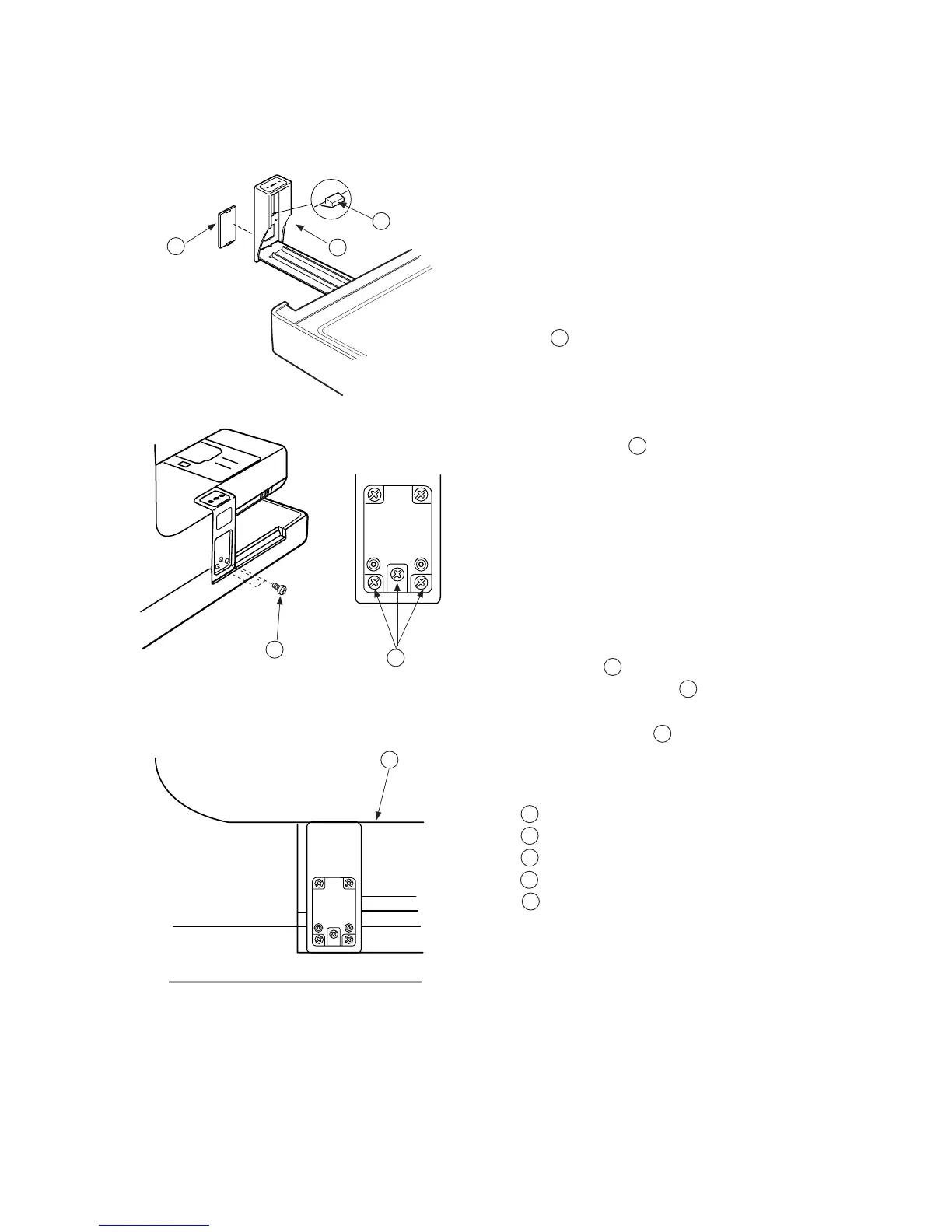
Replacing Carriage Plate (Unit)
Replace the carriage plate
To remove:
1Turn the Power “ON” and select the stitch
pattern No.1.
2Turn the Power “OFF” and remove the Cover
cap . (Unlock the hook from the inside.)
3Turn the Power “ON” and return the carriage to
the home position.
4 Remove Screws (3 pieces) and remove the
carriage plate.
To attach:
5Attach the carriage plate (unit) with tightening screws
temporarily.
6After the top surface of the carriage plate and the
Arm surface are parallel and the same level,
securely tighten Screws .
7Attach the cover cap .
1
2
3
4
4
5
Cover cap
Hook
Drop plate
Screws
Arm surface
1
2
3
4
5
1
4
5
4
1



 To Next Page