16
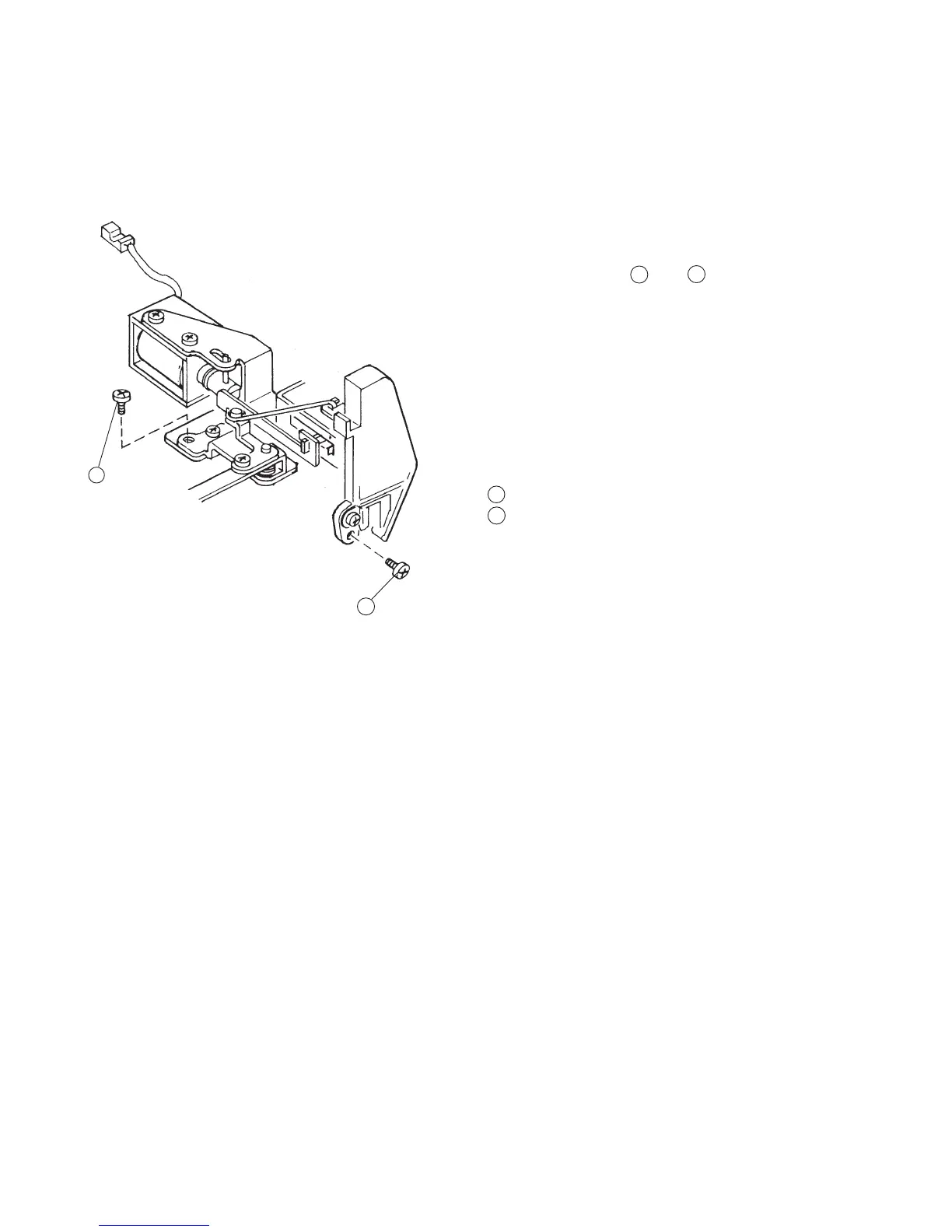
Changing Thread Tension Unit
To remove:
1 Remove the front cover unit. (See page 6)
2 Remove Setscrew (A) , (B) , and remove
the thread tension dial.
To attach:
3Follow the above procedure in reverse.
Note: After the replacement, adjust “Thread Tension
Release Machanism” and Adjustment of
Solenoid”.
Screw (A)
Screw (B)
12
Replacing the thread tension unit
1
2
2
1



 To Next Page