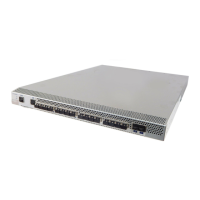
EMC Connectrix B Series DS-4900B Hardware Reference Manual
v
Preface............................................................................................................................. ix
Chapter 1 Introducing the DS-4900B
Overview of the DS-4900B.............................................................. 1-2
Ports on demand....................................................................... 1-2
Port Side of the DS-4900B........................................................ 1-3
Nonport side of the DS-4900B................................................. 1-4
Managing the DS-4900B.................................................................. 1-6
Supported features........................................................................... 1-7
Trunking groups and ASIC groups ....................................... 1-7
Trunking over long distances ................................................. 1-8
Max number of long distance ports....................................... 1-9
Chapter 2 Installing and Configuring the DS-4900B
Installation and safety considerations .......................................... 2-2
Items included with the DS-4900B ................................................ 2-4
Setting up as a stand-alone unit..................................................... 2-5
Installing in an EIA cabinet ............................................................ 2-6
Initial setup of the DS-4900B.......................................................... 2-7
Provide power to the switch................................................... 2-8
Create a serial connection........................................................ 2-8
Connect to the switch using the serial connection............... 2-9
Set the switch IP address......................................................... 2-9
Create an Ethernet connection.............................................. 2-10
Set the switch domain ID....................................................... 2-10
Set the switch date and time ................................................. 2-12
Synchronize local time with an external source................. 2-13
Correct the time zone of a switch......................................... 2-13
Contents



 To Next Page