Chapter 5 iCOM Controller 33
Liebert. PEX+Series Precision Air Conditioner User Manual
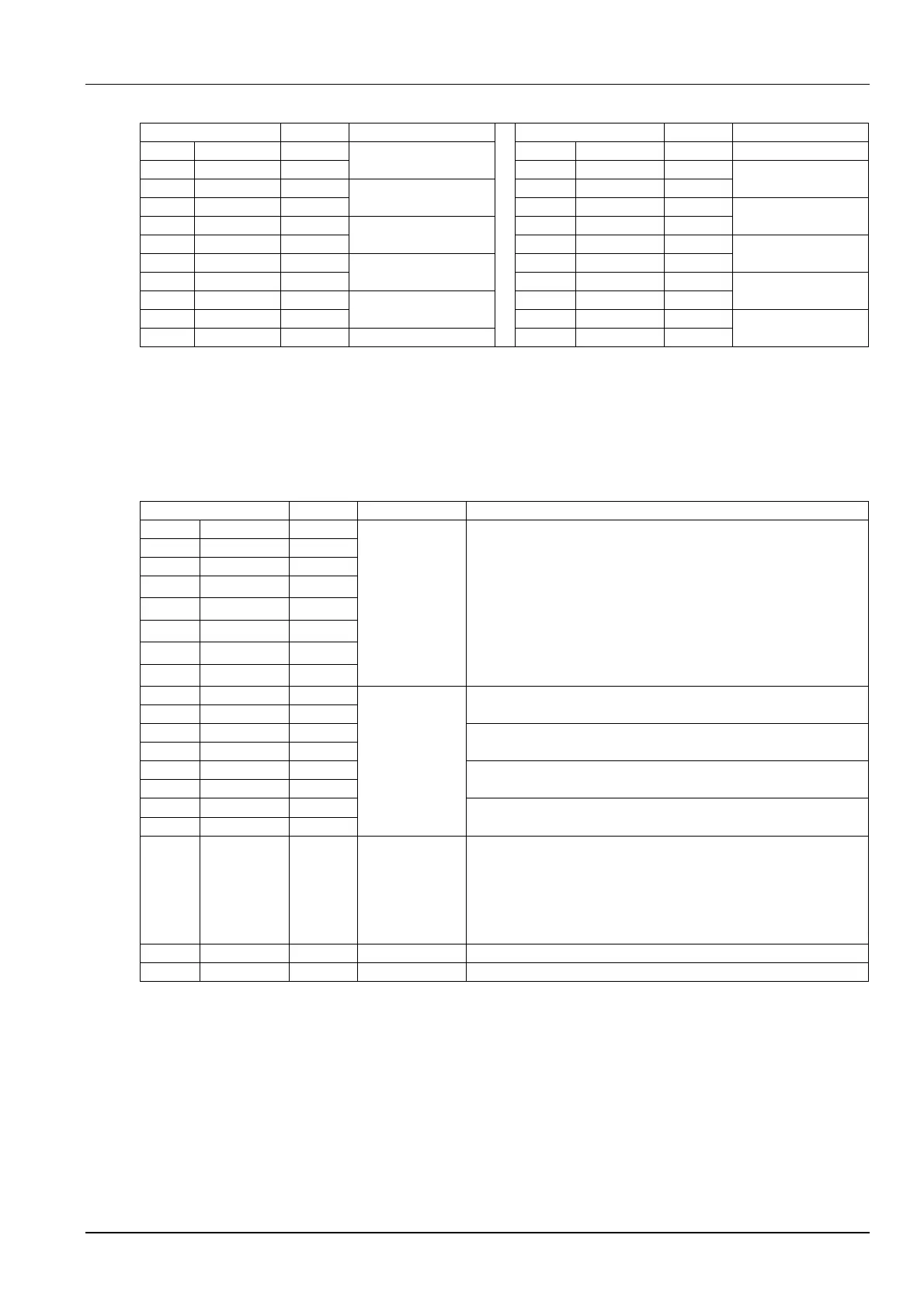
Table 5-9 Descriptions of TOTAL RUN HRS parameters
5.6.10 SLEEP MODE
In the sleep mode, the air conditioner unit can realize auto-on/off. Through the SLEEP MODE menu, you can set two
time zones of the sleep mode, and select the sleep timing mode. The parameters on this menu are described in Table
5-10.
Table 5-10 Descriptions of SLEEP MODE parameters
Sleep mode day, including Monday ~ Sunday. Set the value of any
day to ‘Yes’, and the system will enter sleep mode on that day every
week. This parameter works together with the following hour and
minute settings to designate an exact time
Sleep mode start time 1. The first parameter is used to set the hour of
time, and the second one is used to set the minute of time
Sleep mode end time 1. The first parameter is used to set the hour of
time, and the second one is used to set the minute of time
Sleep mode start time 2. The first parameter is used to set the hour of
time, and the second one is used to set the minute of time
Sleep mode end time 2. The first parameter is used to set the hour of
time, and the second one is used to set the minute of time
Timing mode setting. Range:
Auto: during the system sleep time, if high/low temperature occurs, the
system will resume operation and mask the alarm for 15min. The
system will re-enter the sleep mode after the alarm is cleared
Yes: start sleep mode
No: no sleep mode
Used to set the deadband temperature setting range
5.6.11 SERVICE INFO
The SERVICE INFO menu provides the contact information of customer service personnel. The information is read
only.
5.6.12 ACTIVE ALARMS
The ACTIVE ALARMS menu displays the active alarms of the system. No password is required to query this menu.






 To Next Page