Chapter 6 Application Of INTELLISLOT 57
Liebert. PEX+Series Precision Air Conditioner User Manual
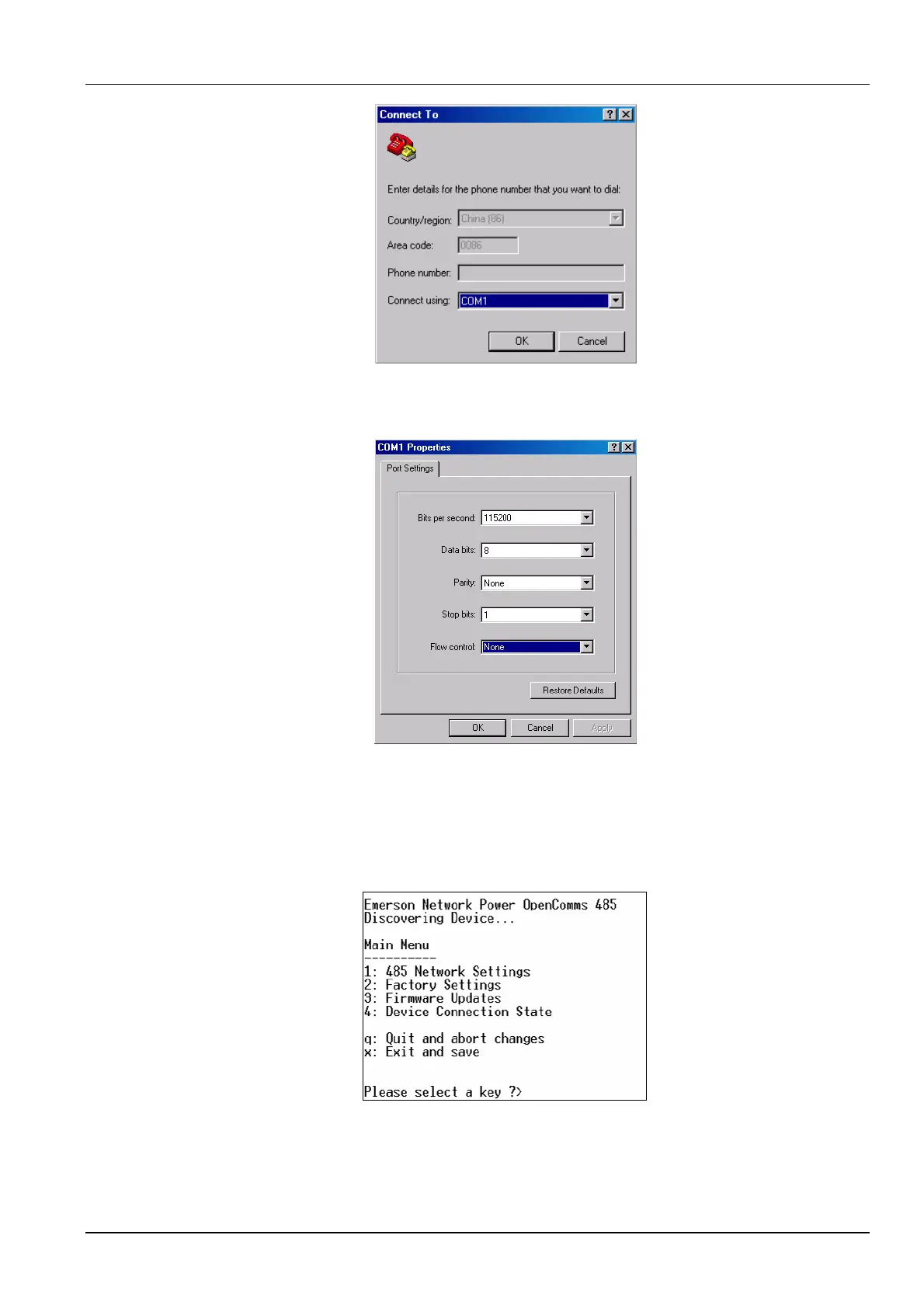
Figure 6-6 Choosing serial port
3. In the Connect to interface, choose the serial port being used (such as ‘COM1’), and click OK, as shown in Figure
6-7.
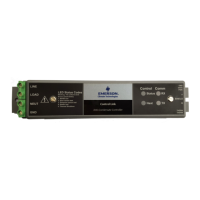
Figure 6-7 Setting port property
4. Set the communication parameters as shown in Figure 6-7 and click OK.
6.3.2 Setting 485 Communication Card
Set the parameters of the 485 communication card according to the following procedures:
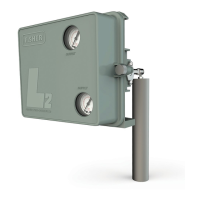
1. After the HyperTerminal is set, you can click OK to display the following HyperTerminal interface.
2. Type ‘1’ and the following figure will appear.






 To Next Page