34 Chapter 5 iCOM Controller
Liebert. PEX+Series Precision Air Conditioner User Manual
5.7 SERVICE MENUS
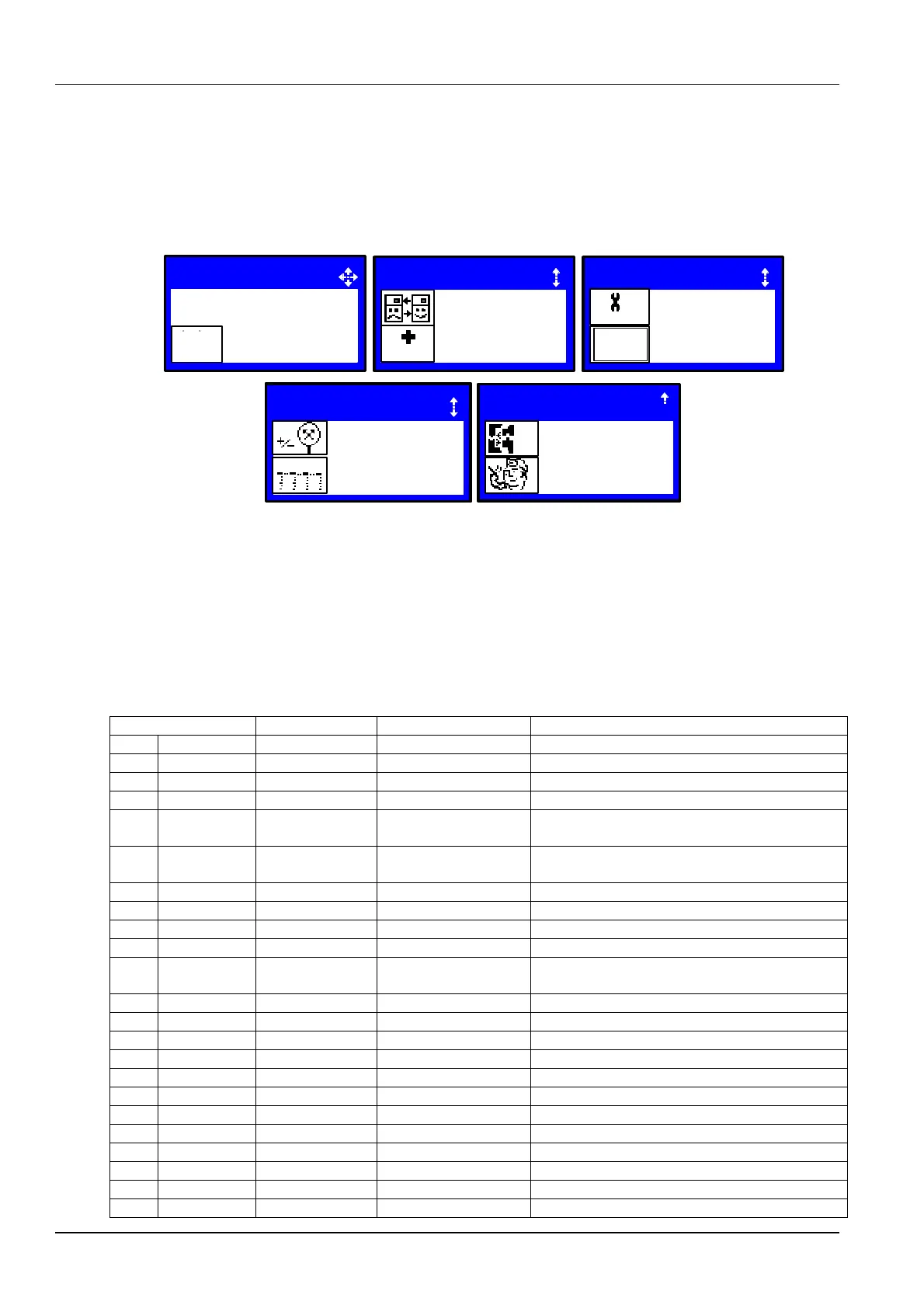
Press the right button at the first page of the USER MENUS, and you can enter the SERVICE MENUS, as shown in
Figure 5-9.
The SERVICE MENUS are displayed in five pages. Each page displays one or two submenus. Press the ENTER
button to highlight the submenus, and use the up or DOWN button to scroll up or down. Press the ENTER button to
enter the selected submenu.
Figure 5-9 SERVICE MENUS
5.7.1 PASSWORD LEVEL
It is operated by Emerson service personnel.
5.7.2 SET POINTS
Different from the SET POINTS in the USER MENUS, the SET POINTS in SERVICE MENUS has many more
parameters. See Table 5-11 for the parameter descriptions.
Table 5-11 Descriptions of SET POINTS parameters
Temperature Control Sensor
Temperature proportional band set point, or the P in
PID control
Temperature integration time set point, or the I in PID
control
Heaters deadband setting range
Return Compensation Set point
Return Compensation Value
Supply Compensation Value
DX Capacity Change at 0 %
DX Capacity Change at 100 %
Capacity Transition Filter
CW Capacity Change at 0 %
CW Capacity Change at 100 %
Backup Temperature Set point
SERVICE MENUS
1 / 5
PASSWORD LEVEL
SETPOINTS
0 ?
???
C / F
H%R
SET
SERVICE MENUS
STANDBY
WELLNESS
2 / 5
WELLNESS
SERVICE MENUS
DIAGNOSTICS
SET ALARMS
SERVICE
ALARMS
SET
3 / 5
4 / 5
CALIERATION
NETWORK SETUP
NETWORK
SERVICE MENUS
5 / 5
OPTIONS SETUP
SERVICE INFO
SET
UP
SERVICE MENUS






 To Next Page