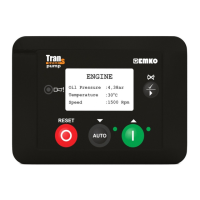
MAINS
V12: 380V V1: 220V
V23: 380V V2: 220V
V31: 380V V3: 220V
Wait for start
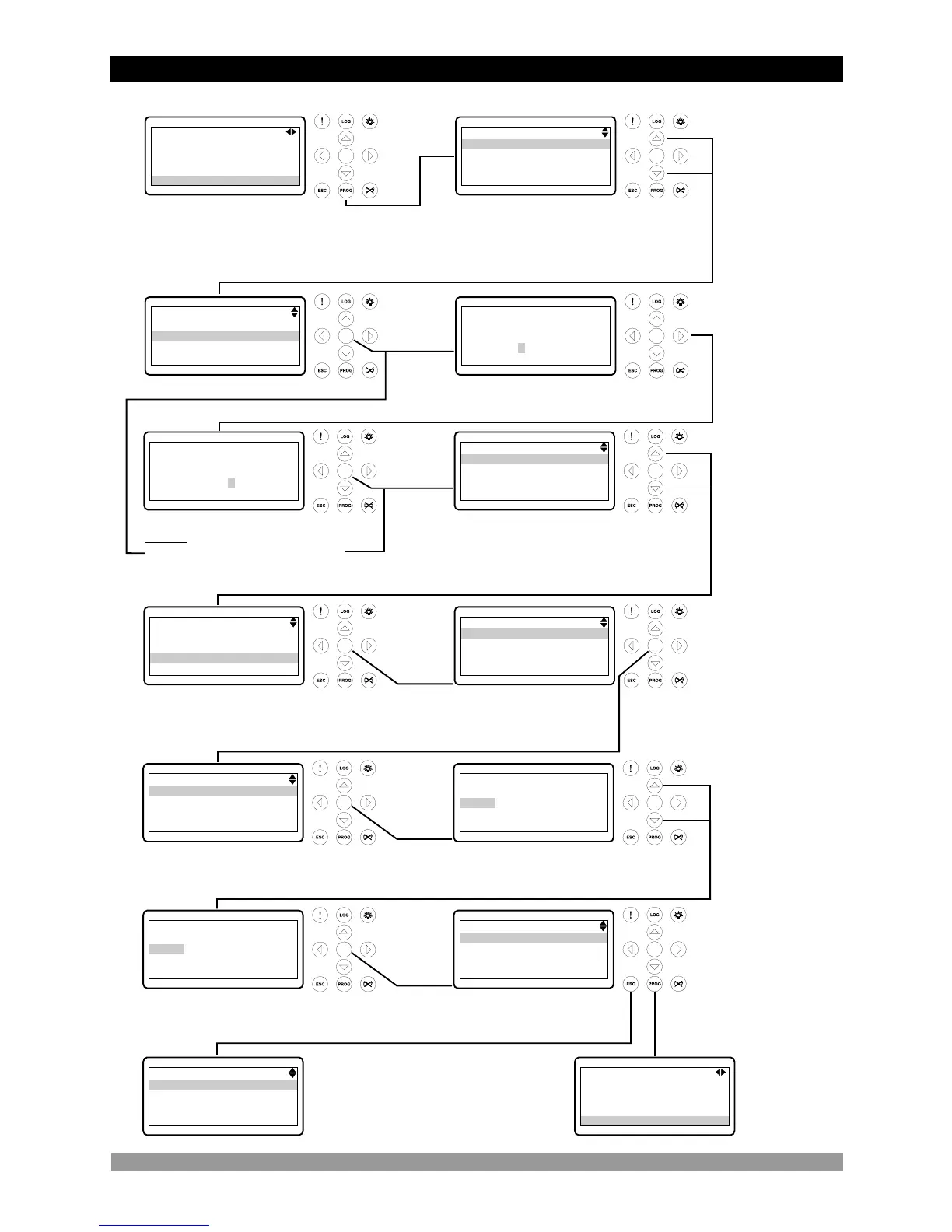
3.4 Changing And Saving Parameters Values
ü
Operation Screen
When the Prog button is
pressed, the parameters
section is asked for
accessing to parameters.
ü
ü ü
ü
ü
ü ü
ü ü
ü
ü
Press the Up or
Down buttons to
select the section
you wish to
view/change.
Press the
Enter
button.
Enter password
with cursor (Right,
Left, Up and
Down) buttons.
Press the Enter button to confirm
password. If the password is
incorrect, the unit will drop out of
program mode.
Press the Up or
Down buttons to
select the main
parameter group
you wish to
view/change.
Note1: If Enter button is pressed
and the technician password is
zero, Password screen is ignored.
Press Enter button to access to
all parameters page in currently
main parameter group.
Parameter can be
changed with Up
and Down buttons.
Press Enter button to
confirm the changed value.
PROGRAM
Operator setting
Technician setting
Factory adjustment
PROGRAM
Operator setting
Technician setting
Factory adjustment
TECHNICIAN SETTING
Password
0162
TECHNICIAN SETTING
Password
0000
TECHNICIAN SETTING
System
Mains
Generator
Engine
TECHNICIAN SETTING
System
Mains
Generator
Engine
GENERATOR
Volt level
Frequency level
Current level & act.
Power level
GENERATOR VOLT LEVEL
Under volt shutdown
320 Vac
GENERATOR VOLT LEVEL
Under volt shutdown
Under volt prealarm
Under volt reset
Over volt shutdown
Press the Enter
button to view
parameter value.
Press Enter button to
access to all parameters in
currently parameter page.
GENERATOR VOLT LEVEL
Under volt shutdown
325 Vac
GENERATOR VOLT LEVEL
Under volt shutdown
Under volt prealarm
Under volt reset
Over volt shutdown
Operation
Screen
GENERATOR
Volt level
Frequency level
Current level & act.
Power level
When the Escape button is
pressed any time, previous
page can be accessed.
MAINS
V12: 380V V1: 220V
V23: 380V V2: 220V
V31: 380V V3: 220V
Wait for start
To exit from
programming mode any
time, press Prog button.
24


 To Next Page