EasyManua.ls Logo

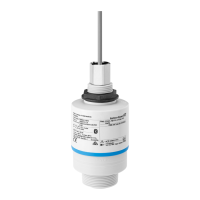
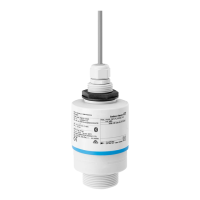
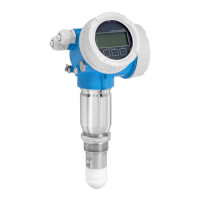
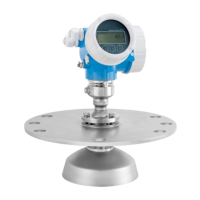
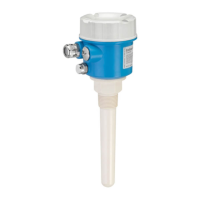
Endress+Hauser Micropilot FMR20 - User Manual

Endress+Hauser Micropilot FMR20
102 pages
Print Icon
To Next Page IconTo Next Page
Loading...
Products Solutions Services
Operating Instructions
Micropilot FMR20
HART
Free space radar
For bulk solids
BA02096F/00/EN/02.21
71534964
2021-08-02
01.00.zz (Device firmware)

Table of Contents

Other manuals for Endress+Hauser Micropilot FMR20

Questions and Answers

  • Q
    qwilsonSep 4, 2025
    What to do if my Endress+Hauser Radar device does not respond?
    • E
      Eric JonesSep 4, 2025
      If your Endress+Hauser Radar device isn't responding, ensure the supply voltage matches the nameplate specifications by applying the correct voltage. Also, verify and correct the polarity of the supply voltage if it's wrong, and ensure proper electrical contact between the cables and terminals.
  • A
    Alexa Smith PhDSep 18, 2025
    What to do if Login via SmartBlue is not possible on Endress+Hauser Micropilot FMR20?
    • E
      Evan WalkerSep 18, 2025
      If you can't log in via SmartBlue on your Endress+Hauser Measuring Instruments device and the device is being put into operation for the first time, enter the initial password (device serial number) and change it. Pay attention to lower/upper case when entering the serial number.
  • Z
    zachary32Sep 16, 2025
    Why linearized output value not plausible on Endress+Hauser Radar?
    • L
      lnguyenSep 16, 2025
      If the linearized output value is not plausible on your Endress+Hauser Radar, check the linearization table using SmartBlue or FieldCare/DeviceCare. Also, check the vessel selection in the linearization module.
  • J
    Jonathon ThompsonSep 14, 2025
    What to do if RIA15 start sequence keeps running through on Endress+Hauser Radar?
    • N
      nicholaspattersonSep 14, 2025
      If the RIA15 start sequence keeps running through on your Endress+Hauser Radar, try to increase the supply voltage and switch off the backlight.
  • T
    tkimSep 12, 2025
    What to do if display values are not plausible on Endress+Hauser Radar?
    • M
      Michael BrownSep 12, 2025
      If the display values of your Endress+Hauser Radar are not plausible, log off FieldCare/DeviceCare and disconnect, or log off SmartBlue and disconnect, as connection via SmartBlue has priority.
  • K
    Kathryn PayneSep 12, 2025
    How to fix Endress+Hauser Radar device not visible in the live list?
    • M
      Megan RogersSep 12, 2025
      If the Endress+Hauser Radar device is not visible in the live list, enable the Bluetooth function on your smartphone or tablet. If the issue persists, the Bluetooth function of the sensor might be disabled, perform recovery sequence.
  • M
    michaelbrownSep 9, 2025
    Why is my Endress+Hauser Radar device measuring incorrectly?
    • C
      Christopher GuerreroSep 9, 2025
      If your Endress+Hauser Radar device is measuring incorrectly, check and correct the parameter configuration. Also, carry out mapping.
  • K
    Kimberly CookSep 7, 2025
    What to do if my Endress+Hauser Radar RIA15 has no display?
    • G
      glynchSep 7, 2025
      If the RIA15 has no display, correct the polarity of the supply voltage if it is wrong and ensure proper electrical contact between the cables and the terminals. If the issue persists, the RIA15 may be defective and needs replacement.
  • S
    Stacy BrownSep 5, 2025
    Why is HART communication not functioning on my Endress+Hauser Radar?
    • D
      dominiquejonesSep 5, 2025
      If you're experiencing issues with HART communication on your Endress+Hauser Radar device, make sure the communication resistor (250 ?) is correctly installed. Also, verify that the Commubox is connected properly. Check the communication resistor and connections of the Commubox.
  • B
    Brandi AlvarezAug 21, 2025
    What to do if my Endress+Hauser Measuring Instrument device does not respond?
    • F
      Francisco CarterAug 21, 2025
      If your Endress+Hauser Measuring Instrument device isn't responding, there are several potential causes: * The supply voltage might not match the specifications on the nameplate. Ensure you apply the correct voltage. * The polarity of the supply voltage could be incorrect. Correct the polarity. * The cables may not be making proper contact with the terminals. Ensure good electrical contact between the cable and the terminal.

Summary

Basic safety instructions

Requirements for personnel

Outlines qualifications for personnel involved in installation, commissioning, diagnostics, and maintenance.

Intended use

Defines application, media, permitted measurements, and clarifies incorrect use.

Operational safety

Covers safe operation, unauthorized modifications, and repair guidelines.

Incoming acceptance and product identification

Installation

Installation conditions

Covers general conditions and types of installation for the device.

Post-installation check

Lists essential checks after installation for device integrity and security.

Electrical connection

Connecting the device

Details how to connect the device for HART communication.

Post-connection check

Lists checks to perform after electrical connection for proper installation.

Operability

Commissioning and operation

Installation and function check

Emphasizes performing post-installation and post-connection checks before commissioning.

Commissioning via SmartBlue (App)

Guides through commissioning using the SmartBlue app and its requirements.

Configuring level measurement via operating software

Guides on configuring level measurement using operating software like SmartBlue.

Data access - Security

Covers software locking and access code management for data security.

Diagnostics and troubleshooting

General errors

Provides a table of common errors, possible causes, and solutions.

Error - SmartBlue operation

Lists errors related to SmartBlue operation and their solutions.

Technical data

Operating menu

Endress+Hauser Micropilot FMR20 Specifications

General IconGeneral
Measuring PrincipleFMCW Radar
Frequency80 GHz
Housing MaterialAluminum or Stainless Steel
Enclosure RatingIP66/IP67
TypeRadar Level Transmitter
Device TypeRadar Level Transmitter
ApplicationLiquids
Process Temperature-40 to +60 °C (-40 to +140 °F)
Process Pressure-1 to +3 bar (-14.5 to +43.5 psi)
Accuracy± 2 mm
Output Signal4-20 mA HART
CommunicationHART
ApprovalsATEX, FM, CSA, IECEx

Related product manuals