27
5.1.6. Ethernet Parameter Displaying Screens (MPR-4XSE)
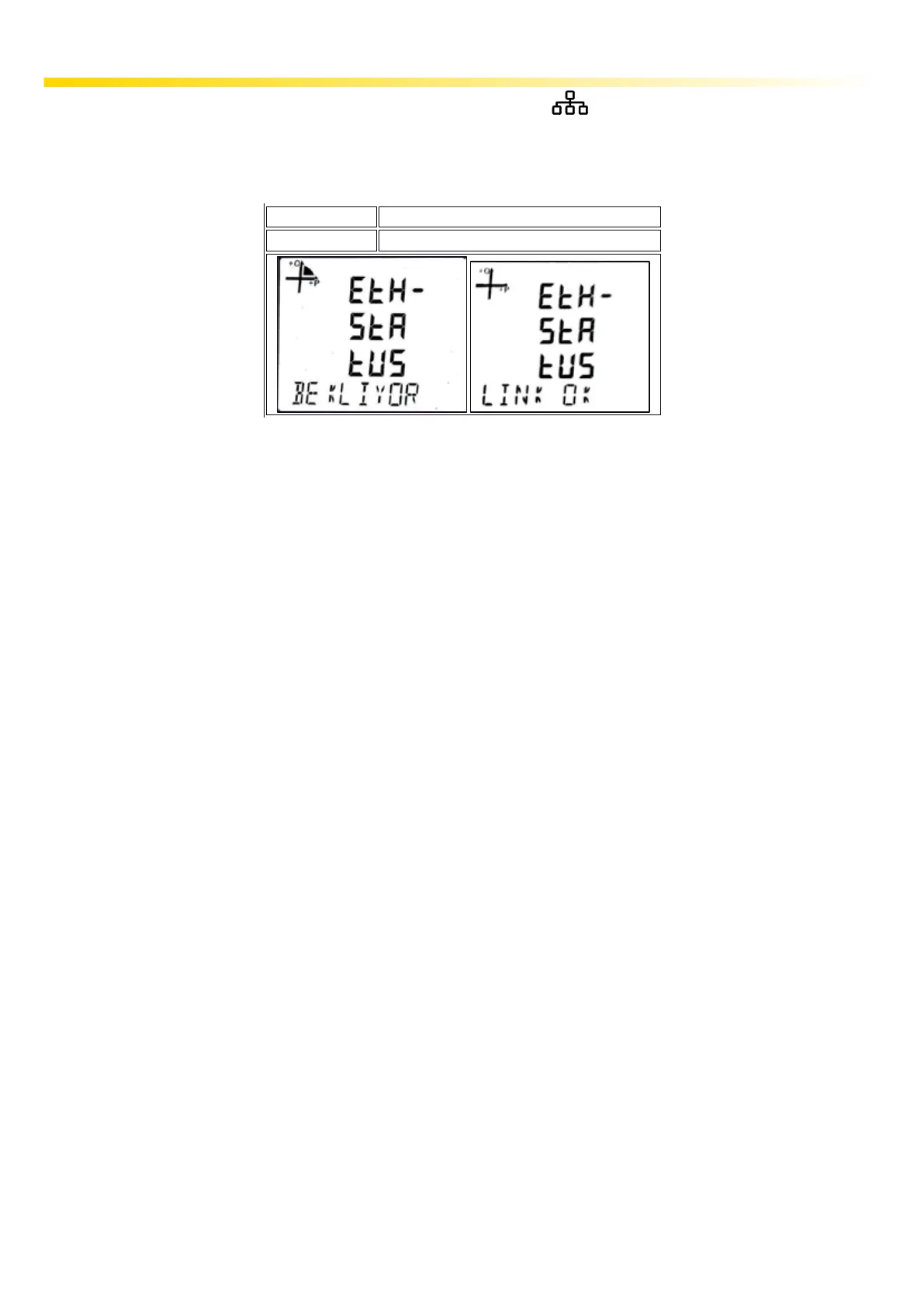
In the monitoring screen if you press Up button for 3 seconds shortcut will be activated. Ethernet
parameters screen is displayed.
In the following screens between the screens below with UP / DOWN buttons Ethernet Connection
Information can be seen.
Button Name
Ethernet Connection Information
SCREEN
UP (3s)
STARTING: This is the message that appears when the device is rst turned on. Indicates that the
Ethernet module is performing startup operations.
CONNECTED: If the device is in server mode, it indicates that a connection has been made to the
device. If the device is in client mode, it indicates that a connection is made to the set server.
WAITING: If the device is in server mode, it indicates that the IP acquisition is successful and a
connection is awaited from the server.
IP WAIT: Indicates that IP is expected to be issued via DHCP
HW ERROR: Indicates that there is a communication error between ethernet module and main
processor.
NO CONNECTION: Indicates that Ethernet connection is not available.
DHCP ERROR: Indicates that acquisitioning IP via DHCP server was failed. This problem occurs
when DHCP server is not operating properly or there is no DHCP server at the network that device
connected.
IP CAKIS: Indicates that there is another device with the same IP as the device in the network to
which the device is connected.
DNS ERROR: Occurs when the device is operating in client mode and the server address set cannot
be resolved via the DNS server. This occurs when there is no set server address in the set DNS
server address pool or there is no DNS server in the network to which the device is connected.
This error does not occur when the device server address is set as IP.
SNC ERROR: This error occurs when the server that is set up does not accept connection requests
while the device is running in client mode.
TKRR DEN: This message occurs when the rst connection request of the server which has been set
while the device is in the client mode fails and tries to connect again.



 To Next Page