40
5.2.5 Ethernet Communcation Systems
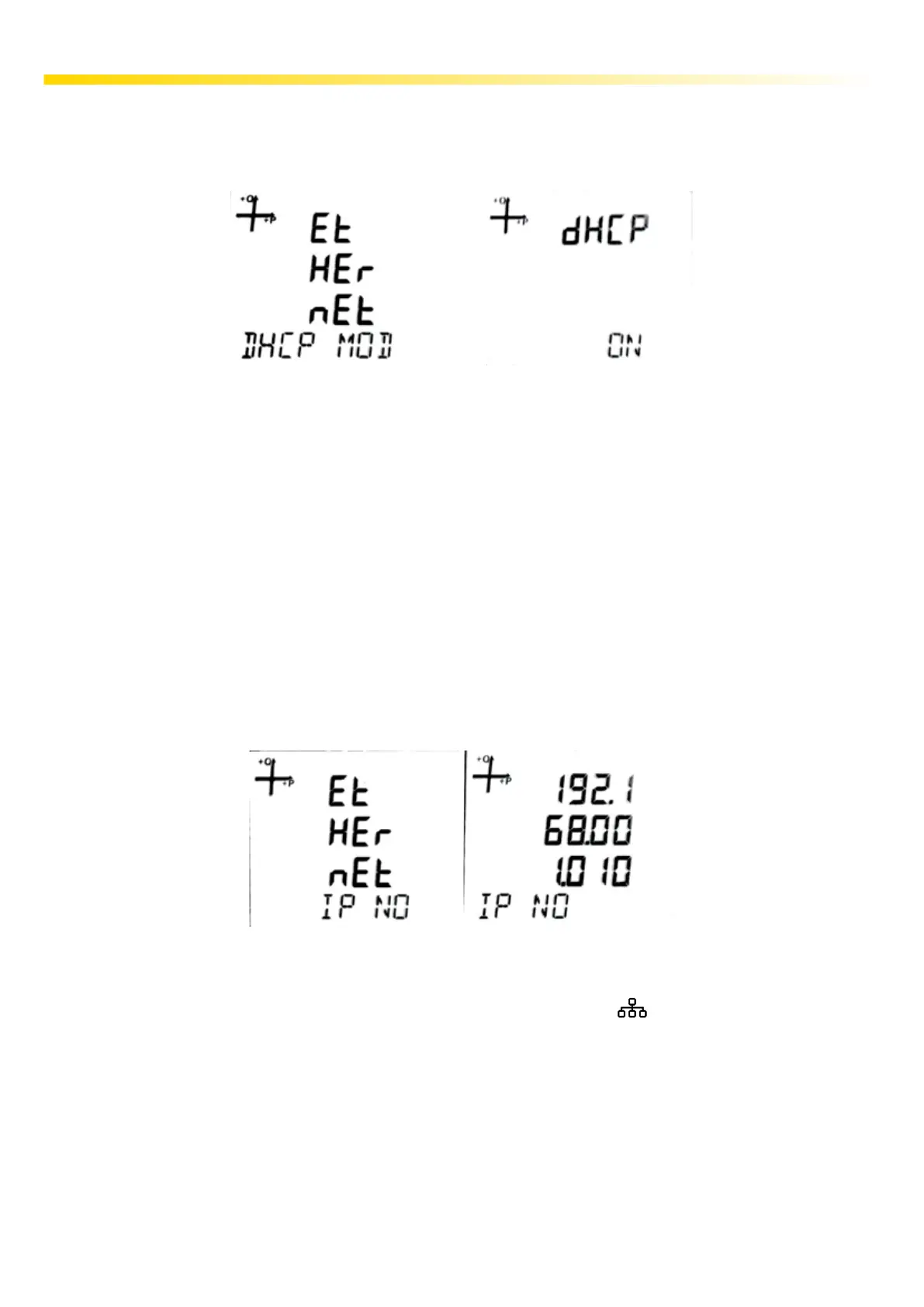
5.2.5.1. DHCP Mode
DHCP mode indicates that your device will get its IP address via a DHCP server for the ethernet con-
nection.
Set the DHCP mode to ON or OFF according to the network infrastructure to which the analyzer is
connected. If DHCP is set to ON, the device will receive the IP address automatically determined by
the network server. If DHCP is set to OFF, the device will try to get the IP entered in the 5.2.4.2. Eth-
ernet IP Address setting screen from the network server.
1. While on the Setup Ethernet screen, press the SET button.
2. Press the SET button while on the Ethernet DHCP MOD screen, which is the rst page.
3. Press the SET button while on the DHCP screen. Set the desired ON and OFF options by using
the UP and DOWN buttons and conrm with the SET button.
4. not forget to save your settings when exiting the menu with the BACK button.
5.2.5.2. Ethernet IP Address
Ethernet IP address shows the IP address that the device will use for the ethernet connection when
DHCP is not enabled. If DHCP Mode is set to O, Static IP must be entered on this screen. The de-
vice will try to get the IP entered on this screen from the network server.
The entered IP address appears on the monitoring screen with the IP shortcut on the device.
1. While on the Ethernet IP NO screen, press the SET button.
2. In the IP NO screen, use the UP and DOWN button to enter the desired value and conrm with
the SET button.
3. Do not forget to save your settings when exiting the menu with the BACK button.



 To Next Page