41
5.2.5.3. Subnet Mask Address
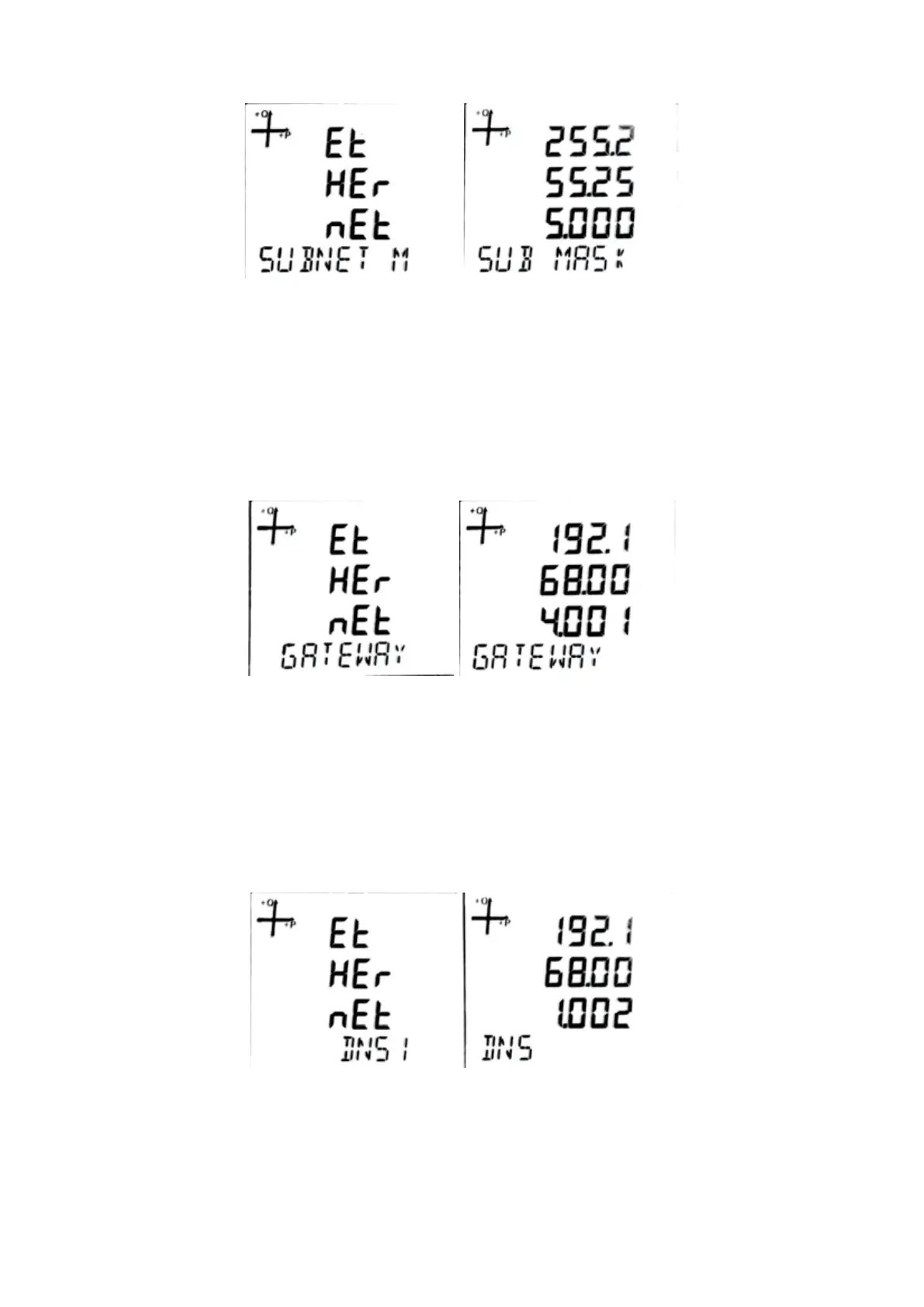
The subnet mask address shows the network address which the device is connected.
1. While on the Ethernet SUBNET M screen, press the SET button.
2. On the SUB MASK screen, use the UP and DOWN buttons to enter the desired value
and conrm with the SET button.
3. Do not forget to save your settings when exiting the menu with the BACK button.
5.2.5.4. Gateway Address
The gateway address shows the address of the modem or gateway that the device is connected to
the internet.
1. Press the SET button while on the Ethernet Gateway screen.
2. On the Gateway screen, use the UP and DOWN buttons to enter the desired value and
conrm with the SET button.
3. Do not forget to save your settings when exiting the menu with the BACK button.
5.2.5.5. DNS (DNS-1) Address
DNS-1 address is the address of the DNS (Domain Name System) server to be used to resolve the
server address to be connected when the device is in client mode.
1. While on the Ethernet DNS 1 screen, press the SET button.
2. On the DNS screen, use the UP and DOWN button to enter the desired value and conrm with
the SET button.
3. Do not forget to save your settings when exiting the menu with the BACK button.



 To Next Page