42
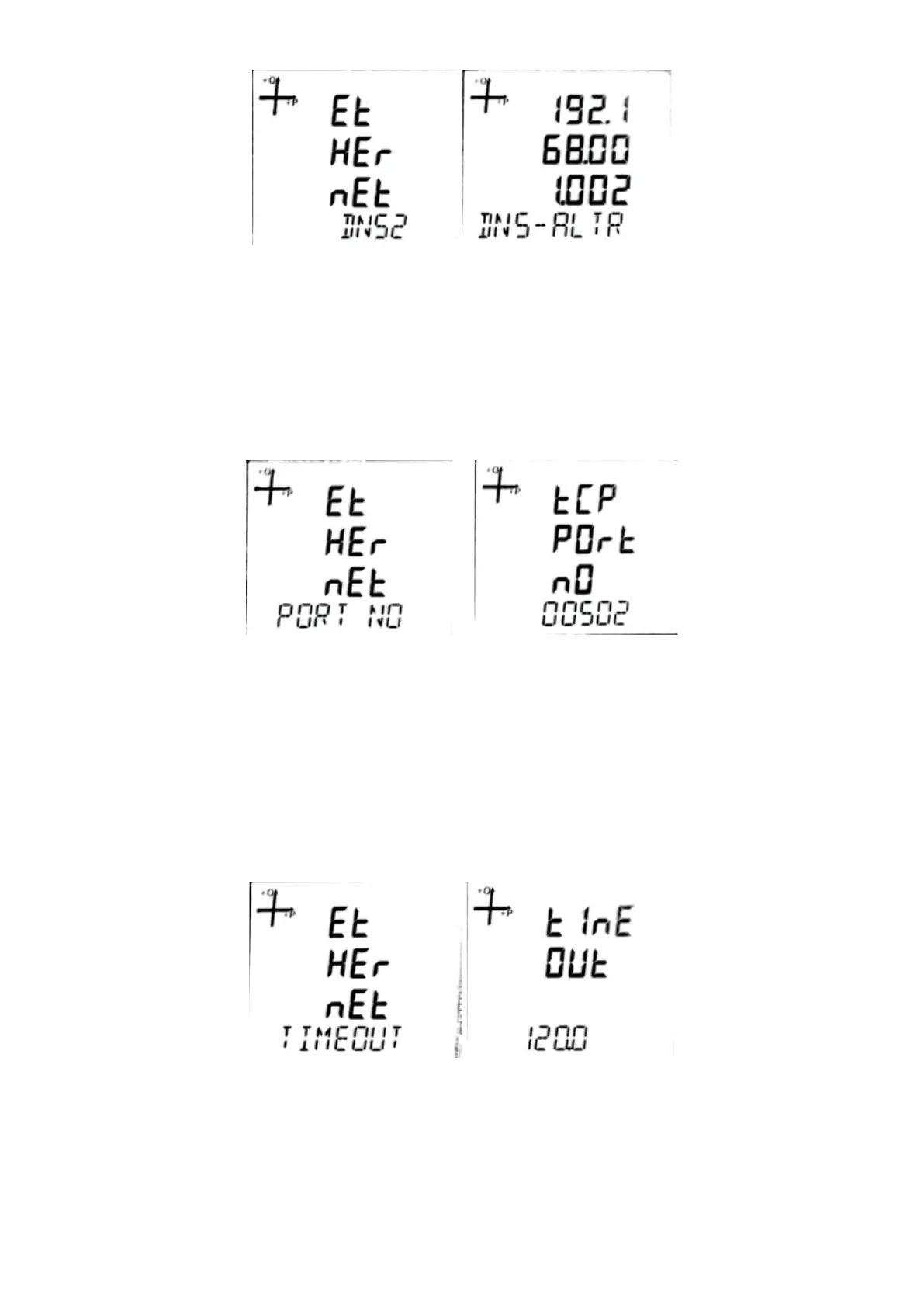
5.2.5.6. Alternate DNS (DNS-2) Address
DNS-2 address is the address of the backup (alternative) DNS server to be used to resolve the server
address to be connected when the device is in client mode.
1. Press the SET button while on the Ethernet DNS 2 screen.
2. Enter the desired value by using the UP and DOWN buttons on the DNS-ALTR screen
and conrm with the SET button.
3. Do not forget to save your settings when exiting the menu with the BACK button.
5.2.5.7. Ethernet Port Number
Ethernet port address refers to the port number to be used for Modbus TCP in server mode.
1. While on the Ethernet Port No screen, press the SET button.
While on the TCP Port No screen, use the UP and DOWN button to enter the desired value
and conrm with the SET button.
2. Do not forget to save your settings when exiting the menu with the BACK button.
5.2.5.8. Timeout
If the device is operating in server mode, the connection of the device to the relevant socket will be
closed if there is no data exchange.
If the device is operating in client mode, the device will reconnect to the set server in case of no data
exchange.
1. Press the SET button while on the Ethernet Timeout screen.
2. On the Timeout screen, use the UP and DOWN buttons to enter the desired value and
conrm with the SET button.
3. Do not forget to save your settings when exiting the menu with the BACK button.



 To Next Page