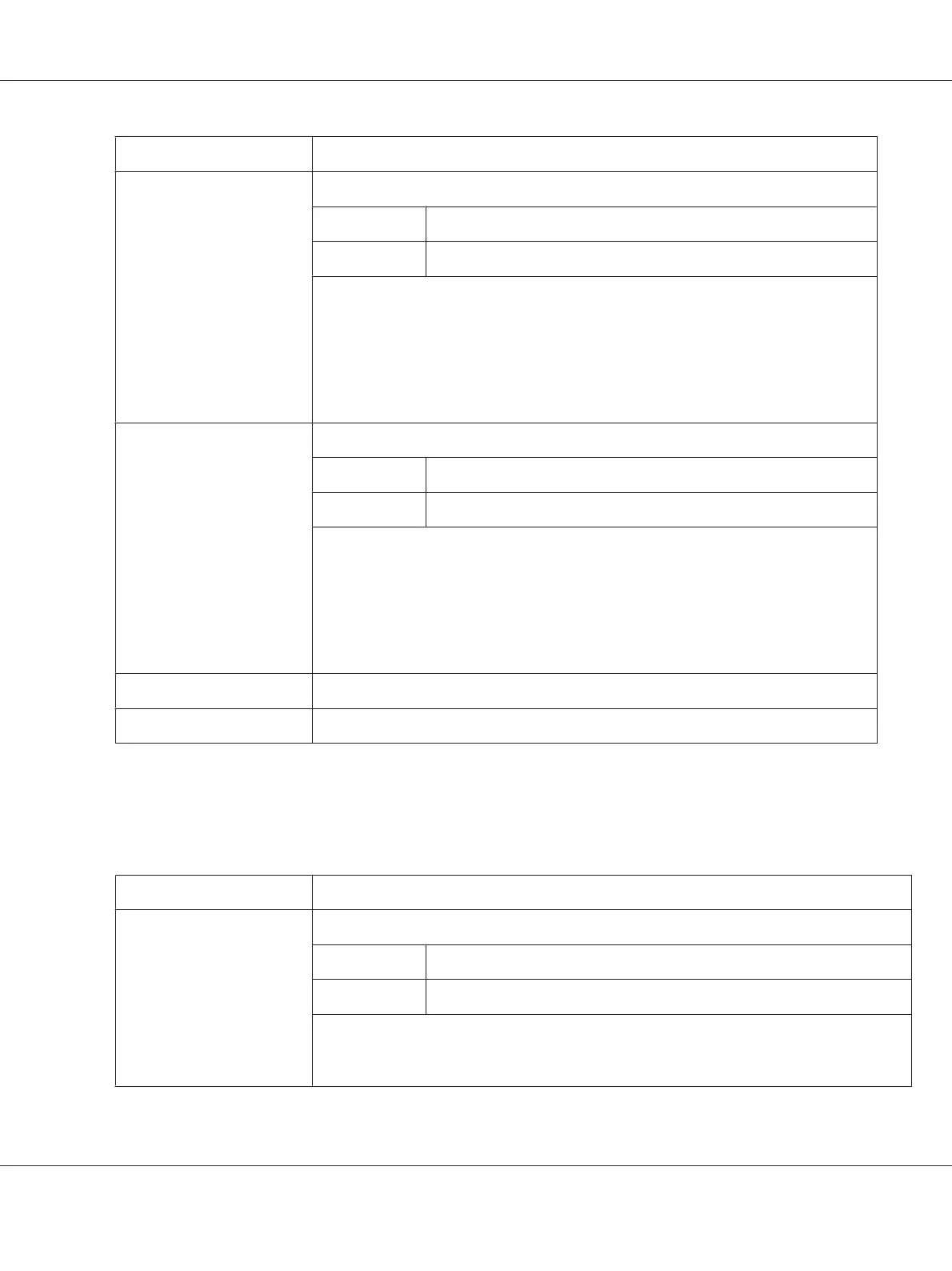
Item Description
Subnet Mask Specifies the machine’s subnet mask address.
Range 0 to 255 for each triplet
Default 255.255.255.0
Note:
If the subnet mask is outside the range, the following message displays when you choose
the Apply button: “Update Unsuccessful”
Go back to the previous screen, and then type an appropriate number.
Configuration Menu Equivalent:
UTILITY - ADMIN. MANAGEMENT - NETWORK SETTING - IP ADDR. SETTING
Default Gateway If a router is used on the network, sets the router’s address.
Range 0 to 255 for each triplet
Default 0.0.0.0
Note:
If the default gateway is outside the range, the following message displays when you
choose the Apply button: “Update Unsuccessful”
Go back to the previous screen, and then type an appropriate number.
Configuration Menu Equivalent:
UTILITY - ADMIN. MANAGEMENT - NETWORK SETTING - IP ADDR. SETTING
Apply button Applies the configuration settings in this window.
Clear button Resets all configuration settings to previous values.
RAW Port Settings
In the Network - TCP/IP - RAW Port Settings window, settings can be specified for the following
parameters.
Item Description
RAW Port Number Specify the RAW port number (maximum of 5 digits).
Range 1 to 65535
Default 9100
Note:
The currently used port number and numbers 80, 161, 427, 515, 631 and 4567 cannot be
specified.
AcuLaser CX16NF Reference Guide
Using Web-Based EpsonNet Config 95



 To Next Page
 Loading...








