232
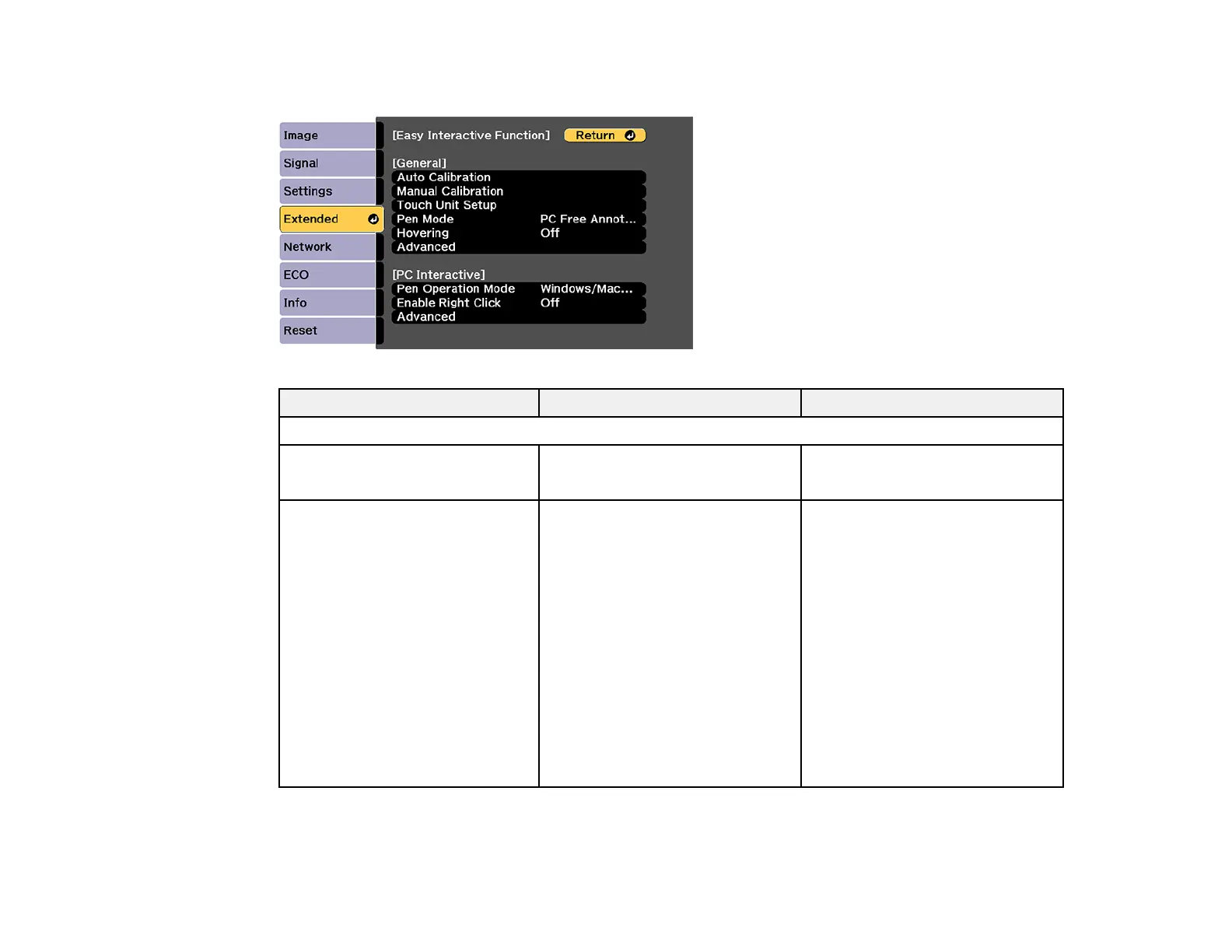
Easy Interactive Function Settings
Setting Options Description
General Easy Interactive Function settings
Auto Calibration
Manual Calibration
— Start calibration for the
interactive pens
Touch Unit Setup Installation Pattern
Power
Angle Adjustment
Touch Calibration
Select settings for the Touch Unit
Installation Pattern: displays
reference points to help you
determine the installation position
of the Touch Unit
Power: turns on the Touch Unit
power
Angle Adjustment: performs
angle adjustment for laser
diffusion
Touch Calibration: performs
calibration for finger touch
operations





 To Next Page