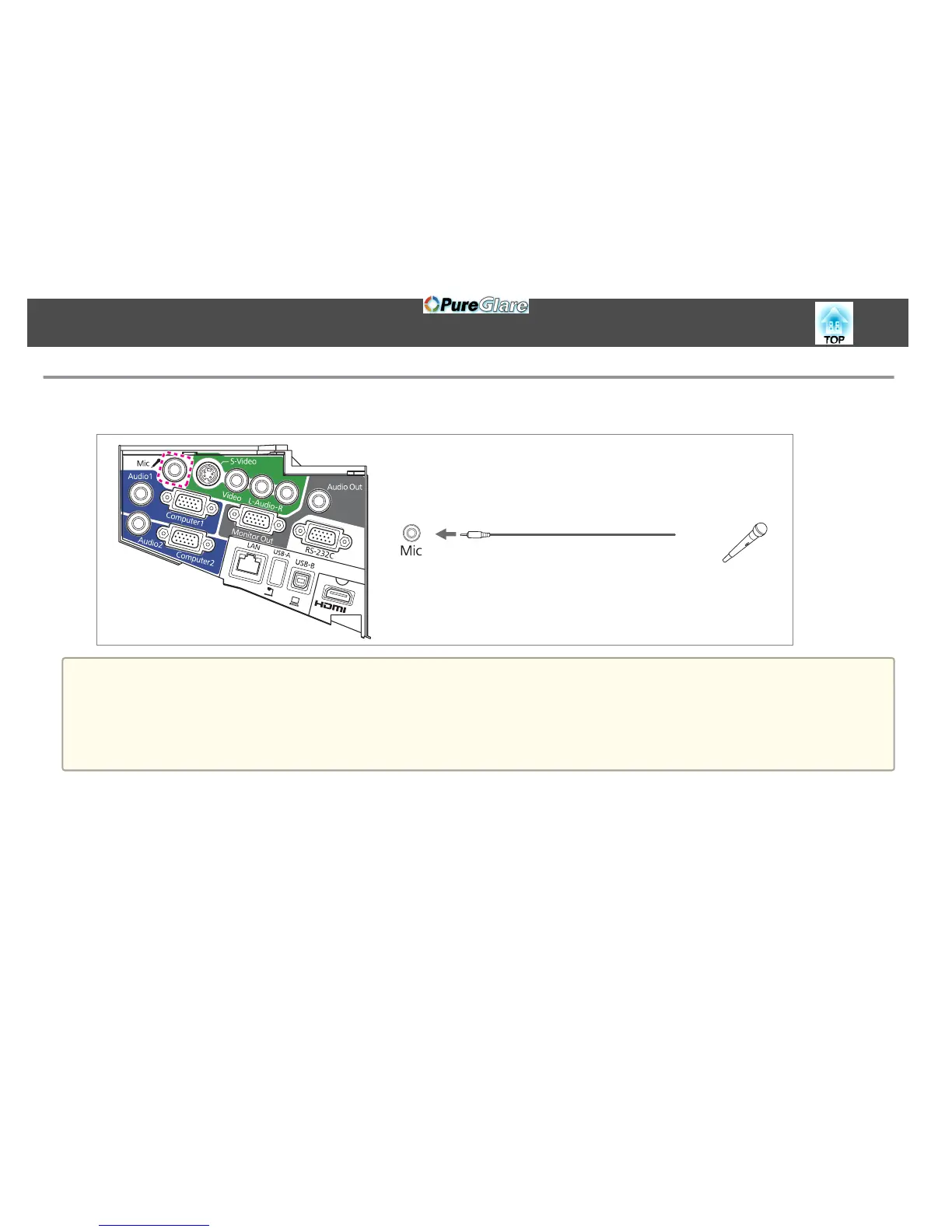
Connecting a microphone
You can output microphone audio from the projector's speaker by connecting a commercially available dynamic microphone.
a
• Plug-in-power is not supported.
• Adjust Mic Input Level if the microphone audio is difficult to hear, or if it is too loud resulting in a crackling sound.
s Settings - Mic Input Level p.101
• Make the following settings to output audio from a microphone when the projector is in standby mode.
Set Standby Mode to Communication On.
s
Extended - Standby Setup - Standby Mode p.103
Set Standby Microphone to On. s Extended - Standby Setup - Standby Microphone p.103
Connecting Equipment
33


 To Next Page