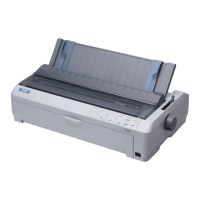
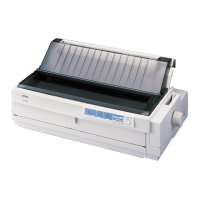
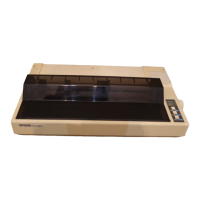
EPSON FX-890/2190 Revision B
PRODUCT DESCRIPTIONS Features 12
Note1: Type of paper of multi-part forms should be Crbonless. Don’t use Carbon-backed and
Carbon-interleaved.
2: Type of paper of line glue at the top should be set jointing side of paper horizontally.
Note1: Printing on card is available only under normal temperature and humidity conditions
2: When setting cards, be sure to align their left edge with the matchmark of the sheet
guide.
3: When Paper size is A6 and the sheet is to be set horizontal, it should be inserted from
rear entrance only.
4: When using card, set up card mode.
Table 1-6. Cut Sheet (Multi part) FX-2190
FX-2190
Front Entry Rear Entry
Manual
Manual / High-Capacity CSF
/ Single-Bin CSF
Minimum Maximum Minimum Maximum
Width
(inch)
(mm)
(3.9)
100
(16.5)
420
----- -----
Length
(inch)
(mm)
(3.9)
100
(16.5)
420
----- -----
Copies
1 original + 5 copies -----
Total thickness
(inch)
(mm)
(0.0047)
0.12
(0.018)
0.46
----- -----
Weight
(one sheet of multi part)
(g/m
2
)
(lb)
40
(12)
58
(15)
----- -----
Quality Plain paper, Reclaimed paper
Not curled, not folded,
not crumpled
-----
Jointing Line glue at the top side of
form
----- -----
Table 1-7. Card
FX-890
&
FX-2190
Front Entry Rear Entry
Manual Manual
High-Capacity
CSF
Single-Bin
CSF
Min. Max. Min. Max. Min. Max. Min. Max.
Width
(inch)
(mm)
(3.9)
100
(5.8)
148
(3.9)
100
(5.8)
148
(3.9)
100
(5.8)
148
--- ---
Length
(inch) (5.8)
148
(3.9)
100
(5.8)
148
(3.9)
100
(5.8)
148
--- ---
(mm)
Thickness
(inch)
(mm)
(0.0087)
0.22
(0.0087)
0.22
(0.0087)
0.22
--- ---
Weight
(g/m
2
)
192
(51)
192
(51)
192
(51)
--- ---
(lb)
Quality Plain paper, Reclaimed paper
Not curled, not folded, not crumpled


 To Next Page
 Loading...