Ink consumption
❏ To maintain optimum print head performance, some ink is consumed from all ink tanks not only during
printing but also during maintenance operation such as print head cleaning.
❏ When printing in monochrome or grayscale, color inks instead of black ink may be used depending on the
paper type or print quality settings. is is because a mixture of color inks is used to create black.
❏ e ink in the ink bottles supplied with your printer is partly used during initial setup. In order to produce high
quality printouts, the print head in your printer will be fully charged with ink. is one-o process consumes a
quantity of ink and therefore these bottles may print fewer pages compared to subsequent ink bottles.
Relling
the Ink Tanks
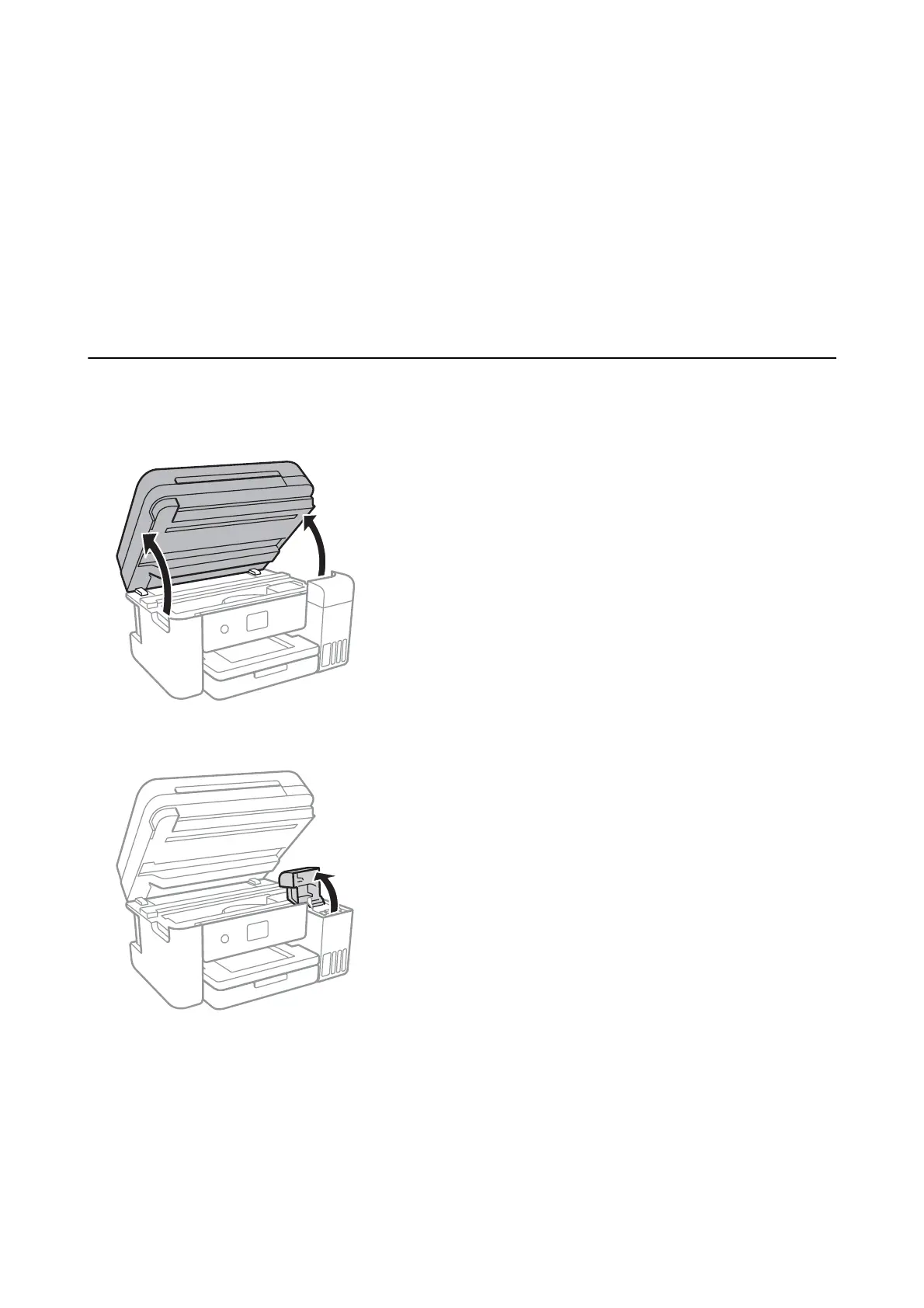
1. Open the scanner unit with the document cover closed.
2. Open the ink tank cover.
A message is displayed on the printer's control panel prompting you to rell the ink tank to the upper line.
Select Next.
User's Guide
Relling Ink and Replacing Maintenance Boxes
113



 To Next Page
 Loading...








