& “Available Paper and Capacities” on page 44
& “List of Paper Type” on page 49
& “Loading Envelopes and Precautions” on page 49
Loading Envelopes and Precautions
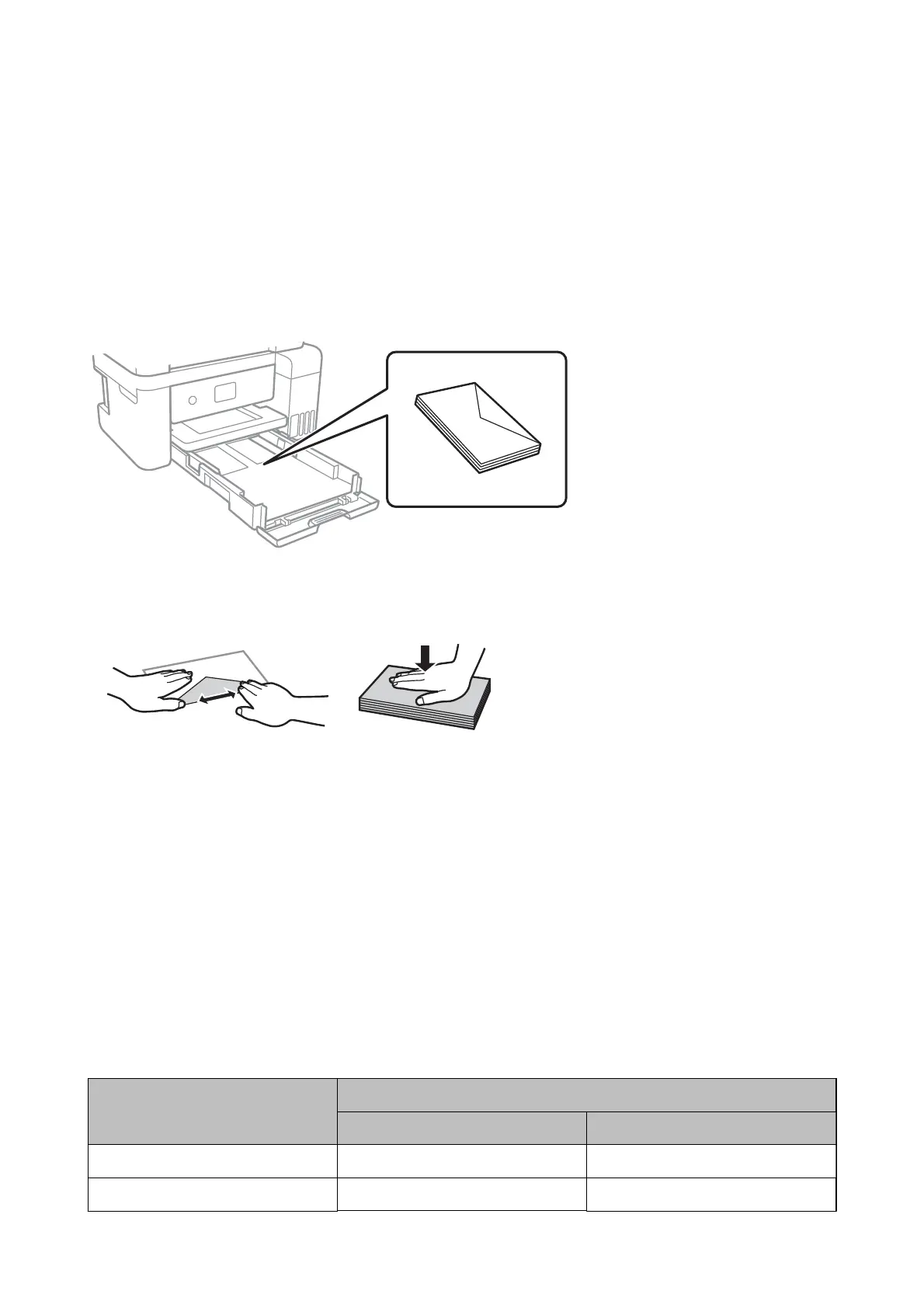
Load envelopes with the ap facing up, and then slide the edge guides to the edges of the envelopes.
❏ Fan and align the edges of the envelopes before loading. When the stacked envelopes are pued up with air,
press them down to atten them before loading.
❏ Do not use envelopes that are curled or folded. Using these envelopes causes paper jams and smears on the
printout.
❏ Do not use envelopes with adhesive surfaces on the aps or window envelopes.
❏ Avoid using envelopes that are too thin, as they may curl during printing.
Related Information
& “Available Paper and Capacities” on page 44
& “Loading Paper in the Paper Cassette” on page 46
List of Paper Type
To obtain optimum printing results, select the paper type that suits the paper.
Media Name Media Type
Control Panel Printer Driver
Epson Bright White Ink Jet Paper Plain paper Plain paper
Epson Ultra Glossy Photo Paper Ultra Glossy Epson Ultra Glossy
User's Guide
Preparing the Printer
49



 To Next Page
 Loading...








