WorkForce 1100/Epson Stylus Office T1110/B1100/T1100/Epson ME Office 1100 Revision C
Disassembly And Assembly Disassembling the Printer Mechanism 106
Confidential
4.4.12 Paper EJ Frame Assy
1. Remove the Upper Housing Support Assy. (p.74)
2. Remove the Left Frame Support Plate. (Refer to 4.4.5 Carriage Shaft / Carriage
Unit Step4 (p88), Step5(p89).)
3. Return the rotation position of the Right PG Cam.
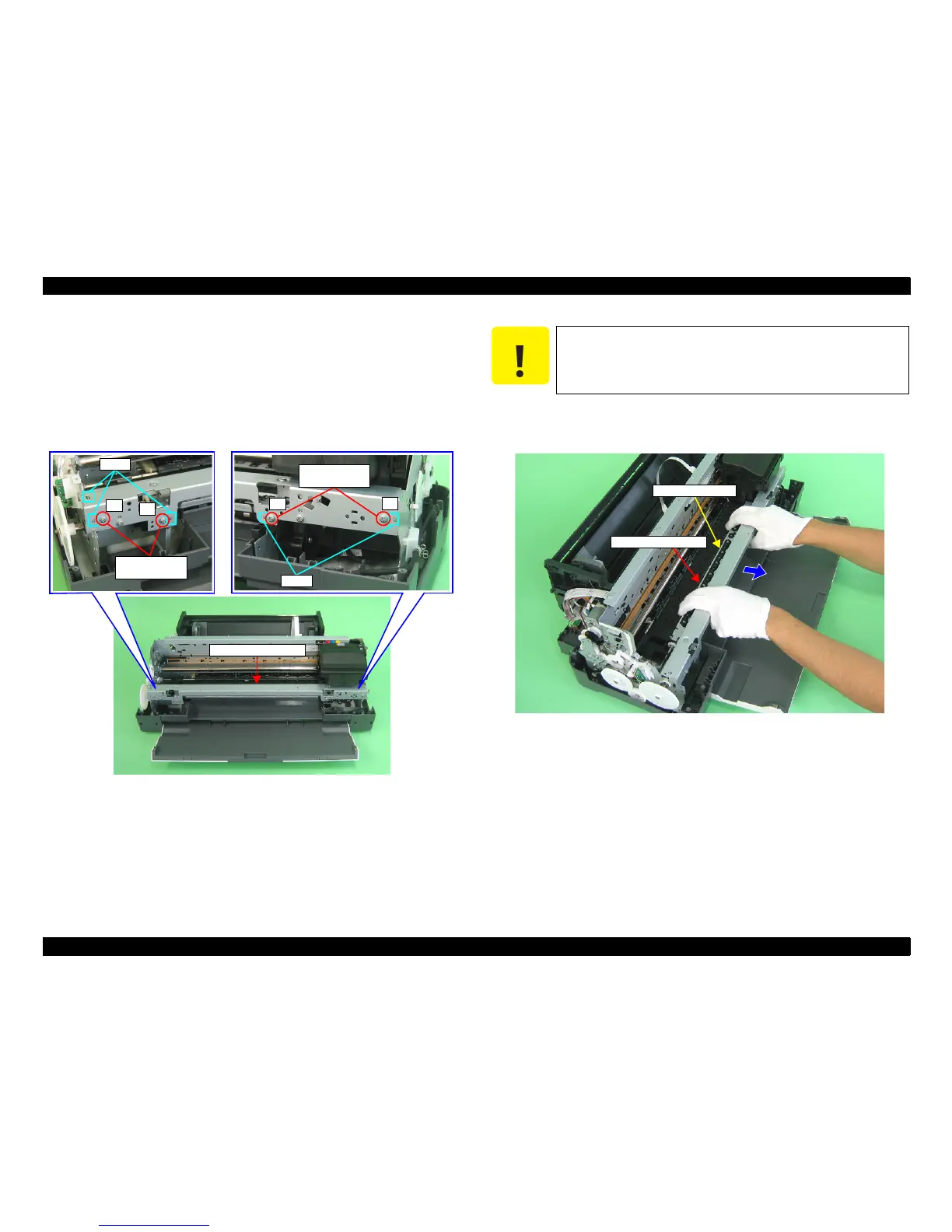
4. Remove the four C.B.S. M3 x 6 that secure the Paper EJ Frame Assy.
Figure 4-106. Screws that Secure the Paper EJ Frame Assy
5. Pull frontward the Paper EJ Frame Assy and remove it from the Printer
Mechanism.
Figure 4-107. Removing the Paper EJ Frame Assy















 To Next Page