WorkForce 1100/Epson Stylus Office T1110/B1100/T1100/Epson ME Office 1100 Revision C
Disassembly And Assembly Disassembling the Printer Mechanism 118
Confidential
4.4.17 Upper Paper Guide Assys
1. Remove the PE Sensor Holder. (p.126)
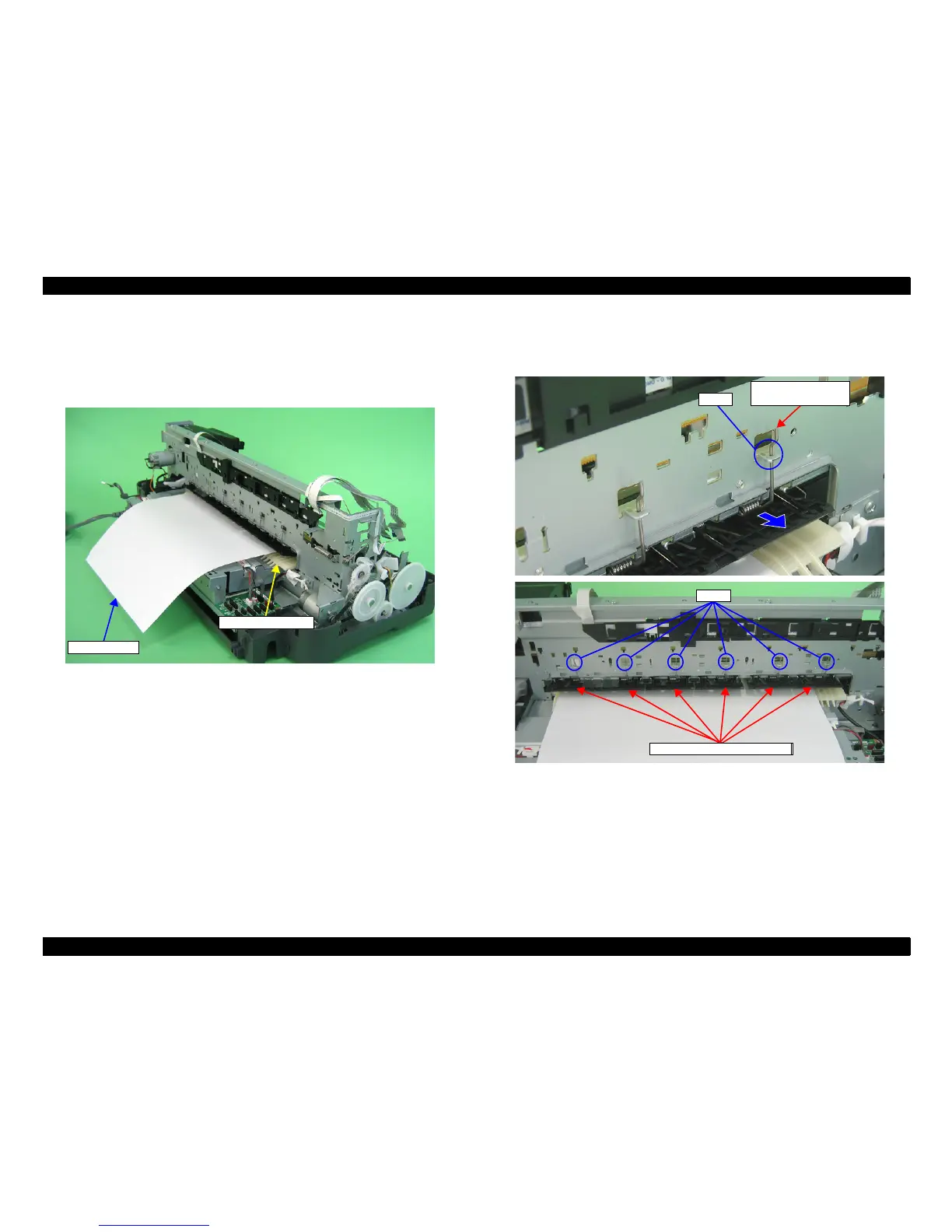
2. Pass a sheet of A3 size paper into the gap between the Upper Paper Guide Assy
and the Rear Paper Guide.
Figure 4-142. Setting the Paper
3. Remove the six Upper Paper Guide Torsion Springs from the tabs on the Main
Frame, and pull out the Upper Paper Guide Torsion Springs from the six Upper
Paper Guide Assys.
Figure 4-143. Removing the Upper Paper Guide Torsion Spring















 To Next Page