CUTMASTER 40
0-5570 OPERATION
27
SECTION 4 SYSTEM: OPERATION
4.01 Front Panel Controls / Features
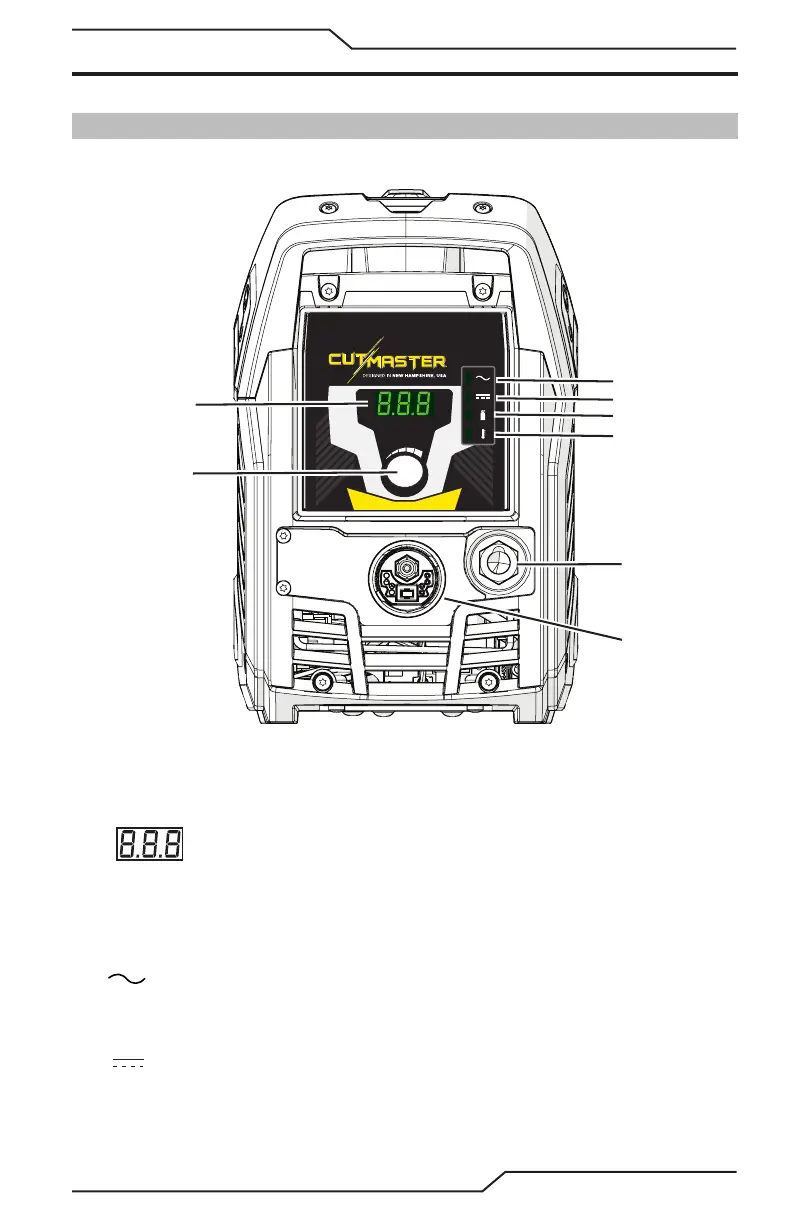
See Illustration for numbering Identication
1
2
3
4
5
6
8
Art # A-14045_AB
7
1. Current Control Knob
Knob used to adjust current output.
2. Numeric Display
• Displays software revision at start up
• Displays amperage values (Factory default)
• Displays Status Codes
3. AC Indicator
Steady light indicates power supply is ready for operation. No light indicates there is no input
voltage, the input voltage is outside of operating range, or there is an internal fault.
4. DC Indicator
Indicator is ON when DC output circuit is active.














 To Next Page