ES720.1 - User’s Guide52
Troubleshooting Problems ETAS
Certain actions in ETAS products may lead to some trouble if the firewall is not
properly parameterized, e.g. upon opening an experiment in ASCET or searching
for hardware from within INCA or HSP.
If a firewall is blocking communication to ET
AS hardware, you must either dis-
able the firewall software while working with ETAS software, or the firewall must
be
configured to give the following permissions:
• Outgoing limited IP broadcasts via UDP (destination address
2
55.255.255.255) for destination port 18001
• Incoming limited IP broadcasts via UDP (destination IP 255.255.255.255,
o
riginating from source IP 0.0.0.0) for destination port 18001
• Directed IP broadcasts via UDP to the network configured for the ETAS
application,
destination port 18001
• Outgoing IP unicasts via UDP to any IP in network configured for the ETAS
app
lication, destination ports 69, 18001, 18017 or 49152 to 50175
• Incoming IP unicasts via UDP originatin
g from any IP in the network con-
figured for the ETAS application, source ports 69, 18001, 18017 or 49152
t
o 50175
The ports that have to be used in concrete use cases depend on the hard-
ware used. For more precise information on the port numbers that can be
used p
lease refer to your hardware documentation.
Windows XP and Vista come with a built-in personal firewall. On many other
syste
ms it is very common to have personal firewall software from third party
vendors, such as Symantec, McAffee or BlackIce installed. The proceedings in
configuring the ports might differ for each personal firewall software used.
Therefore please refer to the user documentation of your personal firewall soft-
ware for further details.
As an example for a firewall configuration, you will find be
low a description on
how to configure the widely used Windows XP firewall if the hardware access is
prohibited under Windows XP with Service Pack 2.
Solution for Windows XP Firewall, Users with Administrator Privileges
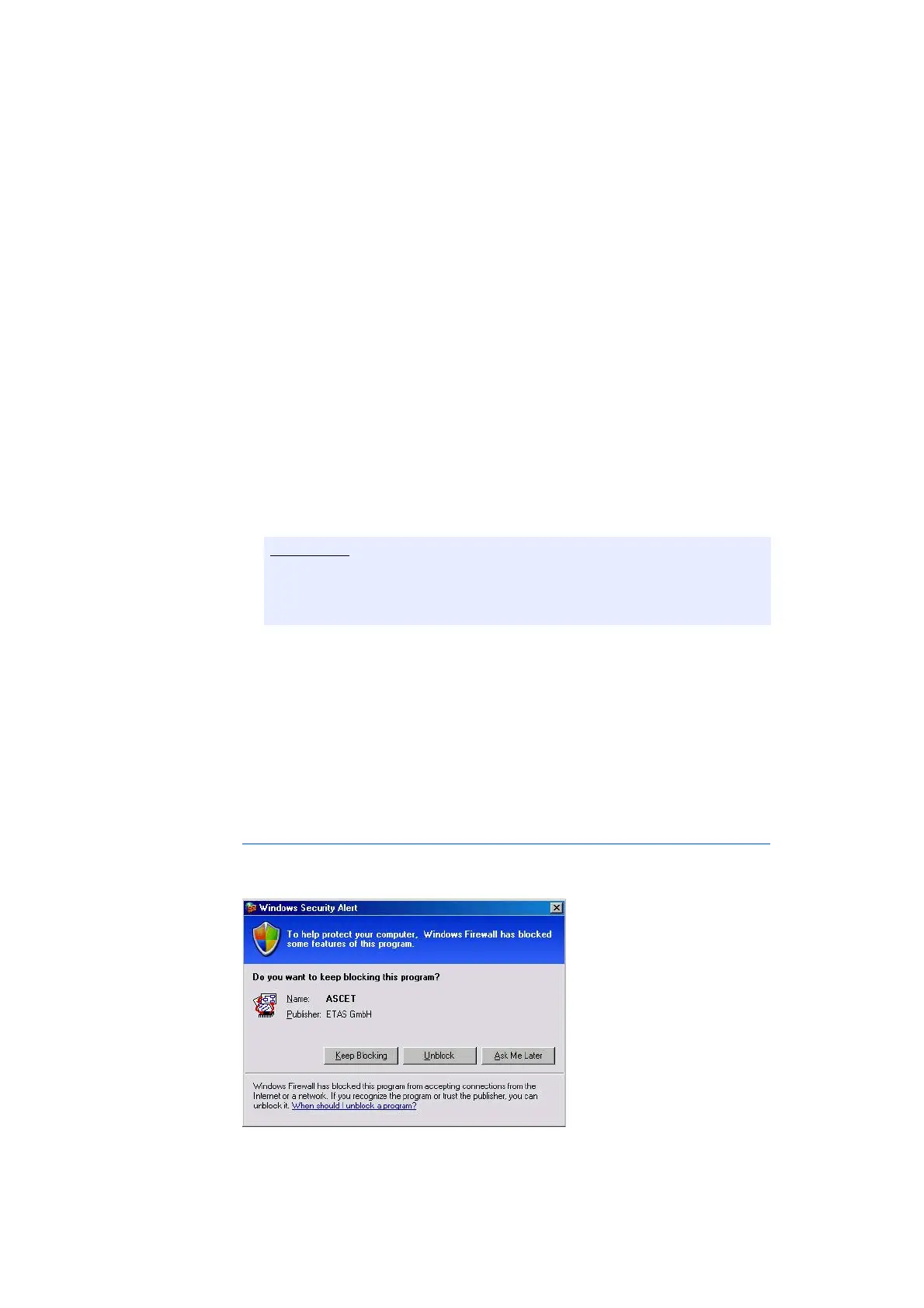
If you have administrator privileges on your PC, the following dialog window
opens if the firewall blocks an ETAS product.



 To Next Page